9 Best Free SEO Tools for WordPress in 2026 (By Use Case)
By Toy Wen Da, Co-Founder · Updated · 10 min read · scored 91/100
For most sites, the best free SEO tools for WordPress are Rank Math or Yoast SEO. Add Google Search Console to track rankings and Google PageSpeed Insights to fix speed problems. Yoast suits content-heavy blogs, while Rank Math's free plan packs in more features for people who don't want to pay.
How we chose these free SEO tools for WordPress
Every entry gets judged the same way. We looked at how deep the free plan goes (does it do useful work, or just nag you to upgrade on day one?), what the tool does best, what the free plan leaves out, and who it suits. That last point matters because a beginner blogger and an agency managing twelve client sites need different tools, even if both search for "free SEO tools WordPress."
If you want a broader shortlist that includes paid tiers and standalone apps alongside plugins, the 7 best WordPress SEO tools for 2026 covers that ground in more detail.
1. Rank Math: best for feature-hungry users on a budget
Rank Math is a WordPress plugin that bundles on-page analysis, schema markup and keyword tracking into one dashboard. Its free tier holds more than most competitors offer, and a setup wizard with easy and advanced modes walks you through configuration.
The free plan is usable for a full site. Third-party reviews list paid plans from around $59 a year.
Pick it if you want the most features possible without paying and don't mind a busier settings screen. Skip it if lots of options overwhelm you, because the number of toggles can slow a first-time setup.
2. Yoast SEO: best for beginners and content-focused bloggers
Yoast SEO is one of the longest-running WordPress plugins. Its traffic-light content analysis checks keyword placement, sentence length and passive voice as you write, and it handles XML sitemaps, meta titles and basic schema automatically.
The free version covers the fundamentals well. Premium costs $99 a year, and features such as video SEO and a redirect manager sit behind that paywall.
Pick it if you write a lot of long-form content and want writing feedback inside the editor. Skip it if you need local SEO or redirect management without paying extra.
3. All in One SEO (AIOSEO): best for small business and WooCommerce sites
AIOSEO is one of the original WordPress SEO plugins, and its setup wizard configures your site's basics in a few short steps. The free plan includes smart schema markup, basic WooCommerce SEO and local SEO fields that many competitors reserve for paid tiers.
Pro plans start at $49.60 a year, one of the lower starting prices on this list.
Pick it if you run a small business site or online store and want local and product SEO basics for free. Skip it if you need advanced redirect management or multi-location local SEO, which require the paid plan.
If local visibility matters more to your business than general content SEO, compare AIOSEO against the dedicated options in this roundup of local SEO tools before you commit.
4. SEOPress: best for agencies and freelancers
SEOPress is a lightweight, ad-free plugin aimed at freelancers and agencies who manage several client sites. The free version includes content analysis with unlimited keywords, Google Analytics integration and white-label branding, so clients never see the SEOPress name in their dashboard.
Pro pricing starts at $49 a year for five sites.
Pick it if you manage several client sites and want white-label SEO without per-site licensing headaches. Skip it if you run a single personal site, since the multi-site pricing model offers less value there.
5. The SEO Framework: best for developers and speed purists
The SEO Framework takes the opposite approach from the all-in-one suites. It pre-configures the essential SEO settings automatically and stays out of your way, with no branding, no ads and almost no load added to your site.
The free plan costs $0 and includes the core SEO controls. The Pro plan, which unlocks all extensions on two sites, costs $7/month, paid yearly (October 2026, from its pricing page).
Pick it if site speed is your top priority and you don't need a content-analysis sidebar telling you what to fix. Skip it if you want guided feedback as you write, because this tool is deliberately hands-off.
6. Slim SEO: best for absolute beginners who want zero setup
Slim SEO calls itself a "fire and forget" plugin. It generates meta tags, XML sitemaps, breadcrumbs and schema automatically, with almost no configuration screens to learn.
It's free to install, and third-party comparisons put its premium tier at around $59 a year.
Pick it if you just want the technical basics covered and have no interest in learning plugin settings. Skip it if you want detailed on-page analysis or control over individual schema fields, since the plugin hides that complexity on purpose.
7. Google Search Console: best for tracking what's actually ranking
Search Console is Google's own free tool for monitoring how your site performs in search results. It shows which queries bring in clicks, which pages get indexed and which get flagged for errors, and it connects to most WordPress SEO plugins from their settings screens.
It has no paid tier. According to Google Search Central, it's the direct line between your site and how Google crawls and indexes it.
Pick it if you want real ranking and indexing data instead of plugin estimates. Skip it if you're after keyword research or competitor data, because it only shows your own site's performance.
For a deeper look at tools built to track rank changes over time, see this comparison of SEO monitoring tools.
8. Google PageSpeed Insights: best for fixing speed and Core Web Vitals
PageSpeed Insights runs your page through Lighthouse and reports load time, interactivity and visual stability, then lists specific fixes such as compressing an image or deferring a script. Page speed is a well-documented ranking and user-experience factor, and Chrome's developer team publishes the Lighthouse scoring methodology.
It's free with no paid version, since it's a diagnostic tool and not a plugin.
Pick it if your site feels slow and you want a prioritized list of fixes. Skip it if you need on-page SEO guidance, because it only covers performance.
9. Ubersuggest (free tier): best for quick keyword and competitor checks
Ubersuggest is a web-based keyword and domain research tool. It isn't a WordPress plugin, but people often pair it with one for the research that plugins don't do. The free tier allows three searches a day and returns basic keyword volume and competitor domain data.
Paid plans start at $29 a month and add broader historical data and tracking.
Pick it if you want occasional keyword ideas without installing anything on your site. Skip it if you need daily keyword research, since three free searches a day run out fast when you're planning content.
If competitor research matters more to you than keyword volume, this list of competitor analysis tools goes further into options built for that job.
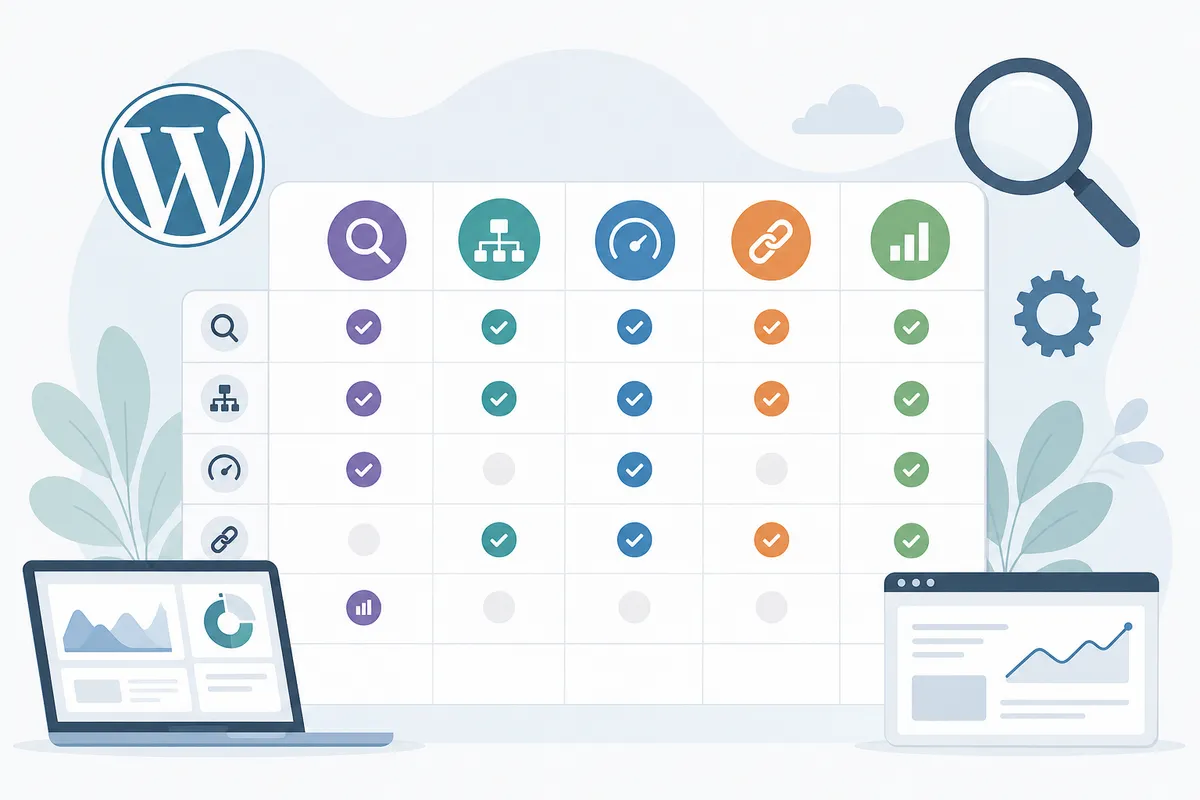
Free WordPress SEO tools compared at a glance
| Tool | Best for | Free plan | Starting price (paid) | Main limit |
|---|---|---|---|---|
| Rank Math | Feature-hungry users on a budget | Yes, many features | ~$59/yr | Can overwhelm beginners |
| Yoast SEO | Beginners and content writers | Yes, core features | $99/yr | Local SEO and redirects are paid add-ons |
| AIOSEO | Small business and WooCommerce | Yes, with basic local SEO | $49.60/yr | Advanced redirects need Pro |
| SEOPress | Agencies and freelancers | Yes, white-label | $49/yr (5 sites) | Pricing model favors multi-site use |
| The SEO Framework | Developers, speed purists | Yes, automated | $7/month, paid yearly | Minimal guided feedback |
| Slim SEO | Zero-config beginners | Yes, fully automated | ~$59/yr | No detailed on-page analysis |
| Google Search Console | Tracking real rankings | Yes, no paid tier | Free | No keyword research tools |
| Google PageSpeed Insights | Speed and Core Web Vitals fixes | Yes, no paid tier | Free | Doesn't cover content or keywords |
| Ubersuggest | Occasional keyword checks | Yes, 3 searches/day | $29/mo | Free tier runs out quickly |
How we compared
We read each vendor's public pricing and feature pages and the review sites listed in Sources, all checked in October 2026. We did not open paid accounts or test any of these tools ourselves, so treat the comparison as a starting point for your own trial. Only The SEO Framework's price comes straight from its pricing page; for the other tools, confirm the figure on the vendor's site before you buy.
When a free SEO tool is enough (and when it isn't)
A free SEO tool covers most of what a new or small site needs: titles and meta descriptions, plus sitemaps and basic schema. The ceiling shows up once you manage more pages, more clients or more competitive keywords than a free plan was built to track.
| Your situation | Free tool likely enough? | What usually forces an upgrade |
|---|---|---|
| New blog, under 50 posts | Yes | Rarely, free plans cover the basics well |
| Small business or local service site | Mostly | Multi-location local SEO, advanced schema |
| WooCommerce store with 100+ products | Partly | Product schema at scale, redirect management |
| Agency managing multiple client sites | Rarely | White-label reporting, per-site licensing costs |
| Competitive niche, heavy keyword tracking | No | Daily keyword limits, historical ranking data |
If a single plugin's free tier no longer covers your needs, look at the full field of free SEO tools worth testing in 2026 before jumping to a paid plan. Many sites can pair a free plugin with Search Console and PageSpeed Insights for a year or more before paying for anything.
Two other categories are worth knowing about even though they aren't core SEO plugins. Browser-based SEO extensions for Chrome let you audit any page without installing a plugin, and free AI tools for marketing can speed up drafting once your technical SEO is in order.

A note on AI search visibility
People no longer find content only through search engines. If you also care about how your pages appear in AI-generated answers, free plugins won't help much, because that problem differs from meta tags and sitemaps. The LLM optimization tools built for AI visibility cover that gap if it's becoming relevant to your traffic.
FAQs
What's the best free SEO tool for WordPress?
Rank Math and Yoast SEO are the most commonly used free SEO tools for WordPress. Rank Math's free plan includes more features out of the box, while beginners often prefer Yoast for its content-readability checks.
Can I use two SEO plugins on the same WordPress site?
Running two full SEO plugins together usually causes conflicts, such as duplicate sitemaps or meta tags. Stick to one main SEO plugin and pair it with standalone free tools like Search Console or PageSpeed Insights.
Do free SEO plugins actually improve rankings?
A free SEO plugin organizes the technical signals that help search engines understand your site, such as titles, sitemaps and schema. It doesn't create rankings on its own, since content quality and backlinks still do most of the work.
Is Google Search Console better than a WordPress SEO plugin?
They do different jobs. Search Console reports real ranking and indexing data straight from Google, while a plugin helps you set up the on-page elements Search Console then measures. Most sites need both.
How much does a free WordPress SEO tool actually cost long-term?
The plugin itself can stay free indefinitely for basic use. Costs usually appear when you need features like local SEO at multiple locations, advanced schema or multi-site white-labeling, and paid tiers run roughly $49 to $99 a year across the plugins in this list.
Test one plugin this week, then check the rest of your site
Install one of the best free SEO tools for WordPress from this list, run through its setup wizard and connect Google Search Console the same day. That alone fixes most of the gaps a new WordPress site has. After that, a free tool only takes you so far: it won't tell you which pages are losing traffic, which keywords you're missing or whether your content still matches search intent six months from now. Talk to the team to see what a fuller SEO picture of your site looks like beyond what any single free plugin can show you.
Resources / References
Sources
About the author
SearchBlueprint researched, wrote and scored this article with the content pipeline our customers run on their own sites. The score in the byline is what our content engine gave this page before it published. Nothing here is reviewed by hand, which is the point: it is the product's output, published where anyone can check it.