9 Ways to Optimize Product Pages for Higher Sales and SEO
SearchBlueprint · · 10 min read · scored 92/100

To optimize product pages for higher sales and SEO, you fix five things: the description order, the image sequence, review placement, the technical basics Google reads, and the internal links that guide buyers to the next item. Get those right and the page does two jobs at once. It ranks, and it sells.
This guide is for anyone running an online store, Shopify, BigCommerce, WooCommerce, or a custom build, who wants product pages that show up in search and convert once a shopper lands. Every fix below is something you can do without a developer.
Why Product Page Optimization Drives Both Sales and SEO
A product page has one job: answer every question a buyer has before they think to ask it. Most pages don't do that. They list specs. They don't make a case.
Buyers decide before they read the specs
A Wolfgang Digital ecommerce report found that 44% of ecommerce site visits begin directly on a product page. That means for nearly half of all sessions, this page is the first thing a shopper sees. There's no homepage to build trust first. No category page to set context. The product page has to do all of it.
If you sell through Shopify or BigCommerce, the platform shapes some of this work for you, but the fixes below still apply page by page. SearchBlueprint's ecommerce SEO tools for Shopify and BigCommerce stores are built around exactly this problem: making the pages that already exist perform better, rather than rebuilding the store.
Get a baseline before you change anything
Before you rewrite a single description, check where the page stands today. A free on-page SEO scorer will show you which fundamentals are already in place and which ones are missing, so you're not guessing at what to fix first.

Write Product Page Copy That Sells and Ranks

Most product descriptions read like a spec sheet with punctuation. They tell a shopper what a product is. They rarely say what it does for that shopper.
Lead with the outcome, then prove it
Buyers decide with emotion first, then look for specs to confirm the decision they've already made. A description that opens with dimensions and materials asks the shopper to do that translation themselves. Do it for them instead.
Take a simple insulated travel mug. A spec-first line reads: "Stainless steel travel mug, double-walled, holds 16 ounces." An outcome-first line reads: "This double-walled steel mug keeps your coffee hot for 6 hours, so it's still warm by the time you actually get to drink it." Same product. Same facts. One of them gives the buyer a reason to keep reading.
The table below shows the same shift applied to two different products.
| Product | Spec-first copy | Outcome-first copy |
|---|---|---|
| Insulated travel mug | "Stainless steel, double-wall insulation, 16 oz capacity." | "Keeps your coffee hot for 6 hours, still warm at your desk after a slow morning commute." |
| Insulated water bottle | "750ml stainless steel bottle, vacuum insulation, BPA-free." | "Stays cold through a full day outdoors, and the 750ml size fits most car cup holders." |
Both versions cover the same specifications. Only the second version gives the buyer a reason to care about them before it lists them. For a fuller framework on ordering a page this way, SearchBlueprint's guide to writing pages that rank and convert walks through the structure in more depth.
Where the keyword actually belongs
Your product's name and category terms belong in the H1 and the first line of the description, not stuffed into every sentence. If you haven't already mapped out which terms shoppers actually search for a given product, effective keyword research is the step that comes before any rewrite, not after it.
Long-tail terms matter more here than they do on a blog post. Backlinko's analysis of search behavior found that long-tail queries make up more than 90% of all searches. A shopper searching "women's lightweight running shoes for flat feet" is closer to buying than one searching "running shoes." Write the product title and description with that specificity in mind, and the keyword placement takes care of itself.
Sequence Product Images the Way Shoppers Actually Look
A shopper who can't picture the product won't buy it, no matter how good the copy is. This isn't about adding more photos. It's about adding the right ones, in the right order.
The four images every product page needs
Four images answer four different questions a buyer asks before they commit:
- A clean front-facing shot, this earns the initial click and confirms what they're looking at.
- A second angle, back, side, or a close-up of a key detail.
- A scale reference, the product next to something familiar, or held by a person.
- An in-use shot, the product in the setting where the buyer will actually use it.
A studio photo on a white background is accurate. A lifestyle photo is relatable. Shoppers don't live in a photo studio, they live in kitchens, gyms, and cars, and a photo that puts the product there does more work than one more angle of the same white background.
What pinch-to-zoom is telling you
If shoppers on mobile are pinching to zoom on your images, the images are too small or too tightly cropped. That's not a nice-to-have fix. It's a sign the page isn't giving buyers the visual detail they need at a readable size. Test this on an actual phone, not a resized browser window, the two rarely behave the same way.

Put Reviews Where Doubt Actually Shows Up
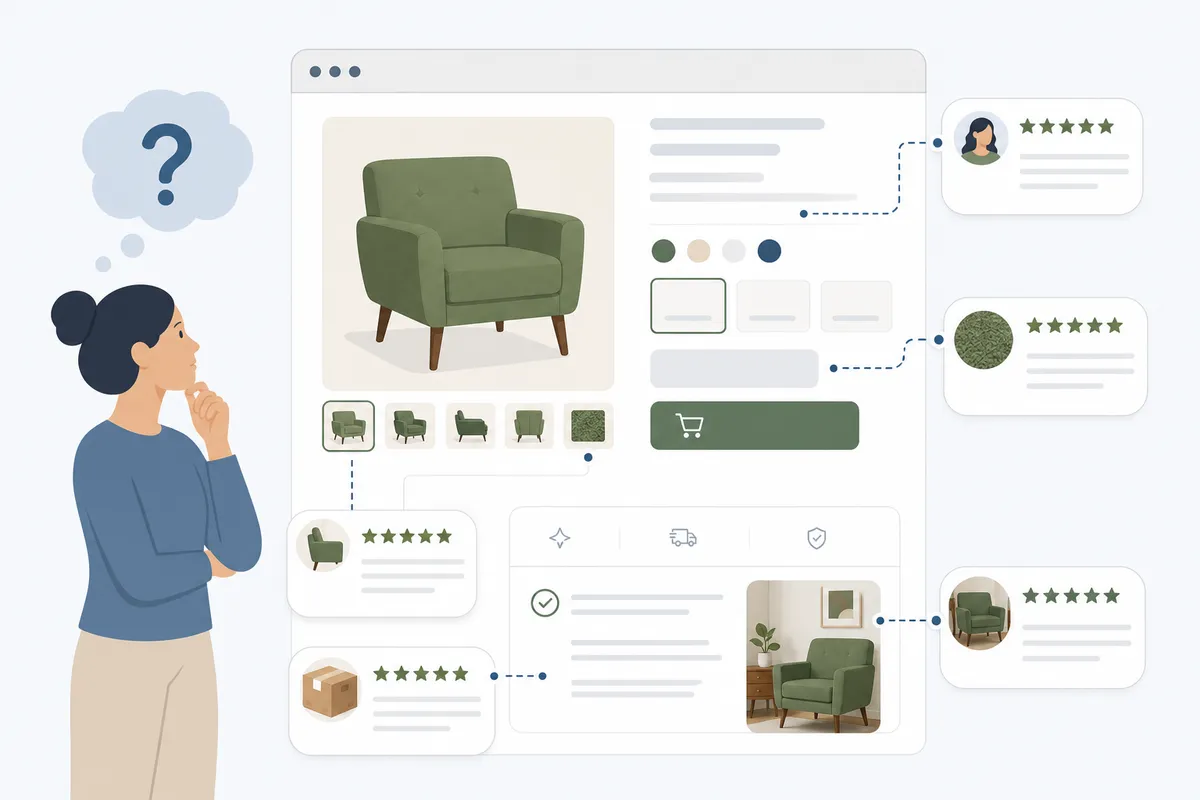
Having reviews on a page isn't the same as using them to convert. Most stores have reviews. Most of them sit at the bottom of the page, below the description and specs, where the buyer has either already decided or already left.
Star ratings belong above the fold
Put the star rating and review count directly under the product title, before the price. A rating of 4.7 stars from 340 reviews, shown right under the title, answers the buyer's first unconscious question, "is this credible?", in under a second. The same rating at the bottom of the page answers that question after the buyer has already made up their mind, or already gone.
What convinces buyers changes with price
Review needs shift with the price of the item. For lower-priced products, buyers respond more to review volume, a large number of reviews gives quick, reassuring confirmation. For higher-priced products, buyers read more carefully: they want reviews that describe the product in actual use, address specific concerns, and ideally include a photo. Matching the review display to the price point is a small change that changes how much trust the page earns.
Fix the Technical SEO Issues Costing You Sales
Great copy and great photos won't rank if the technical layer underneath them is broken. This is the part of product page SEO that's easy to skip because it's invisible on the page itself.
Titles, meta descriptions, and URLs
Keep your meta title under roughly 60 characters and your meta description under roughly 160, or Google truncates them in search results, cutting off the part of your pitch that was supposed to earn the click. SearchBlueprint's breakdown of what Google actually reads from your meta tags covers exactly which fields matter and which ones Google quietly ignores.
Clean URLs help too. A URL like /products/insulated-travel-mug tells both Google and the shopper what's on the page. A URL like /product?id=38274 tells them nothing.
Structured data most stores skip
Adding Product schema markup gives Google the specific details it needs to show rich results: star ratings, price, and stock availability directly in the search listing. A listing with stars and a price beats a plain blue link for the same position, because it answers part of the buyer's question before they've even clicked.
Page speed and mobile experience
More than 60% of ecommerce traffic now happens on mobile devices, so a page that's slow or hard to tap on a phone is losing the majority of its potential buyers before they see anything. Google has reported that a large share of mobile visitors leave a page that takes more than three seconds to load. web.dev's Core Web Vitals guidance lays out the specific speed thresholds Google measures, so you're not guessing at what "fast enough" means.
| Element | Target | Why it matters |
|---|---|---|
| Meta title | Under ~60 characters | Google cuts off anything longer in the search result |
| Meta description | Under ~160 characters | A truncated description loses the reason to click |
| Page load time | Under 3 seconds | Slower pages measurably lose mobile visitors |
| Product images | Compressed, multiple angles | Faster loads and fewer "what does it actually look like" questions |
For a full pre-publish pass, SearchBlueprint's 27-point on-page SEO checklist covers the technical items beyond what's listed here.
Common Product Page Mistakes That Quietly Cost Sales
A few mistakes show up on product pages again and again, and each one is a fast fix once you know to look for it.
Copying the manufacturer's description word for word. If other resellers carry the same product, they're copying the same text. Google sees the duplication across multiple sites and none of those pages stand out. Write your own version instead, it doesn't need to be longer, just yours. SearchBlueprint's SEO copywriting guide covers how to do this at scale without every product sounding the same.
Letting the add-to-cart button disappear on scroll. If a buyer has to scroll back up to the top of the page to buy, you've added friction at the exact moment they were ready to act.
Treating reviews as decoration instead of proof. A perfect five-star average with three reviews reads as less trustworthy than a 4.6 with real detail. A mix of reviews, including the occasional lukewarm one, actually builds more credibility.
Leaving the page as a dead end. A buyer who's ready to purchase is also open to adding a second item. Product pages with no related-item suggestions leave that opportunity on the table.
What to Fix First
You don't need to rebuild the page to see a difference. Start with the changes that take the least effort and touch the moment a buyer is deciding:
- Move the star rating and review count above the price.
- Rewrite the opening line of the description to lead with the outcome, not the spec.
- Add a fourth image showing the product in actual use.
- Add Product schema markup so Google can show price and rating in search results.
- Check your title and meta description length so neither gets cut off in results.
Run your updated page through a free meta tag checker once you've made these changes, so you can confirm the title and description are pulling the right information before you move on to the next product.
FAQs
What's the fastest way to optimize product pages for higher sales and SEO?
Start with the star rating placement and the opening line of the description. Both take minutes to change, and both affect the exact moment a buyer decides whether to keep reading or leave.
How long should a product description be?
Length matters less than order. A description that leads with the outcome and backs it up with real detail will outperform a longer one that opens with a spec list. Write enough to answer the buyer's real questions, then stop.
Do product reviews actually help SEO?
Reviews add fresh, unique text to the page, which search engines read as a signal the content is current and specific to that product. They also work directly on conversion, which is the other half of the equation.
Should I use the manufacturer's product description?
No. If other resellers use it too, Google sees duplicate content across multiple domains, and none of those pages gets a ranking advantage from it. A version in your own words performs better, even at similar length.
How often should I update product pages?
Update a page whenever the product, price, or stock status changes, and revisit the copy and images periodically as reviews accumulate, new social proof is worth surfacing, not just collecting.
Check Where Your Product Pages Are Losing Sales
Most of what's covered here doesn't require a redesign. It requires knowing which pages have the problem and which fix to make first. If you want a clear read on where your own product pages stand today, talk to the team and see what a sample report looks like before you commit to anything. That's the fastest way to optimize product pages for higher sales and SEO without guessing at what to change.
Resources / References
Related reading: How to Boost Online Sales: 12 Tactics That Actually Work.
Sources
About the author
SearchBlueprint researched, wrote and scored this article with the content pipeline our customers run on their own sites. The score in the byline is what our content engine gave this page before it published. Nothing here is reviewed by hand, which is the point: it is the product's output, published where anyone can check it.