How to Automate SEO Tasks for Higher Organic Traffic
SearchBlueprint · · 10 min read · scored 95/100

How to automate SEO tasks for higher organic traffic starts with handing the repeatable work to software: rank tracking, technical audits, reporting, internal link checks, and keyword research. Keep strategy, editing, and outreach human. Then run the loop on a schedule, because the traffic gain comes from consistency, not from any single tool.
That split matters because the common failure is not a missing tool. It is automation that stops at data collection. Dashboards fill up, nobody acts, and rankings stay flat. This guide covers which tasks to automate first, which to protect from automation, and how to wire the pieces into a loop that publishes, fixes, and measures every week.
What SEO automation is, and the three levels that matter
SEO automation means using software, scheduled jobs, and AI agents to run repeatable SEO work: pulling rankings, crawling for errors, grouping keywords, drafting briefs, and assembling reports. The goal is to remove the collecting and checking that eats your hours, so the time you do spend goes into decisions software cannot safely make.

It helps to separate three levels, because they carry very different risk.
Task automation
A single job on a schedule. A crawl runs every Monday. A rank check runs every night. Nothing happens downstream without you. This level is nearly risk free, and it is where every team should start.
Workflow automation
Several tasks chained by a trigger. Keyword data flows into a brief, the brief becomes a draft, the draft lands in a review queue. A person still approves anything that touches the live site, but nobody has to carry work between tools by hand.
Agentic automation
An AI agent reads the data, prioritizes against a goal, and drafts the action itself: a fix, an article, an internal link. Run well, inside limits you set, it closes the whole loop. Run carelessly, it publishes mistakes at scale. Before you hand over that much, read this honest breakdown of what autopilot SEO runs for you and what it can't.
Which SEO tasks to automate first
Start where the work is repetitive, the output is checkable, and a mistake is cheap. That points to monitoring and research, not publishing.

| SEO task | What software handles well | What still needs you | Sensible schedule |
|---|---|---|---|
| Rank tracking | Position checks across markets and devices, with alerts on movement | Separating normal wobble from a drop worth investigating | Daily or weekly |
| Technical audits | Crawls that flag broken links, redirect chains, missing metadata, and indexability problems | Choosing which fixes deserve engineering time, and checking the blast radius first | Weekly |
| Keyword research | Volume, difficulty, and intent data, plus clustering of related terms | Deciding which clusters fit your business and are worth a page | Monthly |
| Internal linking | Finding pages with topical overlap and suggesting links with anchor text | Approving which pages actually get linked | Weekly, or at each publish |
| Reporting | Pulling Search Console, analytics, and rank data into one scheduled view | Explaining why the numbers moved and what happens next | Weekly or monthly |
| Content briefs | Competitor structure, content gaps, suggested headings and entities | Editing, fact-checking, and the point of view that makes a page worth reading | Per article |
Rank tracking and SERP alerts
This is the most mature automation in SEO. Rank trackers typically let you review movement over the last day, seven days, or 30 days, and some list hourly checks on higher plans. Set alerts and stop checking manually. Your job is the filter: a one-position wobble on a minor term means nothing, while a slide on a page that drives signups deserves a same-day look, especially if clicks fall with it.
Technical health monitoring
Recurring crawls catch broken links, duplicate titles, redirect chains, and indexability problems while they are still small. On a store with 10,000 or more URLs, the kind of site the ranking guides use as their worked example, nobody audits pages by hand. One hard rule: never let a tool push fixes live unsupervised. A redirect rule that looks right in isolation can take out a whole category. The difference between a crawl that helps and a pile of ignored alerts is process, which is the subject of building a reliable SEO automation workflow that lasts.
Internal linking
Software remembers every page you have ever published. You do not. Let a crawler surface the link opportunities and propose anchors, then approve them yourself, because which pages deserve authority is a strategy call, not a similarity score.
Content research and briefs
Automation can map keywords to topics, pull the structure of ranking pages, and hand a writer a brief in minutes instead of hours. Treat the brief as a starting point, never a finished product. The real payoff is speed to publish, and it is measurable: teams that wire this step properly run SEO automation workflows that publish in days, not weeks.
The SEO tasks you should not fully automate
Automation fails where the work is judgment or relationships. Practitioners already know this: in the survey cited above, content writing and link building were the two jobs teams guarded most, at 58% and 51%. That instinct is correct, and here is why.

Final editorial judgment
Mass-producing pages is the fastest way to turn automation into a penalty risk. Google's spam policies name scaled content abuse, generating many pages primarily to manipulate rankings rather than help people, as grounds for demotion or removal, per Google Search Essentials. The fix is not avoiding AI drafting. It is keeping a human gate: someone accountable reads, corrects, and signs off before anything ships under your name.
Outreach and relationships
Templated outreach at volume gets deleted, and it burns the exact relationships that earn links. Automate the monitoring side, new links, lost links, competitor mentions, and keep the ask itself personal.
Priorities
A tool can tell you a cluster of 40 keywords shares intent. It cannot tell you whether that cluster fits the service line you want to grow this quarter. For a task-by-task ruling on both sides of this line, keep the guide to what to automate and what not to beside your plan.
How to automate SEO tasks for higher organic traffic, step by step
Step 1: Map where the hours go
Track your recurring SEO work for two weeks. Tag each task as collection, decision, or action. Collection tasks are automation candidates on day one. Decisions stay yours. Actions get automated only once the decision behind them has a review gate.
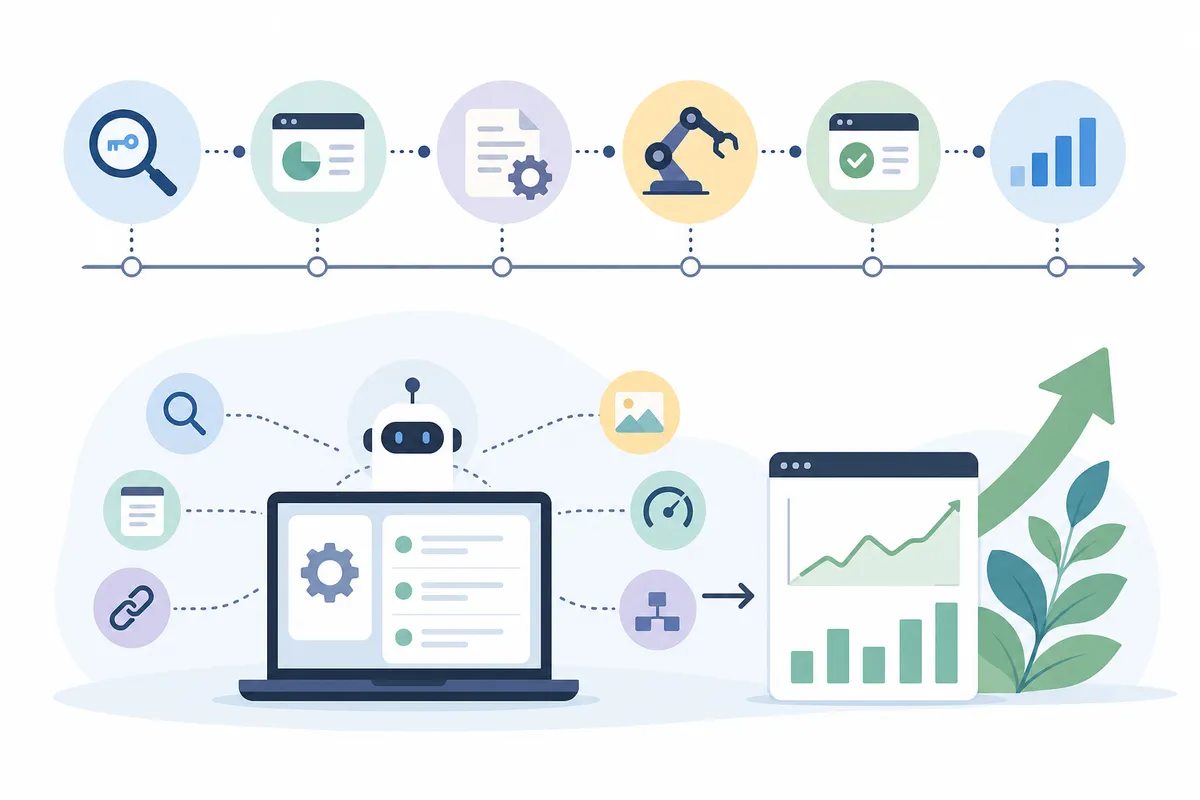
Step 2: Pick one tool per job, and name an owner
Every automated task needs three things: a schedule, a place its output lands, and a named owner. Automation without an owner becomes noise within a month. If assembling five separate tools sounds like a second job, there is a simpler shape: an AI SEO agent that runs the loop from one URL, covering research, audits, and content in a single system.
Step 3: Wire content production with a review gate
The chain is keyword data, then brief, then draft, then human edit, then publish. Machines move the work between steps; a person approves the step that touches the live site. That split is where the real benefits of SEO automation come from, and it is also what keeps the output publishable.
Step 4: Automate the watching
Alerts for ranking drops, index coverage errors, broken pages, and page speed regressions. Add one more check most teams skip: verify a published page is actually reachable at its URL. A CMS write that succeeds is not the same thing as a page that is live.
Step 5: Review monthly, expand slowly
Once a month, ask three questions. Did more pages ship than last month? Did fixes land faster? Did any automated output need heavy rework? Expand automation one task at a time, and only when the last task has run clean for a full cycle.
A weekly cadence that keeps the machine honest
Automation removes effort, not responsibility. This cadence keeps a person in the loop at the moments that matter, in about two to three focused hours a week.
| Frequency | Runs automatically | You review | Act when |
|---|---|---|---|
| Daily | Rank checks, index and uptime monitoring, alert triage | Only what alerts, about five minutes | A revenue page drops, or one error repeats across a template |
| Weekly | Site crawl, internal link suggestions, drafts into the edit queue | Approve links, edit one or two drafts, clear the fix queue | The fix queue is older than two weeks, which means scope is too wide |
| Monthly | Keyword refresh, cluster performance rollup, traffic and conversion report | Which clusters won, which briefs to commission next | A cluster shows rising impressions but has no dedicated page |
| Quarterly | Full technical audit, content decay scan | What to refresh, consolidate, or prune | A page has lost ground for two straight quarters |
The pattern to notice: software runs every row, and a person spends minutes, not days, on each. That is the working answer to how to automate SEO tasks for higher organic traffic without losing control of quality.
How automated SEO tasks turn into higher organic traffic
Automation does not rank pages. It changes three numbers that do.
Velocity. More pages ship because research and drafting stop being the bottleneck. Each new page is another query you can win and another internal link target for the rest of the site.
Latency. Broken pages, lost rankings, and crawl errors get found in hours instead of at the next quarterly audit. A template-level fix caught early protects every page built on that template.
Coverage. Nothing gets forgotten. Every market, every cluster, every page gets checked on schedule, which is something no manual process sustains past the first busy month.
Each effect feeds the next: faster publishing creates more pages for the monitoring to protect, and cleaner pages give new content a stronger site to launch from. That flywheel is the core of building a compounding system with AI-driven SEO, and it is why two sites with the same tools can get very different results. The one that runs the loop every week wins.
FAQs
What is SEO automation?
SEO automation is using software, scheduled jobs, and AI agents to run repeatable SEO work such as rank tracking, technical crawls, keyword clustering, brief creation, and reporting, so people spend their time on decisions instead of data collection.
Can SEO be fully automated?
No. Collection and monitoring automate well, and drafting automates with supervision, but strategy, final editing, and outreach need human judgment. Teams that automate everything typically ship generic content and miss context a tool cannot see.
Which SEO tasks should you automate first?
Rank tracking, recurring technical audits, and reporting. All three are repetitive, low risk, and easy to verify, and they usually free up the most hours for the least setup effort.
Will Google penalize automated content?
Google's policies target scaled content abuse, meaning pages produced in bulk primarily to manipulate rankings. Automated research and drafting are fine when a person edits, fact-checks, and approves each page before it goes live.
How long does it take for SEO automation to increase organic traffic?
It varies by site. Technical fixes can show movement within weeks of being recrawled, while new content typically takes months to mature. The gain comes from sustained weekly output, so judge the system over a quarter, not a fortnight.
Start with a sample report
Seeing one beats reading about it. Open the sample SEO report to see what an automated audit surfaces on a real site, then talk to the team about how to automate SEO tasks for higher organic traffic on your own domain. Bring one URL. That is all the setup takes.
Resources / References
Sources
- SEO Automation: How to Streamline SEO Tasks and ...
- 6 Tasks to Automate and SEO Tools to Use
- SEO Automation: How to Make SEO Tasks More Efficient
- Automate the busywork: 8 SEO tasks you shouldn't do ...
- how I automate organic SEO Traffic for my side project
Disclaimer: This article is general legal information, not legal advice, and does not create a solicitor-client relationship. The law changes and its application depends on your particular facts. Speak to a qualified lawyer in the relevant jurisdiction before acting — some rights and claims are subject to strict time limits.
About the author
SearchBlueprint researched, wrote and scored this article with the content pipeline our customers run on their own sites. The score in the byline is what our content engine gave this page before it published. Nothing here is reviewed by hand, which is the point: it is the product's output, published where anyone can check it.