How to Optimize SEO Automation for Maximum Traffic Gains
SearchBlueprint · · 11 min read · scored 92/100

To learn how to optimize SEO automation for maximum traffic gains, split the work correctly between machines and people, wire your tools into one connected workflow, and review what the system produces every month. Automation scales whatever you feed it, so the setup and the checkpoints decide whether it compounds traffic or compounds mistakes.
This guide is for marketing teams and agencies that already run some automation and want more traffic from it, not just saved hours. It covers the machine-versus-human split, tool integration, the content quality gate, and the monitoring loop that turns a one-time lift into a compounding one.
Key Takeaways
- Automate rule-based work with measurable output: technical audits, rank tracking, reporting, and meta tags at scale. Keep strategy, editorial review, fact-checking, and outreach human.
- One widely cited industry dataset found automated technical fixes lifted impressions by 56.4% across nearly 39,000 sites while cutting critical site issues by 85%.
- Disconnected tools are where gains die. Stacks commonly cited around $2,000 a month across five systems lose hours to copying data between dashboards.
- Alerts beat dashboards. Configure a small set of high-signal alerts, starting with conservative thresholds, so your team acts instead of filtering noise.
- Treat the whole setup like a product. Automation that ships once and is never reviewed drifts, and drift shows up as months of slow decline with no obvious cause.
Why "set it and forget it" caps your traffic gains
Manual SEO runs out of hours long before it runs out of opportunities. Auditing hundreds of pages, tracking positions across dozens of keyword clusters, and publishing week after week is more work than most teams can staff. That is why the category keeps growing: market projections cited across the industry put enterprise SEO platforms at $58.3 billion by 2035, an annual growth rate of 17.68%.
The reported gains are real. Vendors report enterprise teams cutting labor costs by 35% through automated workflows and lifting organic impressions by 23% within 90 days. One industry survey found 15.6% of teams save 10 or more hours a week by automating SEO tasks, and saving 1 to 5 hours weekly on content and keyword research alone is common.
Here is the part those numbers skip: automation scales your mistakes at exactly the same rate as your wins. A misconfigured redirect rule applies itself to every matching URL. A thin content template stamps its thinness across every page it generates. Teams that automate, stop watching, and assume the system is fine tend to discover the damage six months later as a slow, hard-to-diagnose decline in domain quality.
So the question is not whether to automate. It is how to run the system so gains compound instead of eroding. That takes three decisions, covered in order below: where the human line sits, how the tools connect, and what gets measured after launch.

Draw the line: what to automate and what stays human
The most important decision in the whole system is which tasks belong to machines and which belong to people. Get it wrong in one direction and you stay stuck at your current output ceiling. Get it wrong in the other and you publish technically correct pages nobody wants, which quality systems eventually notice. The full task-by-task breakdown lives in our guide to what to automate and what not to; the short version fits in one table.
| SEO task | Best owner | Why | Where the traffic gain comes from |
|---|---|---|---|
| Technical site audits | Automation | Checks are rule-based and repeatable, and quality is objectively measurable | Broken links, redirect chains, and missing tags get fixed before rankings slip |
| Rank tracking and alerts | Automation | Positions are facts, not judgment calls | Drops surface within hours instead of at month end |
| Reporting and dashboards | Automation | Compiling data adds no insight on its own | Your team spends its hours interpreting numbers, not assembling them |
| Meta tags at scale | Automation drafts, human spot-checks | Bulk work follows a measurable pattern | Thousands of pages get usable titles without a copywriter's month |
| Content strategy and angles | Human | Requires knowing your audience, not matching patterns | Pages that say something the current top results do not |
| Final editorial review | Human | Quality systems punish pattern-matched text | Content that earns links and AI citations instead of triggering spam review |
| Link building outreach | Human | Relationships do not batch | Replies from real editors instead of deleted template emails |
Work machines handle reliably
The automatable tasks share three traits. They follow defined rules. Their quality can be measured without opinion. And their output does not depend on understanding what a reader actually finds useful. Crawling, position tracking, issue detection, and report assembly all pass that test, which is why they produce the cleanest returns.
The expensive mistake is over-automating
The failures worth studying all sit on the wrong side of the line. Publishing AI drafts with no editorial pass. Keyword insertion scripts that bend sentences until they read as spam. Bulk redirect tools pointed at destinations nobody checked. None of these fail loudly. Instead, domain quality signals degrade over months, which is slower to detect and harder to recover from than a sharp penalty. When in doubt, keep the judgment call human and automate the work around it.

Wire one SEO automation workflow, not a pile of tools
One enterprise vendor opens its own guide with a familiar picture: a team paying $2,000 a month across five disconnected tools, still losing rankings, and burning hours copying data between dashboards. The tools were not the problem. The gaps between them were. Every gap is a place where an opportunity sits unnoticed because no single system owns it.
| Approach | Typical cost | Where it wins | Where it breaks |
|---|---|---|---|
| Disconnected point tools | Stacks are commonly cited around $2,000 a month across five systems | Best-of-breed depth in each single task | Data lives in silos, so you become the integration layer |
| Enterprise platforms | BrightEdge is listed at $14,000+ per year for enterprise features | Scale, governance, and very large datasets | Price, contracts, and usability; in the 2025 Forrester Wave, Conductor scored 4.4 out of 5 against BrightEdge's 2.2 |
| Mid-market all-in-ones | Subscription pricing well below enterprise level | SE Ranking reports tracking up to 15,000 keywords daily against a 7.2 billion keyword database | Deep technical crawling can still need a specialist; Botify reports processing a million pages in about three hours for exactly that job |
| Agent-led platforms | Priced per run or per credit rather than per seat | One system runs audits, keyword research, and drafting from a single URL | You still own the review layer, and unreviewed output is the main risk |
Cover four jobs before you add anything else
Effective coverage is four areas, not forty features. Technical auditing finds broken links, redirect chains, and slow pages before they cost rankings. Monitoring and alerts tell the right person when a threshold is crossed. Content tooling handles drafts, briefs, and optimization scoring. Reporting compiles everything so nobody assembles spreadsheets by hand. If a shiny tool does not extend one of those four, skip it. Our walkthrough on building a reliable SEO automation workflow shows how the four pieces hold together over time.
Set it up in this order
Sequence matters because each layer feeds the next. Connect Search Console first and turn on crawl error alerts. Schedule weekly automated crawls against your highest-impact issue categories. Add rank tracking for the keywords that carry revenue, with threshold alerts. Then pipe all of it into one dashboard. Teams that follow that order get to a working system fast; the ones that buy tools first and connect them later often stall for a quarter. There is a reason the fastest setups follow workflows that publish in days, not weeks: momentum is itself a resource.
Start alerts conservative
Teams that configure hypersensitive alerts in week one ignore them by week two, because the signal-to-noise ratio trains everyone to filter. Begin with thresholds that only fire on genuine action items. You can always tighten later. An inbox of real problems beats a feed of everything.

Keep the content layer inside Google's lines
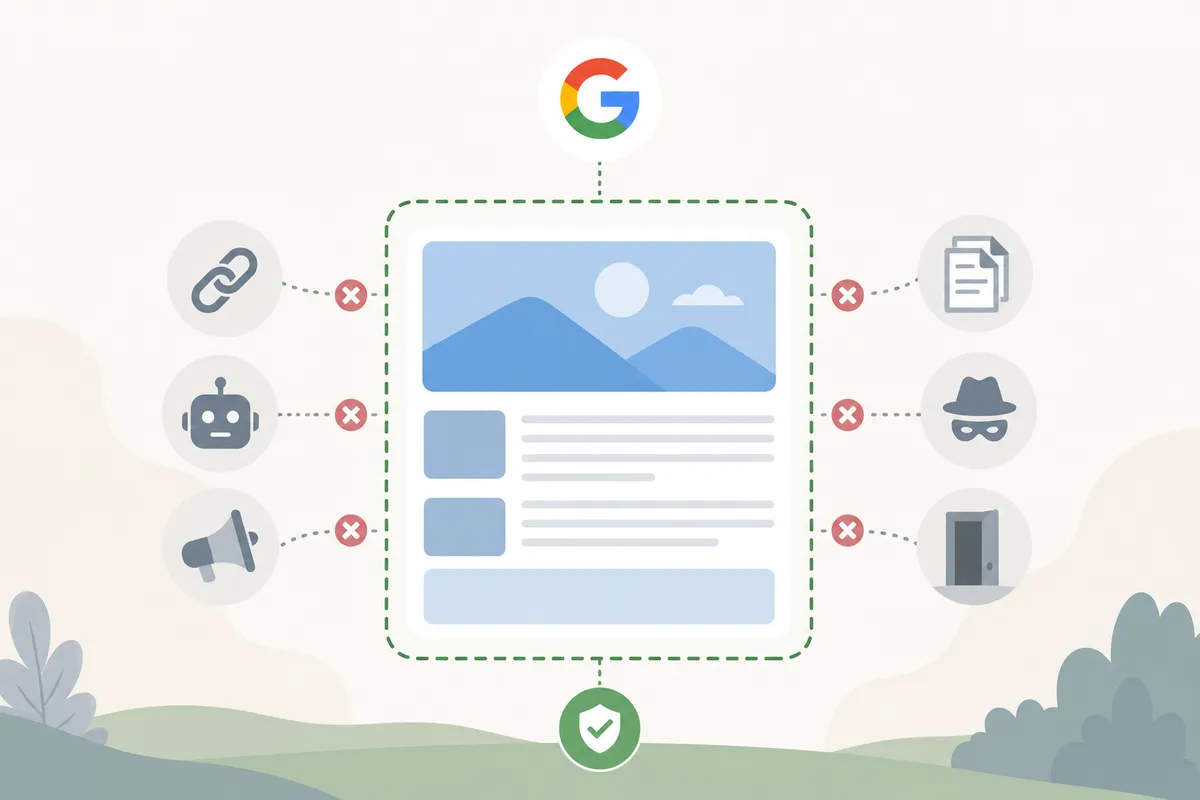
Content is where the stakes are highest, because it is the one layer where automation can actively hurt you. Google's spam policies name scaled content abuse directly: producing many pages primarily to manipulate rankings can get a site demoted no matter whether a person or a machine wrote them. The policies are spelled out in Google Search Essentials, and they judge the output, not the tool.
Where automation genuinely helps content
Machines are good at the research half. Topic ideation from keyword gaps. Brief generation with target terms and structure. Optimization scoring against the pages currently ranking. Internal link suggestions based on relevance. Meta description drafts across hundreds of pages at once. In one industry survey, 67% of marketers reported better content quality with AI in the mix, and the pattern behind that number matters: quality improved where AI did the research and structure while people wrote the substance.
The review pass that protects you
Before anything publishes, a human answers two questions. Does this page add a perspective the current top results lack? Does it carry a real example, original data, or a specific insight from actual expertise? If both answers are no, you are about to publish a page the web already has, and no optimization score fixes that. The same pass covers fact-checking every statistic, adjusting tone for your actual audience, and making sure author credentials and sourcing are present.
Scale changes the math further. If one template will generate hundreds of pages, plan the set before you generate it, the way our guide to programmatic SEO planning lays out, so scale reads as genuine coverage rather than spam.
How to optimize SEO automation once it is running
The most common failure in SEO automation is not a bad tool. It is treating launch day as the finish line. Search behavior shifts, algorithms reweight, your site evolves, and rules configured for last year's site quietly stop fitting. The payoff for staying engaged is documented: the dataset behind that 56.4% impression lift across nearly 39,000 sites also showed critical site issues falling by 85%, and neither number arrived on setup day. They came from fixes landing week after week.
The alerts that earn their keep
Build one dashboard that joins Search Console and GA4, ship a weekly automated report covering clicks, impressions, and average position, and then configure a short list of alerts. The thresholds behind "good" Core Web Vitals are published on web.dev, which makes that alert unambiguous.
| Alert | Fire it when | Why it matters |
|---|---|---|
| Crawl errors and 4xx spikes | Error counts jump above your site's normal baseline | Broken paths waste crawl budget and lose users at the same time |
| Core Web Vitals failures | A high-traffic page drops out of the published "good" thresholds | Slow pages cost rankings and conversions together |
| Ranking drops | A monitored keyword falls past the threshold you set | Hours of warning instead of a month-end surprise |
| Indexed page count decline | Indexed URLs fall week over week | Often the first visible symptom of a technical regression |
| New top-20 entries | A monitored keyword enters positions 11 to 20 | These are the cheapest wins available; a small push moves them to page one |
The monthly review that keeps it honest
Once a month, compare what the automation produced against what it was designed to produce. Are the auto-generated fixes still appropriate for how the site has changed? Is drafted content still passing the two-question review, or is the reject rate climbing? Knowing exactly what your autopilot runs for you and what it can't is the difference between supervising a system and hoping about one. That review loop, run consistently, is the engine of a compounding AI-driven SEO system: each cycle's findings improve the next cycle's output.
Proof it compounds: the loop run on our own site
We run this exact framework on our own domain, with our own product, and published the numbers: organic traffic grew 347%, documented in our dogfooding growth story. The automated half did the audits, the keyword-to-page mapping, and the drafting, with every draft passing 36 automated checks before a person saw it. The human half kept strategy, publishing approval, and every claim that needed verifying.
The same loop is available as a product. Our AI SEO agent runs the cycle from one URL: crawl, audit, keyword research, and content plan, with you holding the approval step. That division of labor is the whole thesis of this article applied, not a separate idea.
FAQs
Which SEO tasks should never be fully automated?
Content strategy, final editorial review, fact-checking, tone decisions, and outreach. These depend on judgment about your specific audience and on signals of genuine expertise, which is exactly what pattern-matching tools apply inconsistently. Automate the research and monitoring around them instead.
How much time does SEO automation actually save?
Survey data puts the common range at 1 to 5 hours a week on content and keyword research, with 15.6% of teams reporting savings of 10 or more hours weekly. Vendor case studies also cite clients spending 50% less time fixing technical issues. Treat time saved as the floor; the traffic gain from faster fixes is the real return.
Can SEO automation get a site penalized?
The automation itself cannot, but what it publishes can. Google's spam policies treat scaled, low-value content as abuse regardless of how it was produced. Sites get into trouble when they remove the human review layer, not when they add automation to research, auditing, and monitoring.
How often should you review an automated SEO workflow?
Glance at alerts as they fire, read the automated weekly report, and hold one deeper monthly review comparing what the system produced against what it was configured to produce. Drift builds slowly, so a monthly cadence catches it while it is still cheap to correct.
What metrics show SEO automation is working?
Impressions, clicks, and average position trending up while your open critical-issue count trends down. Vendor case studies commonly cite lifts like 23% more organic impressions within 90 days, but your own baseline matters more than any benchmark: measure the month before automation and judge every month against it.
Get a baseline before you tune anything
Every improvement above starts from knowing where your site actually stands today. Look through a sample SEO report to see exactly what a verified audit surfaces, then talk to the team about running one on your domain. You learn how to optimize SEO automation for maximum traffic gains by fixing what the baseline proves is broken, and that first honest report is where the compounding starts.
Resources / References
Sources
About the author
SearchBlueprint researched, wrote and scored this article with the content pipeline our customers run on their own sites. The score in the byline is what our content engine gave this page before it published. Nothing here is reviewed by hand, which is the point: it is the product's output, published where anyone can check it.