Mastering Structuring Blog Posts That Rank and Get Read
SearchBlueprint · · 8 min read · scored 90/100

The best way to approach mastering structuring blog posts is to plan the skeleton before you write a word: a clear intro, one idea per section, short paragraphs, and a heading hierarchy a reader can skim in under ten seconds. Structure decides whether someone reads your post or bounces. Get it right and both readers and Google reward you.
Why Blog Post Structure Matters
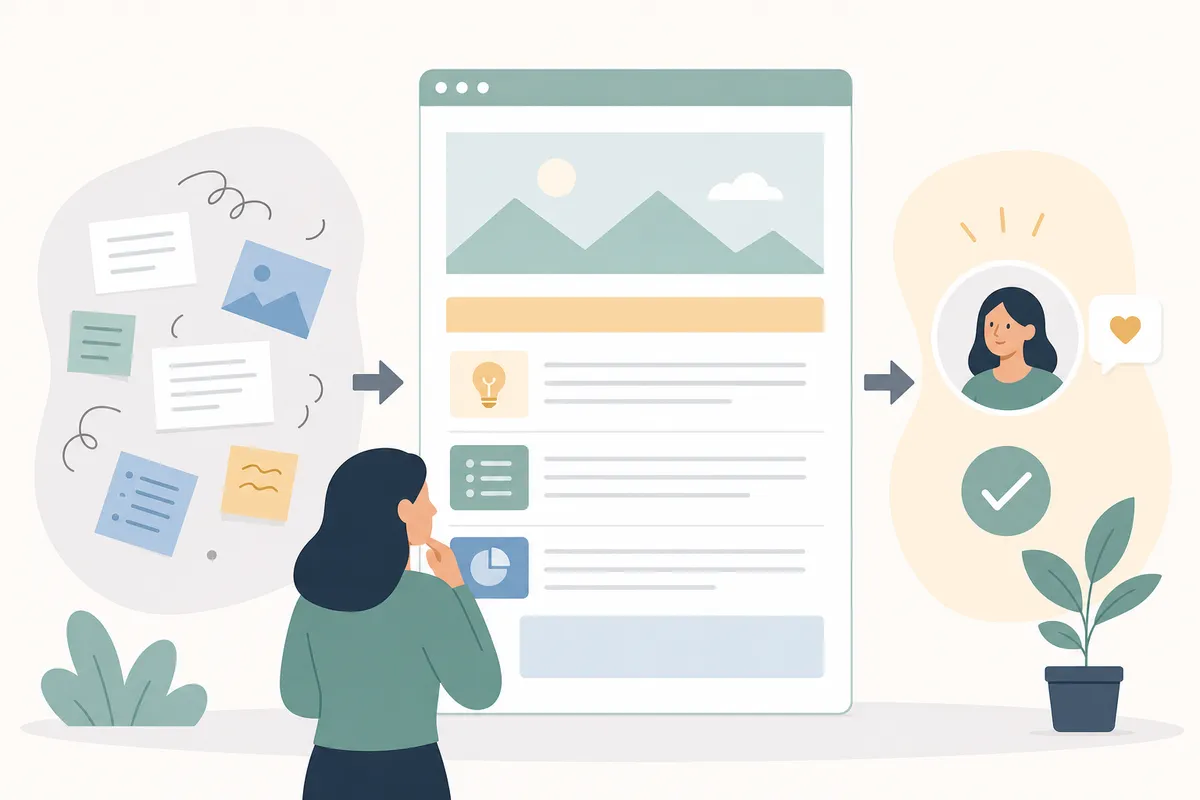
Structure matters because of a hard constraint: readers commit to your content in seconds, not minutes. Research on online attention span puts it at roughly eight seconds before a reader decides whether to keep going. That's not enough time to read a paragraph. It's enough time to scan a heading and a first line.
A well-structured post gives that eight-second scan something to land on: a heading that states the point, a short opening line under it, and a clear next step. An unstructured post gives that scan a wall of text, and the reader leaves.
Structure also does double duty for search engines. Google's crawlers use your heading hierarchy to understand what a section covers, and AI answer engines like Google AI Overviews and Perplexity pull short, self-contained passages to quote directly. A rambling paragraph rarely gets quoted. A tight paragraph with a clear point often does. If you want your content cited by an AI Overview, write like you're handing over a sentence someone else will lift and use as-is, which is one reason a documented process for writing SEO-friendly content that ranks step by step pays off before you even open the editor.
Step-by-Step Blog Structure Guide
Before you write a single sentence of body copy, build the skeleton. Skipping this step is the single most common reason blog posts sprawl and need a rewrite.
Step 1: Choose a Topic and Narrow It
Pick one problem your post solves and stick to it. A blog that tries to cover productivity, book reviews, and travel stories in one post ends up reading like a diary, not a resource. Before you draft, answer three questions: who is reading this, what are they trying to do, and what's the one thing they should walk away knowing? If you can't answer all three in a sentence each, your topic is still too broad.
Step 2: Research the Question, Not Just the Keyword
Search your target keyword and read what's already ranking. Note the format: is it a numbered list, a step-by-step guide, a comparison? Google tends to keep ranking whatever format already satisfies searchers for that query, so matching the format while going deeper on substance beats fighting it. Also check forums and comment sections for the exact phrasing people use when they ask this question. That phrasing often becomes your best subheading.
Step 3: Write a Working Title
Your title decides whether anyone clicks. A few patterns hold up consistently:
| Title Formula | Example | Why It Works |
|---|---|---|
| Number + benefit | "7 Ways to Structure a Blog Post That Keeps Readers" | Sets a concrete scope before the click |
| How-to + timeframe | "How to Structure a Blog Post in 30 Minutes" | Promises speed, a common pain point |
| Problem + fix | "Blog Posts Losing Readers? Fix the Structure First" | Names the frustration directly |
| Question | "Is Your Blog Post Structure Costing You Readers?" | Triggers curiosity, invites a click to resolve it |
Keep the title under roughly 60 characters where you can, since anything longer risks getting cut off in search results. Work your keyword in naturally rather than forcing an exact match.
Step 4: Outline Before You Draft
Write your headings first, in order, with one line under each noting what it will cover. This is the step most new writers skip, and it's the reason their drafts wander. An outline turns "start writing" into "fill in the next box," which is a much easier task. If you're working from a formal brief rather than a loose outline, a content brief framework that actually stops rewrites will save you from re-explaining scope to yourself halfway through the draft.
Step 5: Draft Section by Section
Write to your outline, one heading at a time. Don't edit as you go. Get the full shape down, then go back and tighten. Trying to perfect sentence three while you haven't written the conclusion yet is how drafts stall for weeks.
Key Parts of a Winning Blog Post

Every post that holds a reader to the end shares the same structural bones, regardless of topic.
A Clear Introduction
Your intro has one job: convince the reader that this post answers their exact question, and answer part of it immediately. State the problem, then get to value fast. If you're guest posting, check the host's typical intro length first. Some audiences want a story before the point; others want the point in the first line.
Descriptive Headings
Headings let a reader skim your whole post before committing to read it. Keep them short and specific. "Choosing a Niche" tells a reader more in less space than "The Importance of Deciding What to Write About." Subheadings can also carry secondary keyword variants naturally, which helps both skimmers and search engines understand the section's scope without repeating your main keyword everywhere.
Short Paragraphs
Long paragraphs are the enemy of skim reading, and they look worse on mobile, which is how most people read blog content now. One idea per paragraph. If a paragraph covers three points, split it into three.
A Single Call to Action
Pick one action you want the reader to take and ask for it clearly. A post asking readers to comment, subscribe, and share all at once dilutes all three. The more choices you offer, the less likely any one gets taken.
Tips for Great Blog Readability
Readability isn't about dumbing down your ideas. It's about removing friction between the idea and the reader.
Write in plain language. Long, clause-stacked sentences are harder to follow online than on paper, so favor a period over a semicolon when you're tempted to link two thoughts. One point per sentence keeps the reader moving instead of re-reading.
Use your own voice. Most topics have already been covered somewhere. What separates your post from a rewritten summary is your specific experience and opinion layered into the explanation.
Add supporting images where they genuinely clarify a point, not as decoration. A relevant screenshot or diagram breaks up long sections and gives skimmers a visual anchor as they scroll.
Length itself isn't a readability problem. A post can run long and still read fast if it's broken into short paragraphs and clear sections. What kills readability isn't word count, it's density: how much a reader has to hold in their head per paragraph.
Putting the Structure Into Practice
Once your skeleton is solid, the actual writing gets faster because you're filling in known slots rather than inventing shape as you go. If you want the fuller mechanics of turning a structured outline into a page that both ranks and converts, a seven-step framework for content writing covers the steps between outline and finished draft in more depth than fits here.
A quick sanity check before you hit publish: read only your headings, top to bottom, with none of the body text. If that alone tells a stranger what the post covers and in what order, your structure is doing its job. If it reads like a random list, go back to the outline step.
FAQs
How long should a blog post be?
There's no fixed word count that guarantees ranking. Longer, well-structured posts tend to hold readers longer and cover more ground, which search engines can reward, but padding a thin idea to hit a number backfires. Match length to how much the topic genuinely requires.
How many H2 and H3 headings does a blog post need?
Enough to give every major idea its own heading, and every section over roughly 250 words its own subheadings. There's no fixed count; a 2,000-word post might reasonably use five to eight H2s split into H3s where a section runs long.
Should I write the title before or after the post?
A working title before you draft helps focus the writing, but treat it as a draft you can change. Many writers finalize the title only after the post is done, once they know exactly what it delivers.
Do short paragraphs hurt SEO?
No. Search engines don't penalize short paragraphs, and they tend to help readability, which supports time-on-page and lower bounce rates, both of which correlate with better rankings.
What's the difference between a blog structure and a content brief?
A structure is the heading skeleton for one post. A brief is broader: it defines the target keyword, audience, competitors, and scope before that skeleton gets built, which is why teams that skip briefs tend to see more rewrites.
See What Good Structure Looks Like on a Real Report
Mastering structuring blog posts is a skill you build by seeing it done and then applying the same outline-first habit to your own drafts. If you want to see how structural and content signals get evaluated on a real page, take a look at a sample SEO report to see what a fully mapped-out audit covers.
Sources
About the author
SearchBlueprint researched, wrote and scored this article with the content pipeline our customers run on their own sites. The score in the byline is what our content engine gave this page before it published. Nothing here is reviewed by hand, which is the point: it is the product's output, published where anyone can check it.