Site architecture SEO: Build a structure Google can crawl
SearchBlueprint · · 17 min read · scored 92/100
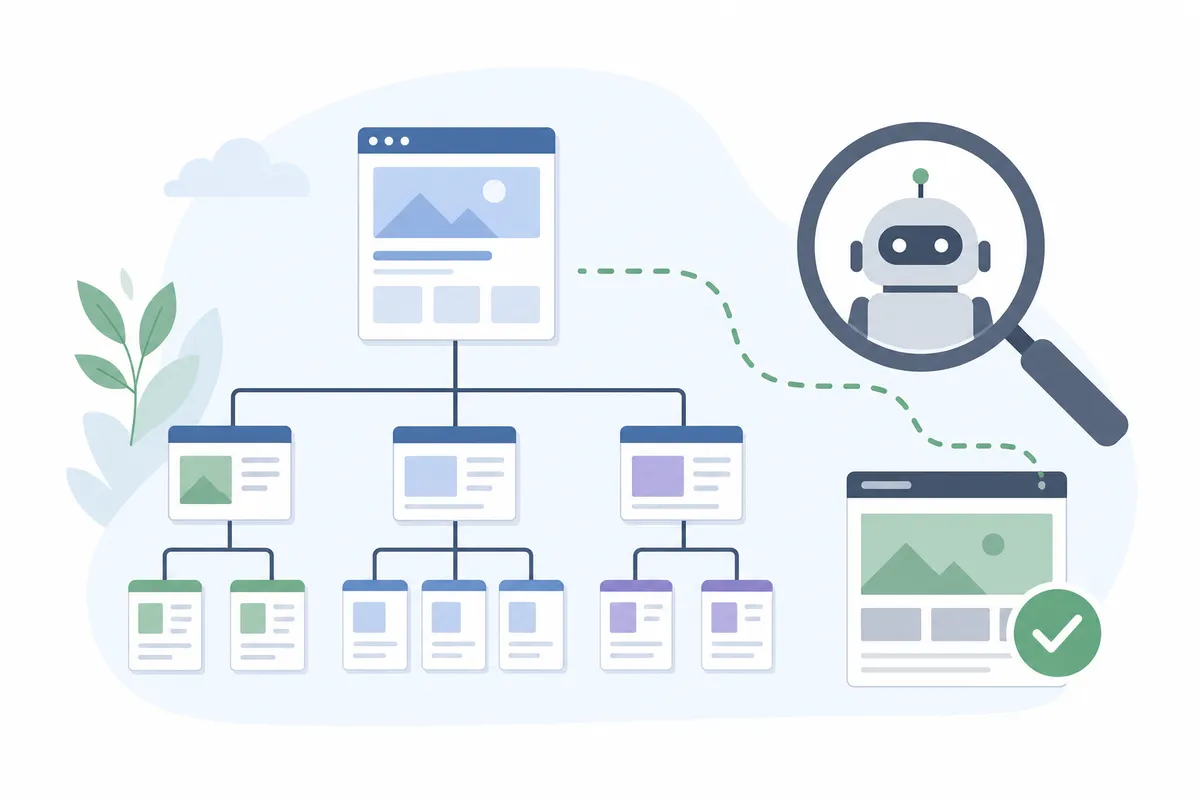
Site architecture SEO is the work of organizing your pages and internal links so search engines can find every page that matters, understand it and rank it. A strong structure keeps key pages within about three clicks of the homepage. It groups related topics, uses consistent URLs, and leaves no page without a link pointing to it.
This guide is for site owners, in-house marketers and agencies planning a new site or cleaning up an old one.
What site architecture does for SEO
Site architecture, also called website structure, is the way your pages are grouped and linked together. It covers your menus and categories, your URLs and breadcrumbs, and every link from one page on your site to another.
It sounds like a design question. For search it is closer to plumbing, because search engines can only rank what they find, and they find most pages by following links from pages they already know.

How search engines use your structure
Your site structure does four jobs for search engines:
- Discovery: Google Search Central explains that Google finds new pages mostly by following links and reading sitemaps. Brian Dean of Backlinko sets the goal. With an interlinked structure, he writes, crawlers "can follow your internal links to 100% of your site's pages."
- Context: links and their anchor text tell search engines what a page covers. If a buying guide for office chairs links to a page with the anchor "ergonomic chairs for back pain," that is a strong hint about the target page.
- Authority: pages that earn backlinks, usually your homepage and best content, pass some of that authority on through internal links. PageRank is the Google algorithm behind this, and pages close to strong pages get a bigger share.
- Efficiency: crawl budget is how many URLs a search engine will crawl on your site in a given period. On large sites a messy structure spends it on duplicates and dead ends instead of the pages you want ranked.
Why visitors care too
What helps crawlers usually helps people. A shopper who reaches the right product in a few clicks keeps browsing, and one who hits a dead end leaves. Good structure can also earn sitelinks, the extra page links under a brand's main search result. Google adds them on its own with no markup, and Dean notes they tend to appear for sites that are authoritative and well interlinked.
Choosing a model: flat, tree, cluster or silo
There is no single correct model. The right one depends on how many pages you have and what visitors come to do. Most real sites mix two of these.
| Model | How it works | Best for | Main risk |
|---|---|---|---|
| Flat structure | Almost every page is one or two clicks from the homepage, with few category layers | Small sites and blogs with a few hundred pages | Menus get cluttered and hard to manage as the site grows |
| Hierarchical (tree) structure | The homepage links to categories, categories to subcategories, and subcategories to pages | Online stores, service businesses and large content sites | Too many layers push important pages deep |
| Hub and spoke (topic clusters) | A pillar page covers a broad topic and links to detailed pages on each subtopic, which link back | Blogs and resource hubs building topical authority | Thin pillars, or cluster pages that overlap and compete |
| Silo structure | Content is split into strict sections with no links between them | Sites with truly separate product lines or audiences | Blocks useful links between related pages |
| Sequential structure | Pages follow a fixed order, like lessons in a course or steps in a checkout | Course lessons, signup flows and checkouts | Pages outside the set path are hard to reach |

Shallow beats purely flat
A purely flat website structure sounds ideal. Yotpo's guide to e-commerce architecture warns that a long row of top-level categories overwhelms shoppers and gets hard to manage as a store scales. So most sites use a shallow hierarchy instead: pages sit in a clear tree, and menus and cross-links keep each one close to the top.
Terakeet's Jonas Sickler points to Target. Its faceted search lets a shopper land on men's polo shirts from anywhere on the site without clicking through "men's clothing" and then "men's shirts." The tree is deep on paper but flat in practice.
When you can skip categories
Small sites may not need a category layer at all. Backlinko had about 869 indexed pages and no category pages when Dean last updated his guide in May 2025, since every post and page linked to others. His rule of thumb is that a site of around 1,000 pages or fewer may not need them. Once you run into the thousands, as most stores do, categories become essential.
For content sites, topic clusters are the usual choice. A pillar page links to a page on each subtopic, and each of those links back. If you are starting from scratch, plan your content around pillar topics and the questions beneath them before you write the first post. Semrush notes that strict silos forbid links between sections, which limits how people and crawlers reach some pages. Clusters that cross-link where topics overlap tend to serve both better.
How deep should your pages sit?
Click depth is the number of clicks it takes to reach a page from the homepage. It is one of the simplest ways to judge a site architecture, and the sources roughly agree on a target:
- Semrush recommends three clicks or fewer to any page.
- Backlinko defines a flat structure as one where any page is four clicks or fewer away. In a deep one, some pages take anywhere from 4 to 10 or more clicks.
- Yotpo calls the three-click rule a helpful guideline rather than a law. What matters more is that each click feels logical.
- Terakeet describes large sites where products end up eight clicks deep, often without anyone noticing.
A practical target is three clicks for money pages, top categories and your best content, and four for everything else. Anything deeper should be there on purpose.
Depth creeps up quietly. A blog archive sorted by date pushes every older post one step deeper each time you publish, and products that fall off the first page of a big category get the same treatment. Category links and hub pages pull them back up.
Orphan pages
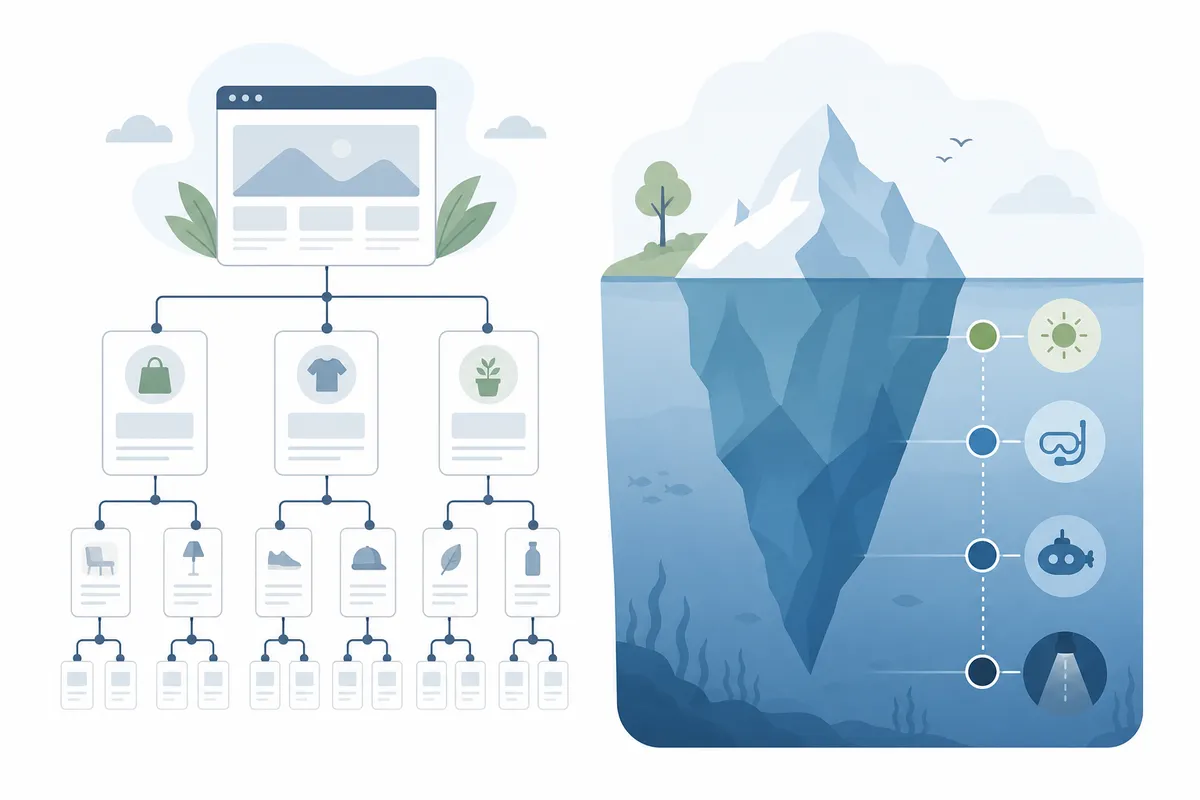
An orphan page has no internal links pointing to it. Visitors can reach it only by typing the URL, and search engines may find it only through your sitemap, if at all.
Orphans often come from old campaign landing pages or products removed from a category but left live. Old posts that drop off the blog's front page can lose their only link too. For each one, decide whether it still earns a place. Link to it from a relevant page if it does, and redirect it to its closest match if it doesn't.
Plan the structure before you build
Most tangled sites did not start that way. Dean makes the point that they grew one random category at a time, then a subdomain here and a page there. Setting the hierarchy early and sticking to it avoids most of the cleanup, which is a big part of building a website that drives SEO and traffic from day one.

Start with what people search
Let keyword research shape your categories. Group your keywords by topic, and each group becomes a category or pillar page. The longer phrases inside the group become the pages beneath it.
Category pages then target broad terms such as "running shoes," and product pages take long-tail terms such as "waterproof trail running shoes for women."
Run a card sort
Your internal org chart is rarely how customers think. Terakeet recommends card sorting to close that gap: you give testers cards, each with one product or topic, and ask them to group the cards and name each group. Patterns that repeat across testers are strong candidates for your menu. Semrush adds that studying rivals helps, because your audience may already expect a similar layout.
Give every page one job
Keyword cannibalization happens when two of your pages chase the same query. Google then has to guess which one to rank, and often neither does well.
So give each page one primary keyword, and write a simple map before you build. List each URL with its primary keyword, its parent page and the pages it should link to. It is quick to write and far harder to untangle later.
The building blocks of site architecture SEO
Five elements hold a structure together. Each sends search engines a signal and gives visitors a route, and each has a mistake that keeps turning up.
| Element | What it tells search engines | What it does for visitors | Common mistake |
|---|---|---|---|
| Navigation menu | Which sections and pages you treat as most important | Gives a fast route to the main sections | Menu links built in JavaScript that crawlers may not follow reliably |
| URL structure | Where a page sits in the hierarchy and what it covers | Shows at a glance what the page is about | IDs and parameters instead of words, or URLs that keep changing |
| Breadcrumbs | The parent pages above each page | Lets visitors step back up a level in one click | A trail that disagrees with the menu or the URL |
| Contextual internal links | How topics relate, through anchor text and placement | Points readers to the next useful page | The same exact-match anchor text on every link |
| XML sitemap | Which URLs you want crawled and when they last changed | Nothing directly, since it is written for crawlers | Listing redirected, blocked or noindexed URLs |
Navigation menus
Most sites run a header menu, a footer menu and a mobile menu. Drop-down or mega menus suit large catalogs, while a simple horizontal menu suits smaller sites. The footer is the right home for policies and contact pages, which visitors need but rarely hunt for.
Build menu links as plain HTML anchor links. Dean is firm that navigation should be HTML rather than JavaScript, and although Google can render a lot of JavaScript, plain links remove the doubt.
Mobile matters as much as desktop. Under mobile-first indexing, Google mainly uses the mobile version of a page, so if your mobile menu drops categories to save space, you may be dropping those links for Google too. Terakeet's advice for the top menu holds on every screen size: as many top-level categories as necessary, but as few as possible.
URL structure
Good URLs are short and lowercase, with hyphens between words, which is the separator Google recommends. Include the page's main keyword and follow one pattern across the site. Backlinko gives a common one: example.com/category/subcategory/keyword.
Compare yourstore.com/mens-shirts/blue-cotton-polo with yourstore.com/cat1/prod_id=123. The first tells a person and a crawler what they will find, and the second tells them nothing.
Your URLs should also agree with your breadcrumbs. Terakeet picks out a Target category page whose URL reads target.com/c/polo-shirts-men-s-clothing/-/N-55cxg, while its breadcrumbs run from men's clothing to shirts to polo shirts. A URL that followed the same path would send one consistent signal.
One caution: don't rewrite working URLs just to make them tidy. Every change needs a redirect and carries risk, so save URL changes for new pages or real restructures.
Breadcrumbs
Breadcrumbs show visitors where they are, such as Home > Men's clothing > Shirts > Polo shirts. They make it easy to step back up a level, which matters on stores where shoppers bounce between products and categories.
They also give search engines a descriptive link to every parent page. You can describe the trail with BreadcrumbList markup from Schema.org, and it should match your menu path exactly.
Internal links
Menus set the frame, but links inside your content carry the most context. A link placed in a relevant paragraph, with anchor text that describes the target, tells search engines what that page is about.
Three habits keep internal linking healthy:
- Link from strong pages to the pages you most want to rank. Strong pages are usually your homepage and anything with plenty of backlinks.
- Vary your anchor text. The same exact-match phrase on every link looks manipulative and reads badly.
- Check which pages receive the most internal links. If a low-value page tops that list, your structure is sending authority to the wrong place.
Finding link openings by hand gets slow past a few dozen pages. A tool that suggests internal links drawn from a crawl of your own site can speed up that work.
Categories, tags and sitemaps
On a blog, categories are the broad topics and tags cut across them. A hiking blog might tag posts "beginner" or "advanced" in every category. Keep tags few, because each one creates an archive page, and dozens of archives holding one or two posts add thin URLs for crawlers to wade through.
An XML sitemap lists the URLs you want crawled, often with the date each one last changed. Submit it in Google Search Console and Bing Webmaster Tools. Bing's webmaster guidelines also point to sitemaps and clear links as ways to help its crawler find your content.
List only canonical, indexable pages that return a 200 status. And don't lean on the sitemap in place of links, because a page that appears only there is still an orphan. You can check what your XML sitemap actually contains in a minute or two.
Filters and faceted navigation in online stores
Faceted navigation is the set of filters on a category page, such as size or color, brand or price. Shoppers rely on it, but search engines can struggle with it, because every combination of filters can create a new URL.
A category with a handful of filters can produce thousands of near-identical pages. Those duplicates eat crawl budget and split signals that should go to one strong category page. The answer is to decide, facet by facet, what search engines should see.
| Approach | What it does | Use it when | Watch out for |
|---|---|---|---|
| Index as a landing page | Gives a filtered view its own clean URL, unique copy and a link from navigation | People search for that combination, such as "men's polo shirts" | Only works if the page has real demand and enough products |
| Canonical tag to the parent | Tells search engines the parent category is the main version | Filters that change the view but not the topic, such as color on a small range | It is a hint, and search engines can ignore it |
| Noindex | Keeps the filtered page out of search results while it can still be crawled | Sort orders and filter combinations with no search demand | Crawlers still spend time fetching these pages |
| Block in robots.txt | Stops crawlers requesting those URLs at all | Endless parameter combinations, such as price ranges and multi-select filters | A blocked page can't be crawled, so search engines never see its canonical or noindex tag |
The last row catches many stores out. Pick one method per type of filter rather than stacking all of them on the same URL. Yotpo's advice is to let valuable, popular filter combinations be indexed and manage the rest, and the Target example shows why: a good facet page doubles as a shortcut to deep products.
Pagination and infinite scroll
Paginated category pages each have their own URL and link to the next, so crawlers can reach every product. Infinite scroll and "load more" buttons feel smoother, but products loaded by scrolling may never be seen by a crawler. Terakeet's answer to which is better is "it depends." Whichever you pick, make sure each chunk of products also exists at its own URL, reachable through a normal anchor link.
Site structure problems you can measure
You can't spot structure problems by looking at your homepage. They show up in data, and these are the numbers worth checking:
- Submitted versus indexed pages: Google Search Console's page indexing report lets you filter to the URLs in your sitemap and see how many Google has indexed. A wide gap between the two is a warning sign.
- "Discovered - currently not indexed": this status means Google knows a URL exists but hasn't crawled it yet. Large groups of these can point to weak internal linking.
- Click depth: a site crawler shows how many pages sit at each depth, and a long tail past four clicks means your hierarchy needs flattening.
- Orphan pages: compare the URLs your crawler finds by following links with the URLs in your sitemap and analytics. Anything missing from the crawl has no internal links.
- Internal links per page: Search Console's Links report shows which pages get the most internal links, and your priority pages should be near the top.
- Redirect chains and broken links: Terakeet notes that long redirect chains and 404 errors waste crawl effort and make a messy structure worse.
A good starting point is a website audit checklist you can run yourself, which covers several of these with free tools.
Where Core Web Vitals fit
Core Web Vitals measure how fast a page loads, how quickly it responds to input and how stable it stays while loading. web.dev sets out the metrics and their thresholds. They are about page experience rather than structure, but the two meet in your menu. A mega menu with hundreds of links, rendered by heavy scripts, loads on every page, so keeping navigation light protects speed across every template at once.
Restructuring a live site safely
Changing your site architecture usually means changing URLs. Any URL that changes can lose the backlinks and rankings it earned unless it is redirected with care. Work through these steps in order:
- Crawl the current site and export every URL, with each page's traffic and backlinks so you know which ones matter most.
- Build a redirect map that sends each old URL to its closest new equivalent, one to one. Don't send everything to the homepage.
- Use permanent (301) redirects, and point each old URL straight at its final destination to avoid chains.
- Update menus and internal links to point at the new URLs directly rather than through redirects.
- Replace the XML sitemap with the new URLs only and resubmit it.
- Test on a staging site, launch, then crawl again. Fix any 404s or chains, and watch indexing and rankings closely in the weeks that follow.
Some movement in rankings after a large change is normal, and a clean redirect map keeps it short. Run a full SEO audit that ranks what to fix first before the move and again after it, so you compare like with like.
Can you fix your site structure yourself?
Often, yes. Most site architecture SEO work on an existing site means repairing what is already there, and on a blog or a service site with a few dozen pages you can do it with free tools.
Work in this order, because each step makes the next one easier:
- Fix what blocks crawling first, which means broken links, redirect chains, orphan pages and stray noindex tags.
- Pull important pages closer to the top.
- Use clean URLs and matching breadcrumbs for new pages, and change old URLs only when the gain is clear enough to justify a redirect.
- Build topic clusters with contextual links.
For the wider set of checks around this, this SEO checklist puts 46 checks in the right order.
Bring in help when the stakes rise. That means a migration that changes URLs on a site with meaningful traffic, a large store with faceted navigation, or a site built on a JavaScript framework where links render in the browser.
FAQs
What is the best site structure for SEO?
A shallow hierarchy suits most sites: a homepage, a small set of categories and pages beneath them, with internal links keeping important pages within about three clicks. Very small sites can link everything together without categories. Large stores need categories plus careful handling of filters.
How many clicks from the homepage should a page be?
Semrush recommends three clicks or fewer, and Backlinko defines a flat site as four or fewer. Treat it as a guideline. Put money pages and top content within three clicks, and make sure no page depends on a long chain of archive pages to be found.
Do URLs need to match my site hierarchy?
They should follow one consistent pattern and ideally match your breadcrumbs, since URLs are one clue search engines use to read hierarchy. Don't rewrite working URLs just to add folders, though, because each change needs a redirect and carries risk.
Is a silo structure still good for SEO?
Grouping related content is still sound. Strict silos that ban links between sections are less useful, because they block helpful links between related pages. Topic clusters that cross-link where subjects overlap are usually the better choice.
How do I find orphan pages?
Crawl your site with a tool that follows links, then compare that list with the URLs in your XML sitemap and analytics. Pages that appear in the sitemap or analytics but not in the crawl have no internal links pointing at them.
Map your click depth before you publish another page
Crawl your site this week, sort every URL by click depth, and list each page with no internal link pointing to it. That one sheet shows where your site architecture SEO work should start. To see how structure findings are laid out in a finished audit, open our sample SEO report, then talk to the team about running the same review on your domain.
Resources / References
Related reading: Navigation SEO: Site Structure Mistakes That Cost Rankings.
Sources
About the author
SearchBlueprint researched, wrote and scored this article with the content pipeline our customers run on their own sites. The score in the byline is what our content engine gave this page before it published. Nothing here is reviewed by hand, which is the point: it is the product's output, published where anyone can check it.