Small Business SEO: What to Do First and What to Skip
SearchBlueprint · · 21 min read · scored 90/100

Small business SEO means getting your business found on Google when people search for what you sell. Five jobs do most of the work. Pick keywords you can win and give each one its own page. Fix anything that stops Google reading your site, set up your Google Business Profile, and earn a few real links.
This guide is for owners and small teams with no in-house SEO person: local service firms, shops, clinics and online stores. It explains what each job involves and how long it takes. It also shows which parts you can do yourself and when it makes sense to pay for help.
What small business SEO is, and how it differs from local SEO
SEO stands for search engine optimization. It means shaping your website and the rest of your online presence so search engines understand what you offer. Then they can show you to the right people. Paid ads buy a spot above the results. SEO earns a place in the free results and the map listings, and that place stays when the ad budget runs out.
Small business SEO is the same work on a smaller scale. You have fewer pages, less money and less time than a national brand. You also have some real advantages. Your site is small enough to fix in weeks. You know your customers by name. And you can own a local market that big companies barely notice.
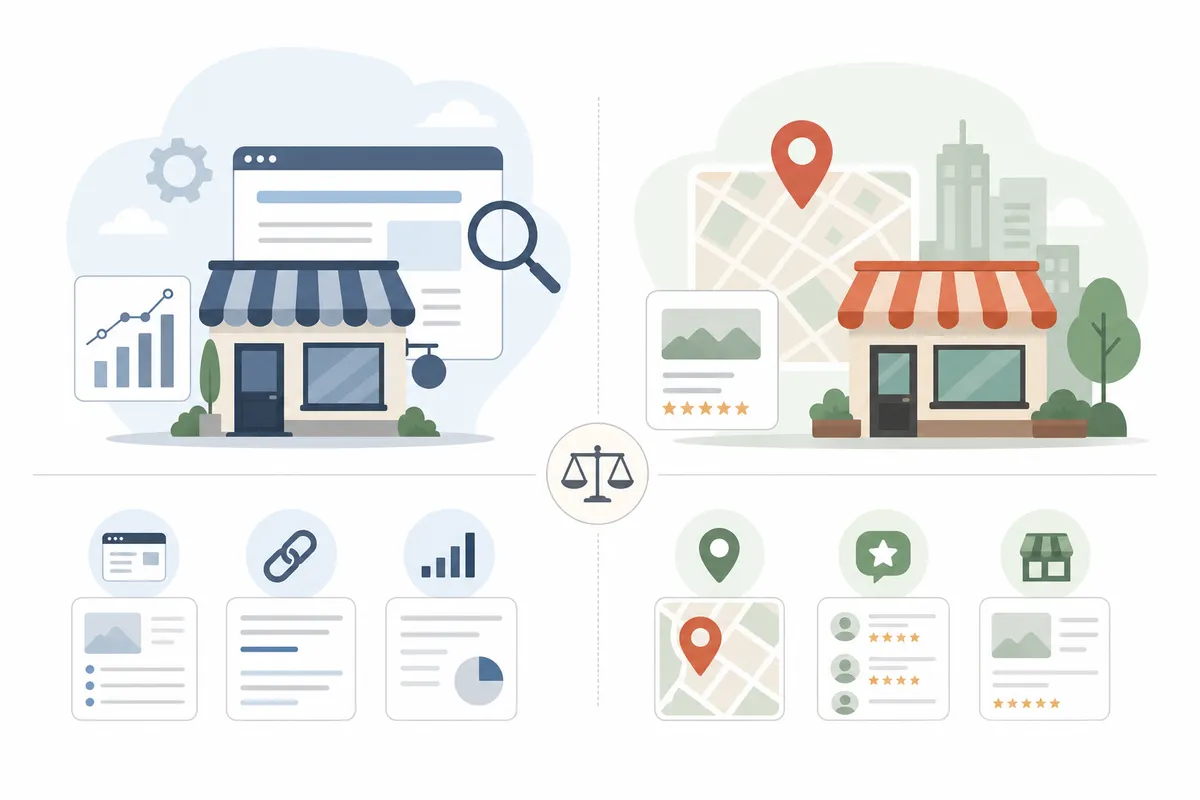
People often treat small business SEO and local SEO as the same thing. They overlap, but they are different. Local SEO is about showing up when a search names a place, like "dentist near me" or "coffee shop downtown." Small business SEO is broader. It includes local search. It also covers topic and question searches that a business can win nationally, whether or not it has a shopfront.
| Aspect | Small business SEO | Local SEO |
|---|---|---|
| Who it serves | Any small business, online or offline | Businesses with a physical location or a set service area |
| Keywords it targets | Services, products and customer questions, both local and national | Searches that name a place, such as "near me" or a city name |
| Where you compete | Organic results, locally and nationally | The map results and local organic listings |
| Main assets | Service pages, helpful articles, backlinks | Google Business Profile, reviews, consistent listings |
Most small businesses need both. Take an accounting firm. It might publish guides on cash flow and cutting tax bills to reach business owners anywhere. It would also optimize for "tax consultant in Denver" to catch buyers nearby. An online store that ships nationwide may need very little local SEO at all.
Why SEO is worth the time for a small business
A lot of buying starts with a search. BrightEdge research, cited by Salesforce, found that organic search makes up 53% of all online traffic and 44% of revenue share. Semrush notes that Google processes over 9.5 million searches per minute. Some of those people want exactly what you sell, right now.
Google is still where most searching happens. A March 2025 report from the data firm Statista put Google's share at 89.62% of internet queries. The Business Development Bank of Canada (BDC) cites that report. The share was three points lower than a year earlier, and BDC says the growth of AI search partly explains the drop.
Local intent is huge. Google once said that 46% of all its searches are looking for local information, as Semrush reports. Sagapixel data, cited by Salesforce, adds that 72% of consumers who run a local search visit a store within five miles of where they are. For a shop, clinic or trade business, those searches turn into calls and visits.
What SEO gives you that ads don't
Ads stop working the day you stop paying. A page that ranks keeps bringing visitors for months or years after the work is done. It answers at 11 p.m. when nobody is picking up the phone. And when you keep showing up for the questions in your field, people get to know your name before they're ready to buy.
What it can't do
SEO starts slowly. Salesforce says to expect at least six months before results if you're just starting, and longer if the website is new. SEO also can't rescue a weak offer. Say visitors land on a page and can't tell what you do or how to book. Better rankings then just send more people to a dead end.
AI answers are changing things too. BDC notes that tools like ChatGPT and Copilot now answer some questions that used to send people to websites. That doesn't make SEO pointless. The things that help you rank, like clear answers, real expertise and a fast site, also make AI tools more likely to cite you. More on that below.

Step 1: Pick keywords you can actually win
A keyword is the phrase someone types into Google. Your keywords shape everything that comes after, because each page you build will target one of them. Choose badly and you can do every other job well and still attract the wrong visitors.
Start with how your customers talk
Start with a plain list. Write down every service and product you offer. Then write down every way a customer might describe each one. BDC gives a good example: if you sell appliances, do your customers search for "refrigerator" or "fridge"? The words your trade uses are often not the words customers use.
BDC suggests a starting list of 20 to 50 keywords. Include a mix:
- Core services, such as "emergency plumber" or "bookkeeping services"
- Services plus a place, such as "bookkeeper in Denver"
- Problems customers describe, such as "water heater leaking"
- Questions people ask before they buy, such as "how much does a bathroom remodel cost"
For a step-by-step way to turn that list into targets, see this guide to keyword research basics that help you pick keywords you can win.
Check volume, intent and difficulty
Next, run the list through a keyword research tool. Three numbers matter most:
- Search volume: how many people search the phrase in an average month.
- Search intent: why they search it. "Bodyguard services" signals someone ready to hire. "What does a bodyguard do" signals someone who's just curious.
- Keyword difficulty: a score for how hard it would be to reach Google's top 10.
Small businesses ignore difficulty more than any other number. In Semrush's own example, "bodyguard services" has a difficulty score of 15, which a small site can reach. A broad term like "security" would be much harder. To learn how the scores work and where to draw your line, read how keyword difficulty is scored and which terms are winnable.
Go long and specific
Long-tail keywords are longer, narrower phrases. "Plumber" is short-tail. "24-hour plumber for burst pipes in Tampa" is long-tail. Each long phrase gets fewer searches. But the people typing it know what they want, and far fewer businesses compete for it. Owning fifty specific phrases often brings more customers than fighting for one broad term. This walkthrough on using long-tail keywords to win more traffic and sales shows how to find and group them.
| Keyword type | Example | What the searcher wants | Fit for a small business |
|---|---|---|---|
| Broad service term | "accountant" | Unclear: research, jobs or hiring | Poor: vague intent and heavy competition |
| Service plus location | "accountant in Denver" | To hire someone nearby | Strong: high intent, and only local rivals compete |
| Long-tail service | "bookkeeping for restaurants" | A specialist for their exact situation | Strong: low difficulty and ready buyers |
| Question | "how to reduce tax liability" | An answer before they buy | Good for articles that build trust |
| Brand name | Your business name | To find you specifically | Essential: you should rank first for it |
Step 2: Give every service its own page
Once you have your keywords, match each one to a page. The rule is one page, one main keyword. Your homepage can't rank for every service you offer. A single page covering plumbing, heating and air conditioning will struggle to rank for any of them. Two pages chasing the same term are just as bad. They compete with each other, and Google often ranks neither of them well.
Picture a security firm that offers executive protection, event security and celebrity bodyguards. Each service deserves its own page, built around its own keyword and close variations. The same goes for a salon (cuts, color, bridal) or a law firm (wills, probate, real estate closings).
What a strong service page includes
Each service page should:
- Say plainly what the service is, who it's for and where you offer it
- Use the keyword naturally in the title tag, meta description, URL, H1 and at least one subheading
- Show proof, such as reviews, testimonials, photos of finished work or a short case study
- Answer the questions buyers ask first: typical price range, timing and what happens next
- Make the next step obvious with a phone number, booking button or short form near the top
- Link to related services and back to your main services page
Titles, headings and meta descriptions each take a few minutes. Together they make a real difference. This 12-step on-page SEO checklist covers each one in order.
Location pages without the doorway trap
If you serve several towns, a page for each one can help you rank there. A security firm working across New York state might build pages for New York City and Buffalo. But don't copy one page and swap the city name. Google calls those doorway pages, and the spam policies in its Search Essentials warn against them.
A real location page has local detail. It names the neighborhoods you cover and the jobs you usually do there. It mentions local conditions that affect the work. It includes a review from a customer in that area and a map of where you work. If you can't write something truly different about a town, you don't need a page for it yet.
Keep the structure shallow
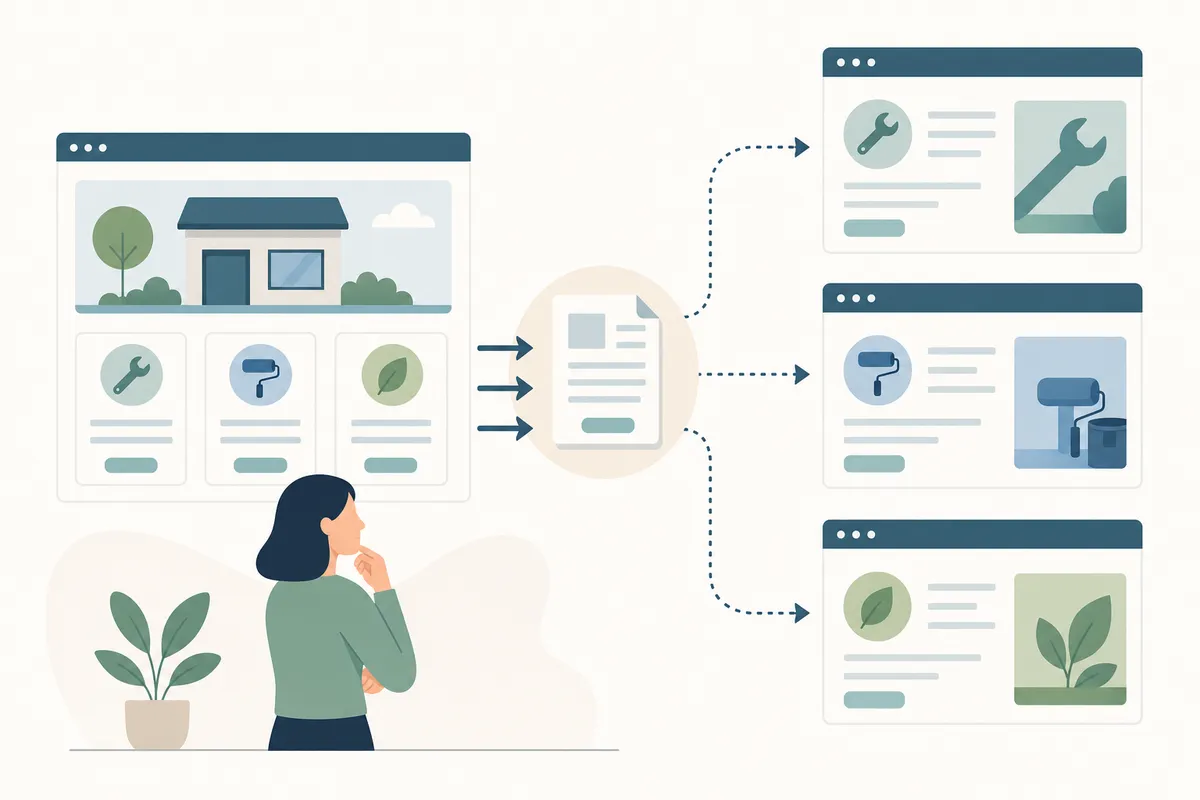
Set up your pages so each one is only a few clicks from the homepage. Three levels suit most small sites: the homepage, a main services page, then one page for each service and location. Visitors find things faster, and Google crawls everything. You can also add a new service later without rebuilding the menu.
Step 3: Fix what stops Google reading your site
Technical SEO sounds harder than it is. It means making sure search engines can crawl (find) your pages, understand them and index (store) them. Great content won't rank if Google can't reach it. The good news is that a small site usually has only a few problems, and most are quick to fix.
Crawling and indexing
Start with Google Search Console, Google's free tool for site owners. It shows which pages are indexed, which were skipped and why. Common problems on small sites include:
- Pages still set to "noindex" from when the site was being built
- Broken links and chains of redirects
- Missing or duplicate title tags and meta descriptions
- Old copies of pages still live next to the new ones
- A missing or out-of-date XML sitemap
Google's Search Central documentation explains how crawling and indexing work and what your site needs to provide. Some warnings look scary but matter little. For a process that ranks fixes by how much they help, follow this guide to running an SEO audit that actually moves rankings.
Speed and mobile
Many of your customers will find you on a phone, often while they're out. People should be able to read your text without zooming and tap your buttons easily. Nothing should run off the edge of the screen.
Speed matters just as much. Oversized images, video that plays on its own and too many scripts all slow a page down. One web design firm that ranks for this topic says the average site takes around eight seconds to load, and that buyers start leaving at three. Whatever the exact numbers are in your market, slow pages lose people. Google measures how fast your pages load, how quickly they respond and how steady they stay while loading. It calls these Core Web Vitals. web.dev explains the targets and how to test your pages against them.
Your site should also run on HTTPS. A secure connection is now standard, and browsers warn visitors about sites that don't have one.
Plugins and security
If your site runs on WordPress, check your plugins closely. The same design firm counts 11,334 WordPress vulnerabilities reported in 2025. That's about 31 new ones every day, and the firm says 91% of them came from plugins. It also describes finding a hidden link to an offshore casino, one pixel tall, in the code of a working company's WordPress homepage. The owner never saw it. Google did.
You don't need to leave WordPress. Delete plugins you don't use, keep the rest up to date, and run a security scan every few months. A hacked site can lose rankings quickly, and the owner is usually the last to find out why.
Step 4: Set up your Google Business Profile and reviews
If your customers come from one area, your Google Business Profile is the most valuable free listing you can have. It's how you appear in the local pack, the map section that shows up for searches like "florist near me." It also shows your hours, phone number and directions without anyone clicking through to your site.
Claim and complete the profile
If your business already shows up on Google Maps, claim it. If not, create a profile at business.google.com. Then fill in every section:
- Your business name exactly as it appears on your sign, with no extra keywords
- Your main category, plus any other categories that fit
- Your address or service area, opening hours and holiday hours
- Your phone number and a link to your website
- A description of what you do and who you serve
- Photos of your storefront, team, products and work in progress
The hour this takes is worth it. Google has said, as Semrush reports, that businesses with complete profiles are 70% more likely to be visited. If you have more than one location, each one needs its own profile.
Ask for reviews, and answer them
Reviews help people choose you, and they help Google trust you. Make asking for them part of your routine. Put a review link in your thank-you email, on the receipt or at the bottom of the invoice. BDC gives advice worth following: ask every customer, not only the ones you know were happy. A profile full of nothing but glowing reviews looks less believable, not more.
Reply to reviews, both good and bad. A calm, helpful reply to a complaint often reassures the next customer more than another five-star rating would.
Keep your details the same everywhere
Your name, address and phone number should match everywhere they appear. That means your website, your profile and every directory that lists you, including Yelp, the Better Business Bureau and your chamber of commerce. When the details don't match, search engines and AI tools can't tell which one is right. For the full local plan, read how to reach the first page of Google in your city without ads.
Step 5: Earn links and mentions from real places
A backlink is a link from another website to yours. Google sees good ones as a vote of confidence. In a Backlinko study cited by Semrush, the page ranking first had nearly four times more backlinks than the pages below it. You don't need hundreds. For a small business, a few relevant links from trusted sites can lift a page from the second page of results to the first.
Quality matters more than numbers. BDC notes that one high-quality link can often do as much as several weak ones. Don't buy links. Paying for links breaks Google's spam policies, and paid links usually sit on sites your customers would never visit.
Mentions count too, even without a link. BDC says that as AI search grows, brand mentions without a link are becoming as important as links. They show that real people and publications talk about you.
| Link source | Effort | Typical value | Best for |
|---|---|---|---|
| Local and industry directories (Yelp, BBB, chamber of commerce) | Low: fill in a listing | Modest, and it keeps your details consistent | Every small business, as a first step |
| Local news coverage | Medium: pitch a real story | High: trusted, local and relevant | New services, milestones and community work |
| Sponsoring local events or teams | Medium: money or time | Good: event sites often link to their sponsors | Businesses with local customers |
| Supplier and partner websites | Low: ask people you already work with | Good: relevant to your industry | Trades, retailers and B2B services |
| Guides others want to cite | High: create something worth linking to | High and long-lasting | Businesses with real expertise to share |
| Bought links | Low | Harmful: breaks Google's spam policies | No one |
Start at the top of the table and work down. Directories take an afternoon. One good local news story can earn a link worth more than all of them.
Answer the questions your customers ask
Articles and guides reach people before they're ready to buy. Someone searching "how to reduce tax liability" isn't hiring an accountant today. But if your article gives them a clear, honest answer, yours is the name they'll remember when they are ready.
What to write about
Start with the questions customers already ask you. Every phone call, email and quote request gives you topics. Then add:
- Questions from Google's "People also ask" box for your main keywords
- Topics your competitors rank for that you haven't covered
- Choices buyers have to make, like "repair or replace" and "DIY or hire a pro"
- Costs and timelines, explained honestly
Two guides make this easier. The first covers keyword discovery methods for finding terms worth ranking for. The second shows how to run a competitor keyword gap analysis. That shows you the searches your rivals win and you don't.
Show experience, expertise and trust
Google's quality guidelines use the term E-E-A-T: experience, expertise, authoritativeness and trustworthiness. Put simply, Google prefers content from people who know the subject. BDC notes this matters most in fields like health and finance, where bad advice can cause real harm.
A small business has an edge here, because you do the work every day. Show it:
- Put a real name and a short bio on every article
- Use examples from the kinds of jobs you actually do
- Cite reliable sources for any facts you didn't produce yourself
- Deliver what the headline promises. After reading a how-to, the reader should be able to do the task.
Write for people first. Stuffing one keyword into every sentence makes a page harder to read and can hurt your rankings. Use the phrase where it fits and let the rest read naturally.
Getting cited in AI answers
More searches now end with an answer written by AI in Google, ChatGPT or Perplexity. These tools pull from pages that answer questions clearly. To improve your chances:
- Answer the main question in the first two or three sentences of each section
- Write paragraphs that still make sense when someone quotes them on their own
- Use specific facts, prices and steps, not vague claims
- Keep your business details the same across the web
- Keep your pages fast. BDC notes that AI tools tend to cite the source that answers fastest.
Should you do small business SEO yourself or hire help?
You can do much of it yourself. You don't need an expert to set up your Google Business Profile, ask for reviews, write service pages or answer customer questions. You need time and steady effort.
Outside help is worth paying for when the work is technical or risky. Examples include moving to a new website or domain, recovering from a sudden drop in rankings, cleaning up a hacked site, or reorganizing hundreds of product pages. One mistake there can undo years of progress in a week.
| Option | Your time | What you get | Watch out for |
|---|---|---|---|
| Do it yourself | Several hours a week, ongoing | Full control and the lowest cash cost | Slow progress and blind spots on technical issues |
| SEO software | An hour or two a week | Audits, keyword data and rank tracking to act on | Software finds problems, but someone still has to fix them |
| Freelancer | Regular check-ins | Hands-on help from one specialist | Skills vary widely, so check real past results |
| Agency | Monthly meetings and approvals | A team covering content, technical work and links | Long contracts, vague reports and work you can't see |
Many owners end up with a mix. They handle the profile, reviews and articles themselves, and hire a specialist for audits and technical fixes. If time is your biggest limit, this 5-hour plan for SEO with a small marketing team shows what to do first.
Questions to ask before you hire
- What will you do in the first 90 days, and how will I see it?
- Which keywords will you target, and why those?
- Will you report on leads and calls, or only on rankings and traffic?
- Can you show results for a business like mine?
- Who owns the content and accounts if we stop working together?
Be careful with anyone who guarantees a number one ranking. Nobody controls Google's results. A promise like that often means shortcuts that can get a site penalized.
A 90-day small business SEO plan
Ninety days won't bring your full results. It is enough time to build the base your later results depend on. Here's a sensible order of work.
Weeks 1 and 2: audit and claim
- Set up Google Search Console and check which pages are indexed
- Claim and complete your Google Business Profile
- Fix anything that blocks indexing, plus broken links and missing titles
- Make sure you rank first when people search your business name
Weeks 3 to 6: build the pages that sell
- Finish your keyword list and give each page one main keyword
- Rewrite or create a page for each core service
- Add location pages only where you have real local detail
- Start asking every customer for a review
Weeks 7 to 10: answer questions
- Publish helpful articles that answer real customer questions
- Link each article to the service page it relates to
- Update directory listings so every detail matches
Weeks 11 to 13: earn links and review
- List your business with your chamber of commerce and industry directories
- Pitch one local news story and ask partners for a link
- Check Search Console to see which pages and searches improved
- Choose the next pages to improve
For a fuller version with a budget attached, see this 90-day plan for real SEO results on a small budget.
Mistakes that hold small sites back
Most SEO efforts that stall fail for the same few reasons:
- Chasing broad keywords. You probably can't rank for "lawyer." You can rank for "estate planning lawyer in Tampa."
- Putting every service on one page. Google can't tell what the page is about, so it doesn't rank well for anything.
- Leaving the Google Business Profile half-finished. It's free, and for local searches it often matters more than your website.
- Publishing copy-and-paste location pages. They add nothing and can look like doorway pages.
- Counting visits instead of customers. Traffic that never calls or books doesn't pay the bills.
- Letting the site go stale. Old plugins, broken links and outdated prices wear away trust.
- Quitting at month three. The early work lays the foundation, and results tend to build on it.
For the full list, with a fix for each one, read 16 common SEO mistakes and how to correct them.
How to tell if it's working
Measure what brings in money, not only what looks good in a report. Track:
- Impressions and clicks in Search Console, for each page and search term
- Rankings for your target keywords in the area you serve
- Calls, website clicks and direction requests from your Google Business Profile
- Form fills, bookings and calls from people who found you through search
- New customers who say they found you on Google (ask every one)
Progress usually comes in a rough order. First, impressions rise as Google starts showing your pages. Next, your rankings climb. Clicks and leads come after that. If six months pass and impressions haven't moved, go back to Step 1. Your keywords are probably too competitive, or they don't match what customers actually type.
FAQs
How long does small business SEO take to work?
Plan on months. Salesforce says to expect at least six months before you see results if you're starting out, and longer for a brand-new website. Quick wins, like finishing your Google Business Profile or fixing indexing problems, can show up sooner.
Can I do SEO for my small business myself?
Yes, for most of it. You can handle keyword research, service pages, your Google Business Profile, reviews and helpful articles without an expert. Get help for site moves, rebuilds, hacked sites or sudden drops in rankings.
What is the difference between small business SEO and local SEO?
Local SEO targets searches that name a place, such as "dentist near me." It relies on your Google Business Profile and reviews. Small business SEO is broader. It includes local search, plus the national and question searches any small business can win.
Does SEO still matter now that people use AI search?
Yes. Google still handled 89.62% of internet queries in a March 2025 Statista report cited by BDC. AI tools also pull from web pages. Clear answers, consistent business details and a fast site help you in both places.
How many keywords should a small business target?
BDC suggests starting with a list of 20 to 50 keywords. Then give each page one main keyword, backed up by close variations. Specific long-tail phrases with low difficulty are the best place to start.
Talk to the team about your site
Before you change a single page, open this sample SEO report. It shows what a complete small business SEO audit should give you: the problems, the fixes and the order to tackle them. Then talk to the team about running the same checks on your own site, so your first hours go to the pages that bring in customers.
Resources / References
Related reading: SEO for Small Businesses: A Practical 2026 Roadmap.
Related reading: Effective SEO Strategies for Small Businesses: What Actually Works.
Sources
- Custom Web Design & SEO for Small Businesses | Best of the ...
- Small business owners - How do you do SEO for your ...
- Small Business SEO: What It Is & How to Get Started
- 5 Tips to Maximize Your Small Business SEO
- SEO tips for small businesses
Disclaimer: This article is general information about rules and figures that applied when it was written, not personalised financial, tax or investment advice. It does not take account of your income, obligations, risk tolerance or goals, and rates and thresholds change. Verify the current position with the relevant authority, and speak to a licensed adviser or a qualified accountant before acting.
About the author
SearchBlueprint researched, wrote and scored this article with the content pipeline our customers run on their own sites. The score in the byline is what our content engine gave this page before it published. Nothing here is reviewed by hand, which is the point: it is the product's output, published where anyone can check it.