Surfer SEO vs Semrush: Which One Fits the Work You Do?
By Toy Wen Da, Co-Founder · Updated · 12 min read · scored 98/100
Surfer SEO vs Semrush comes down to one question: are you optimizing content or running an entire marketing operation? Surfer is a focused content-scoring tool, while Semrush is a sprawling suite covering keywords, backlinks, technical audits, ads and social. Pick based on the job in front of you.

Surfer SEO vs Semrush: the core difference
Surfer and Semrush solve different problems, even though both show up when you search for SEO software.
Surfer is a content optimization tool and nothing else. You give it a target keyword, it studies the pages already ranking for that term, and it builds a scorecard with a word count range, headings to include, terms competitors use and a live score that updates as you write. Everything in it points toward a finished, well-structured draft.
Semrush is a toolbox with dozens of compartments: keyword research, rank tracking, backlink analysis, site audits, PPC planning and social monitoring all live under one login. Content tools exist there too, mainly the Content Toolkit and ContentShake AI, but they are one feature set among many.
If your day is spent turning a keyword into a page that ranks, Surfer gives you a tighter, more guided process. If your job spans strategy, link building and reporting across a whole site or client roster, Semrush's breadth matters more than any single editor's polish.
How we compared
We read each vendor's public pricing and feature pages and the review sites listed in Sources. No paid accounts were tested, so every claim about how a tool behaves comes from those pages and reviews. Prices are the vendors' published figures and can change.
Surfer SEO: best for writing and optimizing single pages
Surfer earns its reputation in content scoring, AI-assisted drafting and keeping existing pages fresh.
A content score built on live SERP data
Surfer's Content Score pulls from the pages currently ranking for your target term and checks your draft against them as you type. The company says its system analyzes roughly 500 ranking signals per keyword, covering structure, term usage and topic coverage. That describes the method and does not prove the score predicts rankings, but it is a more modern approach than counting keyword repeats. For a deeper look at hitting those coverage targets without stuffing, see this guide on keyword optimization without stuffing.
Surfer also flags content gaps, the subtopics competitors cover that your draft skips. Thin, incomplete content tends to underperform and is less likely to be pulled into AI-generated answers. If you want a structured way to find those gaps across a whole site rather than one article at a time, this piece on finding what competitors rank for covers the broader process.
AI writing and auto-optimization
Surfer's AI writer drafts from the same live SERP data that feeds the Content Score, and an Auto-Optimize feature can refresh an underperforming page without a full rewrite. It keeps the page's existing voice and structure, which matters for teams maintaining a large back catalog. For a practical walkthrough of using AI tools to lift rankings rather than just produce text, see AI content optimization that actually lifts rankings.
The editor also includes free AI-generated images and an Auto Internal Links feature that suggests links based on meaning and Google Search Console data.
Topical maps for planning ahead
Surfer's Topical Map tool sketches a content cluster around a core topic and connects to Search Console data, so you avoid writing near-duplicate pages. It comes with Surfer's base paid plan, which is notable because planning tools are often locked behind higher tiers elsewhere.
Pick Surfer if most of your work is drafting and refreshing pages one at a time. Skip it if you also need technical audits or backlink data, because it has neither.
Semrush: best for keyword research, backlinks and site-wide audits

Semrush's strength is depth across functions that Surfer doesn't attempt.
Keyword research and competitor data
This is Semrush's home turf. Its Keyword Magic Tool and Keyword Gap analysis draw on a keyword database spanning 142 geographic markets, with volume, difficulty and CPC data layered in. Surfer's keyword tools exist mainly to support its Topical Map, which is useful for planning but shallow next to Semrush's research depth. If you need to find keywords your rivals are missing entirely, this guide to advanced keyword research walks through the method.
Semrush's competitor tracking compares your visibility against named rivals across organic search, paid search and social. A dedicated competitor analysis tool can cover this kind of gap-finding without Semrush's full suite.
Technical SEO and backlinks
Surfer has no technical audit feature. Its Content Audit checks on-page content only and says nothing about crawl errors, broken links or site health. Semrush's Site Audit and backlink analysis are strong, and this is the clearest category where it wins outright. If link building or technical cleanup is part of your job, Semrush covers ground Surfer never tries to reach.
The Content Toolkit, honestly assessed
Semrush's own content tools (Topic Research, SEO Writing Assistant and ContentShake AI) are reasonable for basic drafting and readability checks. Review sites describe the SEO Writing Assistant's tone and readability suggestions as more approachable than Surfer's denser checklist, which can overwhelm writers without an SEO background. The Content Toolkit is priced and positioned as an add-on, and it lacks the live scoring depth and content-gap detection that Surfer builds its whole platform around.
AI visibility tracking
Both platforms now track brand mentions inside AI Overviews, ChatGPT and Perplexity: Surfer through its AI Tracker, Semrush through the AI Visibility Toolkit inside Semrush One. Neither has a clear edge, since this has become standard for serious SEO platforms.
Pick Semrush if keyword research, backlinks or site audits are a regular part of your work. Skip it if you only write content, since you would pay for a platform built around tools you may never open.
Surfer SEO vs Semrush: pricing compared

Surfer charges by document volume, while Semrush mixes a standalone content add-on with a full-suite subscription, so a direct dollar comparison needs context.
| Plan | Price (billed yearly, per month) | What's Included | Best For |
|---|---|---|---|
| Surfer Discovery | $49/month | 120 documents per year, 10 tracked pages | Solo writers testing the tool |
| Surfer Standard | $99/month | 360 documents, team collaboration, 25 AI-prompt tracking | Small content teams |
| Surfer Pro | $182/month | Internal linking, cannibalization reports, daily AI tracking | Growing teams managing many pages |
| Surfer Peace of Mind | $299/month | Unlimited documents (fair use), API access | Agencies with heavy output |
| Semrush Content Toolkit | $60/month (billed annually) | Topic ideas, SEO brief generator, ContentShake AI, 5 content boosts/month | Teams needing light content help alongside existing SEO work |
| Semrush One (Starter) | ~$199/month (billed monthly) | Full SEO toolkit, AI Visibility, keyword and backlink tools | Agencies and teams needing the whole suite |
Extra Semrush Content Toolkit users cost $20 a month each, which adds up fast for a multi-writer team. Surfer's annual plans are charged upfront for the full year, and unused document credits reset yearly rather than monthly, so an idle month doesn't roll over. Surfer also advertises savings of up to 17% versus paying month-to-month.
If content is your only need, the Content Toolkit's $60 entry point looks close to Surfer's $49 Discovery plan, but it gives up the content-gap detection, internal linking automation and topical mapping that justify Surfer's price for teams publishing at volume. For a broader look at SEO tool pricing across the market, including reporting platforms beyond these two, see what an SEO reporting tool costs in 2026.
What a 5-writer team pays, worked out
Say five writers produce roughly 40 articles a month between them.
On Surfer, that volume calls for the Pro plan at $182 a month billed yearly, which includes enough documents for most teams in that range plus internal linking and cannibalization reports. Teams that run past their document limit may pay more in busy months, and Surfer doesn't publish a flat per-document overage rate, so check current pricing before committing.
On Semrush, the same five people need the Content Toolkit's base seat at $60 a month plus four extra seats at $20 each, which brings the content-only cost to $140 a month. Each writer gets only 5 content boosts a month under ContentShake AI, so the team has 25 in total against 40 articles. Closing that gap means drafting some pieces without AI assistance or moving up to Semrush One at about $199 a month, which bundles content tools with the rest of the suite and only pays off if the team also uses the keyword and backlink tools.
The arithmetic favors Surfer when content is the whole job, because $182 covers the team's output without seat fees. It favors Semrush once you already pay for keyword research or technical audits, since the content add-on then rides on a subscription you need regardless.
Head-to-head feature comparison
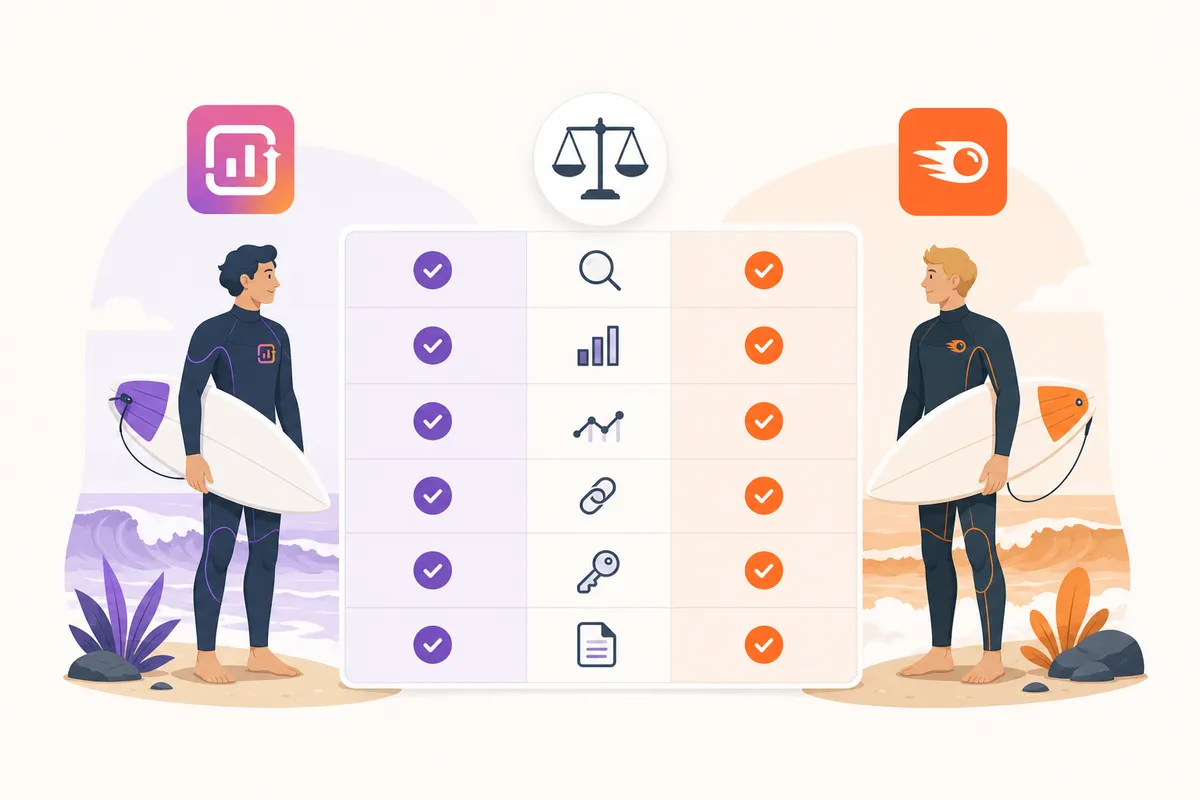
| Capability | Surfer SEO | Semrush |
|---|---|---|
| Content scoring | Live score built from top-ranking pages per keyword | Scored through SEO Writing Assistant, less granular |
| Keyword research | Basic, tied to Topical Map planning | Deep database, 142 geographic markets |
| Technical SEO audit | Not offered | Full site audit and crawl error reporting |
| Backlink analysis | Not offered | Core strength, with link-building tools |
| AI content tools | AI writer, Auto-Optimize, free AI images | ContentShake AI, AI images via chat add-on |
| Internal linking | Automatic, based on meaning and Search Console data | Not a built-in feature |
| AI visibility tracking | AI Tracker (daily updates) | AI Visibility Toolkit (via Semrush One) |
Surfer wins on anything tied to writing and optimizing a single page, and Semrush wins on keyword research, backlinks and site-wide technical health.
A worked example: scoring the same draft in both tools
Picture optimizing a 1,500-word blog post targeting "best running shoes for flat feet."
In Surfer's Content Editor, the keyword pulls the top 20-40 ranking pages and produces a target word count range, often around 1,800-2,400 words based on what currently ranks. It also lists specific terms to include, frequently 40-60 of them, each weighted by how often top pages use it. The draft opens with a score, commonly in the 40-60 range for a first pass, and climbs as you work in missing terms and headings.
Semrush's SEO Writing Assistant takes the same keyword and returns a target word count, a readability grade, a shorter list of recommended keywords (typically a dozen or two) and tone checks for whether the piece reads formal or simple. It doesn't rebuild its recommendations as you type the way Surfer's score does, and checks on save instead.
The practical difference shows up in revision speed. With Surfer you see terms light up as you add them, so a writer can close most of the gap in one sitting, while Semrush's assistant is better at catching readability and tone issues than at naming the next phrase to add.
Both term lists come from correlation with pages that already rank and are not confirmed ranking factors, so treat the term count as a coverage checklist rather than a test to ace. The ranges also shift with the keyword and the freshness of the SERP, so a volatile topic like "AI search tools" will produce different targets than a stable evergreen one.
Which tool fits the work you actually do

Freelance writers and solo bloggers
If you write one article at a time for clients or your own site, Surfer's per-document pricing and live scoring fit better than Semrush's full toolkit. You don't need backlink tracking to finish a blog post. If budget is the main constraint, start with free research tools before committing to either paid plan; this collection of free SEO tools covers keyword checks and page audits at no cost while you validate the workflow.
In-house content teams
Teams publishing regularly, with several writers on the same content calendar, benefit from Surfer's team collaboration (available from the Standard plan) and its Auto-Optimize feature for refreshing older posts without a full rewrite cycle.
SEO agencies
Agencies with multiple clients usually need Semrush's keyword research, technical audits and cross-site reporting more than Surfer's writing polish. Many run both, with Semrush for strategy and client reporting and Surfer (or a similar scoring tool) for the writers producing drafts.
Enterprise marketing teams
Larger teams managing SEO, PPC and social from one platform will find Semrush's all-in-one structure more practical than stitching together specialist tools. Surfer's Enterprise tier exists for high-volume content needs, but it addresses a single function.
Can you use both tools together?

Nothing stops you from running Surfer and Semrush side by side, and plenty of teams do. In a common setup, Semrush handles keyword research, competitor tracking and technical audits while Surfer's editor is where the draft gets written and scored. The overlap is mostly in basic content suggestions, where either tool's output is usable and neither is strictly necessary once the other is running.
The real cost of running both is the subscription stack. Before paying for two platforms, map out which tasks each one solves for your team, following the step-by-step approach in how to create SEO content that ranks. If almost everything overlaps, one tool is probably enough.
How to decide without overthinking it
Three questions settle most cases:
- Is your main job writing or optimizing individual pages? Lean Surfer.
- Does your work span keyword strategy, backlinks and technical audits across a whole site? Lean Semrush.
- Are you a small team that needs both but can't afford two full subscriptions? Start with Semrush's Content Toolkit add-on at $60 a month or Surfer's Discovery plan at $49 a month, and upgrade once you know which gaps hurt your output.
Google's guidance on ranking systems emphasizes original, well-structured content that fully covers a topic rather than keyword density, according to Google Search Essentials. That is the reason content-scoring tools like Surfer have grown popular: they try to approximate what Google already says it rewards. Neither tool replaces useful writing, but both can shorten the path to it.
Bookmark this Surfer SEO vs Semrush comparison for when you re-evaluate tools later, since pricing and features on both platforms change often.

FAQs
Is Surfer SEO better than Semrush for content writing?
For writing and optimizing a single piece, yes. Surfer's live Content Score and content-gap detection are more focused than Semrush's SEO Writing Assistant, and Semrush's content tools are secondary to its broader suite.
Is Semrush worth it if I only write content?
Probably not on its own. The Content Toolkit add-on costs $60 a month and covers basic drafting and briefs, but you would be paying for a platform built around keyword research and backlinks you may never touch.
Can Surfer SEO replace Semrush entirely?
No. Surfer doesn't offer technical site audits or backlink analysis, two of Semrush's core strengths, so teams that need those functions still need Semrush or a comparable tool.
Which tool is cheaper?
Surfer's Discovery plan starts at $49 a month billed yearly, and Semrush's Content Toolkit starts at $60 a month. Compare what each price includes before you choose.
Do agencies typically use both tools?
Many do. Semrush handles keyword research, competitor tracking and client reporting, while a content-scoring tool handles drafting and optimization. Running both only makes sense if your workload needs both sets of capabilities.
Pick the tool, then fix what it can't see

The Surfer SEO vs Semrush decision comes down to two different problems, and the right pick depends on whether your bottleneck is writing content or managing an entire SEO operation. Neither tool on its own tells you which pages are losing rankings right now or why. If you want a clearer read on where your site stands before you commit budget to either platform, talk to the team and get a sample report built from your own site's data.
Resources / References

Sources
About the author
SearchBlueprint researched, wrote and scored this article with the content pipeline our customers run on their own sites. The score in the byline is what our content engine gave this page before it published. Nothing here is reviewed by hand, which is the point: it is the product's output, published where anyone can check it.