The Role of Automation in SEO: What to Hand Off (and What to Keep)
SearchBlueprint · · 10 min read · scored 93/100

The role of automation in SEO is to take over repetitive, data-heavy work: crawling, rank tracking, keyword clustering, and report building. That frees your team to spend time on strategy, not spreadsheets. It doesn't decide what to publish or which links matter. That judgment still needs a person.
What Automation in SEO Actually Covers
"SEO automation" gets used loosely. In practice, it means software that runs a defined, repeatable SEO task on a schedule or trigger. Nobody has to click through it manually each time. That's crawling a site for broken links. Pulling a weekly rank report. Grouping 500 keywords into topic clusters instead of doing it by hand in a spreadsheet.
It is not the same as "AI writing your SEO strategy." Strategy is a judgment call: which market to target, which pages deserve investment, what your brand should sound like. Automation supports that judgment with faster, more consistent data. It doesn't make the call for you.
This is also why more teams are choosing automated SEO for effortless growth over adding headcount. A crawler doesn't get tired running the same checks on page 4,000 that it ran on page one. A person does.

The Tasks Under the Automation Umbrella
Most SEO automation today falls into a handful of buckets:
- Technical audits: crawling for broken links, missing schema, duplicate titles, slow pages.
- Rank and visibility tracking: daily or weekly position checks across markets and devices.
- Keyword research and clustering: grouping thousands of terms by topic and intent.
- Content briefs and outlines: pulling structure and gaps from top-ranking pages.
- Reporting: combining Google Search Console, analytics, and rank data into one view.
- Internal linking and schema markup: suggesting or generating links and structured data at scale.
Each of these used to be a manual, recurring chore. Automating them doesn't eliminate the need for an SEO strategist. It changes what that strategist spends their day doing.
The SEO Tasks Automation Handles Well Right Now
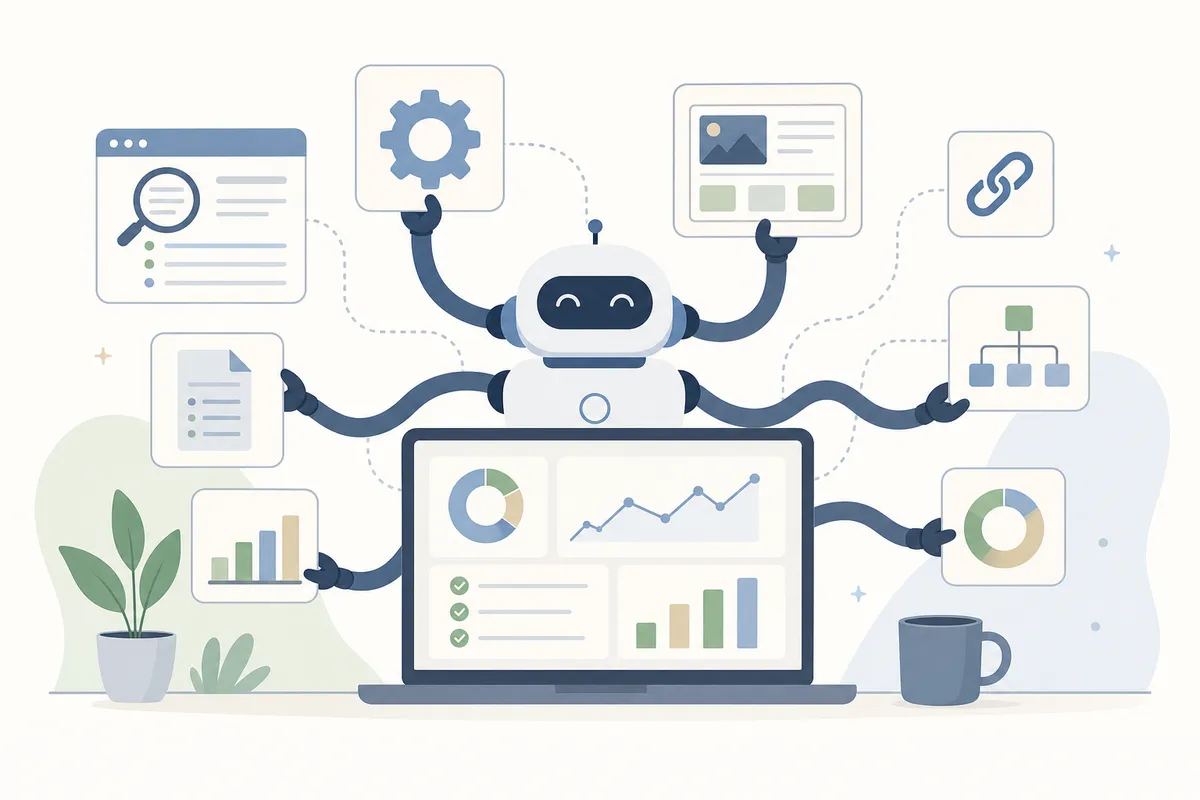
Some SEO work is genuinely well suited to automation: it's repetitive, rule-based, and doesn't need a judgment call. Other work only looks automatable until you watch what happens when nobody checks it.
The Role of Automation in SEO, Mapped to Real Tasks
| SEO task | What automation actually does | Reported time impact | Still needs a person for |
|---|---|---|---|
| Technical site audits | Crawls the site, flags broken links, missing schema, duplicate content, and mobile issues | Industry estimates for technical audit and crawling tools commonly range from several hours to well over 10 hours a week on larger sites | Deciding which flagged issues to fix first |
| Rank tracking | Checks keyword positions daily or weekly and alerts on drops | Rank-tracking platforms are commonly cited as saving several hours a week versus manual checks | Reading why a ranking moved, not just that it did |
| Keyword research and content briefs | Clusters keywords by topic, pulls structure from top-ranking pages into a draft brief | One SEO marketer reported cutting an 8-hour research-to-publish workflow down to about 3 hours. Brief-generation tools reportedly cover roughly half of the actual brief | The angle, the real examples, the argument the brief can't write |
| SEO reporting | Pulls Search Console, analytics, and rank data into one recurring dashboard | Reporting is one of the tasks most consistently described as "used to take hours, now automatic" across SEO teams | Explaining what the numbers mean to a client or a boss |
Reporting is a good example of how uneven the payoff is if you skip the honest accounting. Our own breakdown of what automated SEO reports actually cost and what to track covers what a report tool should include. That's worth knowing before you rely on it for a client conversation.
Where the Content Side Gets More Complicated
Content automation is the most talked-about piece of this, and the most misunderstood. Tools can cluster keywords, draft outlines, and generate a first pass of a page. What they can't reliably do is know which examples are true or which claims are current. Neither can they sense what your reader actually needs to hear next.
A real AI content workflow treats the model as a drafting tool inside a human-reviewed process, not a publish button. Our guide to AI-driven content creation for maximum SEO growth walks through what that looks like, from brief to published page.
How Automation Changes SEO Performance

Done well, automation changes three things: how fast you catch problems and how consistent your output is. It also changes how much of your team's time goes to work only a person can do.
Speed shows up first. A crawler catches a broken link or a dropped title tag within a day, not at the next quarterly audit. That matters because search engines re-crawl and re-index pages on their own schedule. A page sitting broken for weeks is a page slowly losing whatever ranking it had.
Consistency is the second gain, and it's easy to undervalue. A person auditing 50 pages by hand will check them a little differently each time, especially by page 40. A tool applies the same rule to every page, every time. That evenness is part of why keyword and rank-tracking platforms have kept adding AI-based suggestion features. One estimate put the share of local SEO platforms shipping AI-based keyword suggestions at 63% as of 2024. That's a sign the category is standardizing around automated first passes.
The third gain is where the actual business case lives. Every hour a tool spends crawling, tracking, or drafting an outline is an hour freed up elsewhere. A strategist can spend it instead on the calls a tool can't make: which market to prioritize, which competitor gap is worth chasing, what a losing page should say instead. That's the real advantage of automated SEO for business growth. The work doesn't disappear; it stops competing with strategy for the same hours.
Where Automation in SEO Still Falls Short
None of this works if you treat automation as a replacement for judgment instead of a way to buy time for it. Three failure modes show up again and again.

Thin, Templated Content at Scale
The fastest way to lose trust with readers and search engines is publishing automated content nobody checks before it goes live. Google's own search guidance is explicit that content policies apply no matter how the content was produced. Using automation, AI included, mainly to manipulate rankings rather than to help a real reader violates its spam policies, according to Google Search Essentials. A page reads like every other in its category when only the city name or product changes. That's the exact shape this guidance targets.
This is also the honest answer to "should I let AI write the article start to finish." Sometimes yes, for a fast-moving news roundup or a simple product update. Often no, when the topic needs real expertise or a specific answer only a person would know to give. Our breakdown of when to use AI vs. a human writer for SEO sets out that line by content type. It's not a blanket rule either way.
Broken Feedback Loops
Automated tools are only as good as the checks watching them. A rank tracker that fires alerts nobody reads is worse than no tracker: it gives a false sense that someone's watching. The fix isn't more automation. It's a short, defined review step attached to every automated task, even a 10-minute weekly glance at what changed and why.
Losing the "Why" Behind a Decision
A crawler can tell you a page dropped from position 4 to position 11. It can't tell you a competitor just published a more specific guide, or that a seasonal search pattern shifted. Treating an automated alert as the whole answer, instead of the start of a question, leads teams astray. They end up reacting to symptoms instead of causes.
What to Automate vs. What to Keep Manual
The clearest way to decide is to ask whether the task is rule-based and repeatable. Or whether it needs a read on the business, the brand, or the reader.
| Task | Recommendation | Why it belongs there |
|---|---|---|
| Crawling for broken links, duplicate titles, missing schema | Automate | Rule-based, no judgment call, needs to run constantly |
| Choosing which keyword a new page should target | Keep manual | Depends on business priorities a tool can't weigh |
| Pulling rank and traffic data into a weekly report | Automate | Same data, same format, every cycle |
| Deciding what a losing page's content should say instead | Keep manual | Needs a real read of the page, the reader, and the gap |
| Drafting a first content outline from top-ranking pages | Automate, then review | Speeds up structure; still needs a human edit pass |
| Publishing AI-written pages with no review step | Never fully automate | Risks thin content and the quality issues search engines flag |
For a longer walkthrough of this split, see our guide to what to automate and what not to. It goes task by task across technical, content, and link-building work.
How to Start Automating Your SEO Workflow
The teams that get automation right don't automate everything at once. They pick one workflow, prove it works, then expand.
Start With One Recurring Task
Pick the task eating the most hours with the least judgment involved. For most teams, that's technical audits or reporting, both are rule-based and both recur on a fixed schedule. Automating either one first gives you a clean before-and-after to point to when you propose the next one.
Set the Quality Check Before You Scale
Decide what "good" looks like before you turn a tool loose on 500 pages, not after. That might be a spot-check of one in ten automated audit fixes. Or a human read of every AI-drafted brief before it reaches a writer. Scaling an unchecked process just multiplies whatever's wrong with it.
Watch the Numbers, Not the Feature List
A tool's feature list tells you what it can do. Your own rank, traffic, and conversion numbers tell you whether it's working. Review those every month against what the automation actually changed, not just whether the workflow feels faster.
| Rollout stage | Focus | Sign you're ready for the next stage |
|---|---|---|
| Stage 1: One workflow | Automate a single recurring task, like crawling or reporting | The task runs unattended and the output matches what a manual check would find |
| Stage 2: Add a quality gate | A defined human check on every automated output | The check consistently catches nothing wrong, or catches issues before they ship |
| Stage 3: Expand carefully | Add one more workflow, keeping the same review discipline | Rankings and traffic hold steady or improve after the first two stages |
An AI SEO agent that runs the loop from one URL is a useful way to see this staged approach in practice. Crawl, research, and reporting run automatically, while what gets published still goes through review. That's the model worth copying regardless of which tool you use. It's also how to grow SEO automation without breaking it as your site scales past a handful of pages.
FAQs
What is the role of automation in SEO?
Automation's role in SEO is to handle repetitive, rule-based tasks like crawling, rank tracking, and report building. That frees the people doing SEO to spend their time on strategy and judgment calls a tool can't make.
Can automation replace an SEO strategist?
No. Automation speeds up data collection and first-pass drafts. Deciding what to publish, which pages to prioritize, and how a brand should sound still needs a person reviewing the output.
What SEO tasks should never be fully automated?
Publishing content with no human review, and any decision about which pages or markets to prioritize, should stay manual. These depend on business context a tool doesn't have.
Is automated content bad for SEO?
Not inherently. But thin, templated content produced mainly to manipulate rankings can violate search engines' spam policies regardless of how it was made. Automated drafts reviewed and edited by a person before publishing are a different case.
How much time does SEO automation actually save?
It varies by task and site size, but teams commonly report cutting research-heavy workflows by more than half. Reporting is one of the tasks most consistently automated first because the payoff is immediate.
See What's Already Slowing Your Own Rankings Down
That's the role of automation in SEO: worth adopting the moment it frees up time for decisions only your team can make. It's worth pausing the moment nobody's checking its output. If you want a clear read on which of your own SEO tasks are worth automating first, take a look at a sample SEO report. See what that kind of audit actually surfaces.
Resources / References
Related reading: How to Automate SEO Without Wrecking Your Rankings.
Related reading: Content automation for SEO: what to automate (and what to keep human).
Related reading: What Is Local SEO Automation, and What Actually Runs Itself in 2026?.
Sources
About the author
SearchBlueprint researched, wrote and scored this article with the content pipeline our customers run on their own sites. The score in the byline is what our content engine gave this page before it published. Nothing here is reviewed by hand, which is the point: it is the product's output, published where anyone can check it.