WordPress vs Squarespace: what each one really costs you
By Toy Wen Da, Co-Founder · Updated · 12 min read · scored 95/100
WordPress vs Squarespace comes down to cost structure more than sticker price. Squarespace bundles hosting, templates and support into one flat fee of $19 to $99 a month. WordPress is free software, WordPress.com plans run $4 to about $70 a month, and self-hosted WordPress often costs $250 to $500 a year once you pay for hosting and add a theme and plugins. Which one costs less depends on what you're building and how much of the work you want to do yourself.
WordPress vs Squarespace at a glance
If you only read one thing on this page, make it this table.
| Factor | Squarespace | WordPress.com | Self-hosted WordPress |
|---|---|---|---|
| Starting price | $19/month billed annually | $4/month billed annually (free tier exists) | Free software, plus hosting from roughly $4-$20/month |
| Who manages hosting | Squarespace, included | Automattic, included | You choose a hosting provider |
| Maintenance | None required | Minimal | You handle updates and backups |
| Design control | Template-based, limited structure changes | Same as self-hosted once plugins are enabled | Full control via themes and code |
| SEO control | Good defaults, little you can edit | Full plugin access on every paid plan | Full control via Yoast SEO, Rank Math or custom code |
| E-commerce fee | 2% on Basic, 0% on Core and up | 0% via WooPayments on Commerce plan | Depends on the payment plugin you choose |
| Best for | Portfolios, small service businesses, restaurants | Bloggers who want managed WordPress | Content sites, stores and custom builds |
For the numbers behind that table, this full cost comparison between WordPress and Squarespace goes through each plan line by line further down the page.
How we compared
We read each vendor's public pricing and feature pages, along with the review sites listed in Sources, and checked the figures against each other. We did not open paid accounts or test any of the platforms ourselves, so anything about day-to-day behavior comes from those published sources.
What is the difference between WordPress and Squarespace?
Squarespace is a website builder: one subscription covers the software, hosting, templates, an SSL certificate and support. You can't move the site to another host or change the underlying code.
WordPress is a content management system, free open-source software that you install on hosting you choose. W3Techs' October 2026 survey of web technologies puts WordPress on 39.6% of all websites and Squarespace on 2.4%, roughly sixteen times as many sites.
Self-hosted WordPress: best if you want full control and will do the upkeep
Self-hosted WordPress means downloading the software from WordPress.org for free, then paying separately for hosting and a domain name. Plugins add features such as SEO, forms and security, and you are responsible for updates, backups and fixing anything that breaks.
Pick it if you plan to publish heavily or want to change nearly everything about the site. Skip it if you don't want to maintain a server's worth of updates.
Squarespace: best if you want a polished site with no maintenance
Squarespace is closer to renting a fully furnished apartment than building a house. You pick a template and drop in your content with the drag-and-drop Fluid Engine editor, while Squarespace handles servers, security patches, uptime and SSL underneath.
Pick it for a portfolio, a restaurant or a small service business that needs to be live quickly. Skip it if you expect to move platforms later or need deep SEO control.
WordPress.com: best if you want WordPress without running a server
WordPress.com is a hosted version of WordPress, run by Automattic, and it's the closest WordPress gets to the Squarespace model: you pay for a plan, and hosting, updates and security are handled for you. As of 2026, every paid WordPress.com plan allows plugin installs, which used to be its biggest limitation. Once you're set up, our guide to WordPress.com SEO settings covers what's worth adjusting.
Pick it if you want WordPress's flexibility with someone else handling the technical side. Skip it if you want the cheapest possible setup and don't mind managing your own hosting.
What does WordPress really cost in 2026?
WordPress itself has no license fee, so your bill comes from hosting, your domain and any premium theme or plugin you add. That makes it the cheapest option for a simple site and an open-ended one for a complex site.
Self-hosted WordPress costs add up fast
Budget hosting plans commonly start around $4 to $8 a month, mid-tier shared hosting runs $10 to $20 a month, and some hosts charge up to $50 a month for better performance or support. A domain name typically costs $10 to $20 a year.
Premium themes add more. Theme marketplaces often price individual themes from $14 to $500, and some theme clubs charge from around $69 a year for access to a full library. A handful of premium plugins can push plugin costs alone to $50 to $200 a year.
Put together, a working self-hosted WordPress site often lands between $250 and $500 a year. A barebones setup on cheap hosting with free plugins can cost far less, while a site with many premium plugins can cost more than Squarespace's top tier.
The same budget-first thinking applies to the tools you'll use to grow the site, and you can see how Long Tail Pro compares to Semrush on cost before you commit to either.
WordPress.com pricing: best for managed WordPress on a small budget
If you want WordPress without managing a server yourself, these are the plans.
| Plan | Billed annually | Billed monthly | Notable features |
|---|---|---|---|
| Free | $0 | $0 | WordPress.com branding and ads, subdomain only |
| Personal | $4/mo | $9/mo | Custom domain, no ads, basic plugins |
| Premium | $8/mo | $18/mo | Payments, more storage |
| Business | $25/mo | $40/mo | Full plugin access, priority support |
| Commerce | $45/mo | $70/mo | Full WooCommerce store built in |
For a small brochure site, the Personal plan or cheap self-hosted hosting usually beats Squarespace on price. A site that needs a store, bookings and support on one bill is easier to budget on Squarespace's flat pricing. Choose WordPress.com for a small site or blog, and look elsewhere if you need a complex store without paying for the Commerce plan.
What does Squarespace really cost in 2026?
Squarespace sells four plans, all billed in US dollars. Paying annually includes a free domain for the first year, and every plan comes with a 14-day free trial.
Squarespace plan pricing: best for a predictable flat fee
| Plan | Billed annually | Billed monthly | Online store fee | Key limits |
|---|---|---|---|---|
| Basic | $19/mo | $25/mo | 2% per sale | Two contributors, no code injection |
| Core | $29/mo | $39/mo | 0% | Unlimited contributors, code injection allowed |
| Plus | $49/mo | $65/mo | 0% | Lower card processing rates |
| Advanced | $99/mo | $139/mo | 0% | Lowest card rates, advanced commerce tools |
Many site owners end up on Core rather than Basic, because Basic blocks code injection, which you'll usually need for analytics tags or chat widgets. Choose Squarespace if one predictable bill matters more than the lowest price, and avoid Basic if you plan to sell or add tracking code.
Squarespace's card processing and store fees
Card processing through Squarespace Payments costs extra on every plan, from 2.9% plus $0.30 a transaction on Basic and Core down to 2.5% plus $0.30 on Advanced. Basic also charges a 2% fee on every sale on top of that, while Core and above drop the per-sale fee to 0%, which is why most stores skip Basic.
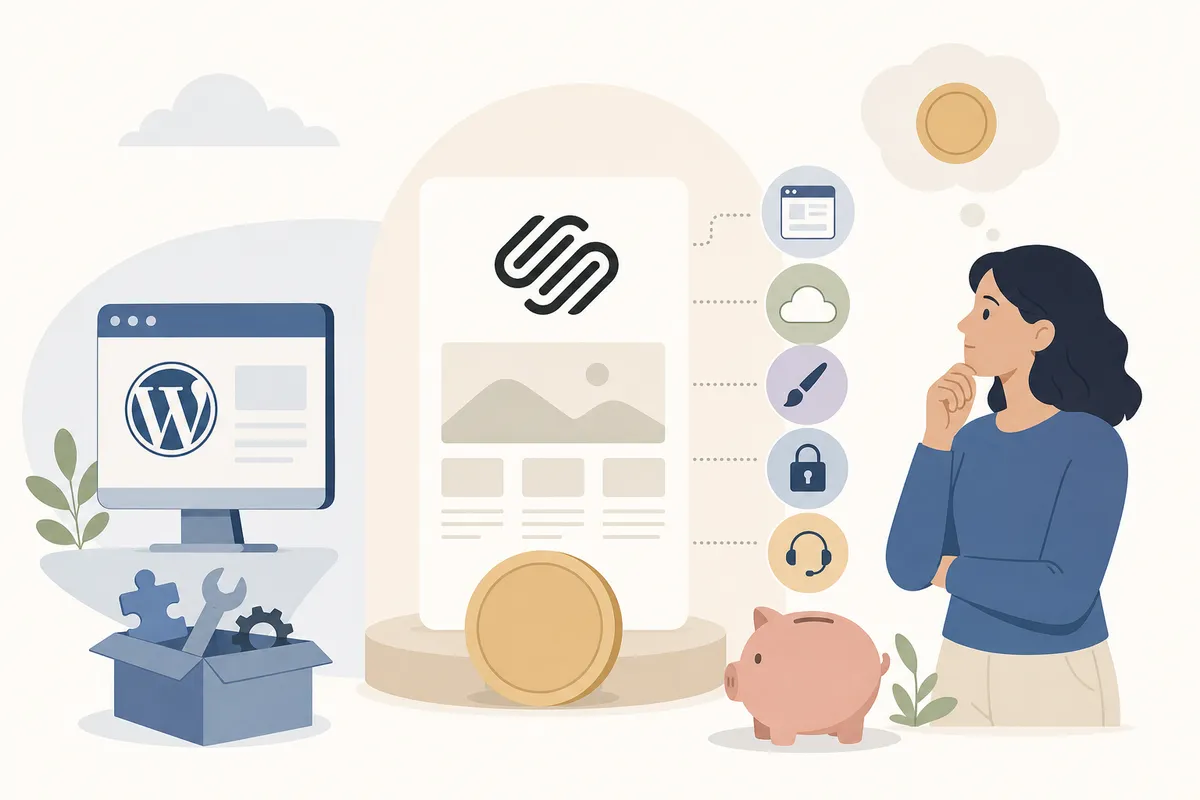
WordPress vs Squarespace: the real annual cost comparison

Monthly prices look close on paper, but annualized, the gap between a lean setup and a loaded one gets wider.
| Site type | Squarespace (annual) | WordPress.com (annual) | Self-hosted WordPress (annual) |
|---|---|---|---|
| Small brochure site, no store | $348 (Core, billed annually) | $48 (Personal, billed annually) | Roughly $150-$300 (budget hosting, domain, free plugins) |
| Content site with regular blogging | $348-$588 (Core or Plus) | $96 (Premium, billed annually) | Roughly $250-$500 (hosting, domain, SEO plugin, theme) |
| Online store | $588-$1,188 (Plus or Advanced) | $540 (Commerce, billed annually) | $300-$600+ (hosting, WooCommerce extensions, payment setup) |
Price is only one side of it, because once a site is live, how you measure whether it's working matters as much as what you paid to build it. If you're unsure which tools to trust for that, see how Semrush and Google Analytics actually differ in what they report.
Ease of use and ongoing maintenance
Squarespace wins here clearly. You pick a template and edit it visually, there's nothing to update and no plugin conflicts to chase down, and support is available around the clock.
Squarespace: no maintenance, less control
Because Squarespace controls the entire stack, you never touch a server or run an update, and no plugin can break your site overnight. The tradeoff is that you can't fix something Squarespace hasn't built a setting for.
WordPress: more work, more power
WordPress's block editor is easy enough for writing and editing pages. The real work sits around it: choosing a host, installing WordPress, picking a theme and keeping core software, themes and plugins updated. Skip updates for too long and you're exposed to security problems. A lot of that upkeep can be automated once you know what's worth automating and what still needs a human eye, which our guide to what to automate on a WordPress site, and what to skip covers.

WordPress vs Squarespace for SEO
Neither platform ranks better by default, since Google doesn't favor one CMS over another, and plenty of Squarespace sites outrank WordPress sites for local and niche searches. The real difference is control. Squarespace makes sensible SEO decisions for you and won't let you override most of them, while WordPress lets you change nearly everything, for better or worse.
What Squarespace handles automatically
Squarespace generates an XML sitemap automatically, but you can't edit it. It manages robots.txt for you, with only a checkbox to ask AI crawlers to stay out. Structured data for blog posts, events and products is added automatically and can't be edited or removed. Image alt text defaults to your image description, or to the file name if you leave it blank. To judge when that default is good enough, this breakdown of strong versus weak alt text covers both cases with real examples.
What WordPress lets you control
WordPress gives you full control over meta titles, descriptions, canonical tags, redirects, structured data and robots.txt, usually through free plugins like Yoast SEO or Rank Math. Our WordPress SEO settings guide lists exactly what to change and in what order.
Speed is Squarespace's quiet advantage. HTTP Archive's technology report found that 71.0% of Squarespace sites pass Core Web Vitals on mobile, against 48.3% of WordPress sites. The gap comes from millions of WordPress sites running on cheap hosting with heavy themes, not from WordPress itself, and a WordPress site on solid hosting with a light theme passes those same checks easily if you set it up that way.
E-commerce: Squarespace Commerce vs WooCommerce

Squarespace's store is built in, with products, inventory and checkout, plus support for Apple Pay, Klarna and Afterpay through Squarespace Payments. Abandoned-cart recovery emails come standard on every plan. Avoid the Basic plan if you plan to sell, because of its 2% transaction fee. Core and above drop that to 0%, though card processing still applies on top.
WordPress sells through WooCommerce, a free plugin with paid extensions for subscriptions, bookings and memberships. It scales further than Squarespace Commerce and lets you pick any payment provider. The tradeoff is that you run the store's updates, security and performance yourself, unless you choose WordPress.com's Commerce plan at $45 a month billed annually, which handles that for you.
If selling online is the main point of the site, weigh both against dedicated e-commerce platforms, not just each other.
Blogging and content: where WordPress pulls ahead
WordPress started life as blogging software, and it still shows. Categories, tags, author pages, scheduling, revisions and RSS are all built in, and any SEO plugin adds article schema and indexing controls on top.
Squarespace's blog handles the basics competently, with posts, categories and a clean reading experience, but it hits two practical limits as a site grows. Its data export covers only one blog and basic pages, not a full store or custom page layouts. Its SEO controls stop at titles, descriptions and URL slugs, with none of WordPress's deeper schema or redirect tools.
On either platform, a higher publishing rate only pays off when the posts are good, and the data on content quality versus quantity is worth reading before you commit to a weekly schedule. Earned links matter more than chased ones, and our look at what counts as safe link building versus risky link building explains where that line sits in 2026. Social shares play a smaller role in rankings than most people assume, so the real relationship between social media and SEO is worth understanding before you build a strategy around it.
Design and customization
Squarespace gives you polished templates with limited structural changes. You can swap colors, fonts and layout blocks, but you're working inside the template's existing shape, and custom work needs code injection, available from the Core plan up.
WordPress gives you thousands of themes and full control if you're willing to touch code or use a page builder. Block themes let you design headers, footers and templates visually through the Site Editor, which narrows some of the gap with Squarespace's drag-and-drop feel. If you've never built a WordPress site before, expect a real learning curve, mostly around choosing a theme that doesn't fight you.
Leaving later: ownership and portability
This is where the two platforms diverge most sharply. WordPress gives you a full export of every post, page, image and piece of content, movable to any host you choose, so the site is genuinely yours.
Squarespace's export is partial. It covers one blog and basic pages, not store pages, products, custom styling or most app-like features, so leaving for another platform means rebuilding a meaningful chunk of the site rather than simply migrating it.
WordPress or Squarespace: which should you choose?
Choose Squarespace if you want a polished site live fast with zero maintenance. Choose WordPress if you want full control over SEO and content and don't mind doing more of the setup yourself. The table below breaks it down by situation.
| If you... | Choose | Why |
|---|---|---|
| Want zero maintenance and a polished look fast | Squarespace | Hosting, security and updates are all handled for you |
| Plan to publish often and build organic traffic | WordPress (self-hosted) | Full SEO, schema and content controls with no plugin limits |
| Want WordPress without managing a server | WordPress.com | Same software, managed hosting, from $4 a month |
| Run or plan to run a growing online store | WordPress.com Commerce or WooCommerce | 0% platform transaction fees and deeper store customization |
| Need the lowest possible starting cost | WordPress.com Personal or budget self-hosted WordPress | Starts at $4 a month, versus $19 for Squarespace's cheapest plan |
| Expect to move hosts or platforms later | WordPress | Full data export, no vendor lock-in |
Whichever platform you land on, you'll still need tools to grow it. If keyword research and content tools are next on your list, see how Surfer SEO stacks up against Semrush for the kind of work most small sites do.
FAQs
Is WordPress cheaper than Squarespace?
For a simple site, usually yes. WordPress.com's Personal plan starts at $4 a month, and self-hosted WordPress can run as little as $150 to $300 a year on budget hosting, against $19 a month for Squarespace. For a site with many premium plugins or a large store, WordPress's costs can climb past Squarespace's, since there's no fixed ceiling.
Is Squarespace better than WordPress for SEO?
Neither platform ranks better by default. Squarespace's automatic sitemaps, structured data and clean code handle the basics well for sites under roughly 50 pages. WordPress gives you full control over meta tags, schema, redirects and indexing, which matters more once a site grows into hundreds of pages.
Can I switch from Squarespace to WordPress later?
You can, but expect real work. Squarespace's export tool covers blog posts and basic pages, not store products, custom styling or app integrations, so moving a large or custom site usually means rebuilding it rather than importing it directly.
Do I need coding skills to use WordPress?
Not for basic use, since the block editor handles writing and editing pages without code. Some comfort with settings and plugins helps, and deeper customization still benefits from HTML, CSS or a page builder.
Which platform is better for an online store?
It depends on scale. Squarespace Commerce is simpler to set up and includes Apple Pay, Klarna and Afterpay out of the box, with 0% platform fees on Core and higher. WooCommerce on WordPress scales further and lets you choose any payment provider, but you manage more of the technical side yourself.
See how your site measures up before you commit
Price is only half of the WordPress vs Squarespace decision, because the platform you pick shapes how easily you can fix SEO problems for years afterward. A free report shows where a site stands on technical SEO, speed and content gaps, whichever platform it runs on. Talk to the team to see what a closer look would turn up for your own site.
Resources / References
Sources
About the author
SearchBlueprint researched, wrote and scored this article with the content pipeline our customers run on their own sites. The score in the byline is what our content engine gave this page before it published. Nothing here is reviewed by hand, which is the point: it is the product's output, published where anyone can check it.