Canonical Tag SEO: The Fix That Stops Duplicate Content
SearchBlueprint · · 11 min read · scored 95/100

Canonical tag SEO starts with one line of HTML code, rel="canonical", that tells search engines which URL among near-identical pages is the master version to index and rank. It stops duplicate content from splitting your ranking signals across several URLs, so the version you actually want in search results gets there.
What is a canonical tag, and why does it matter for SEO?
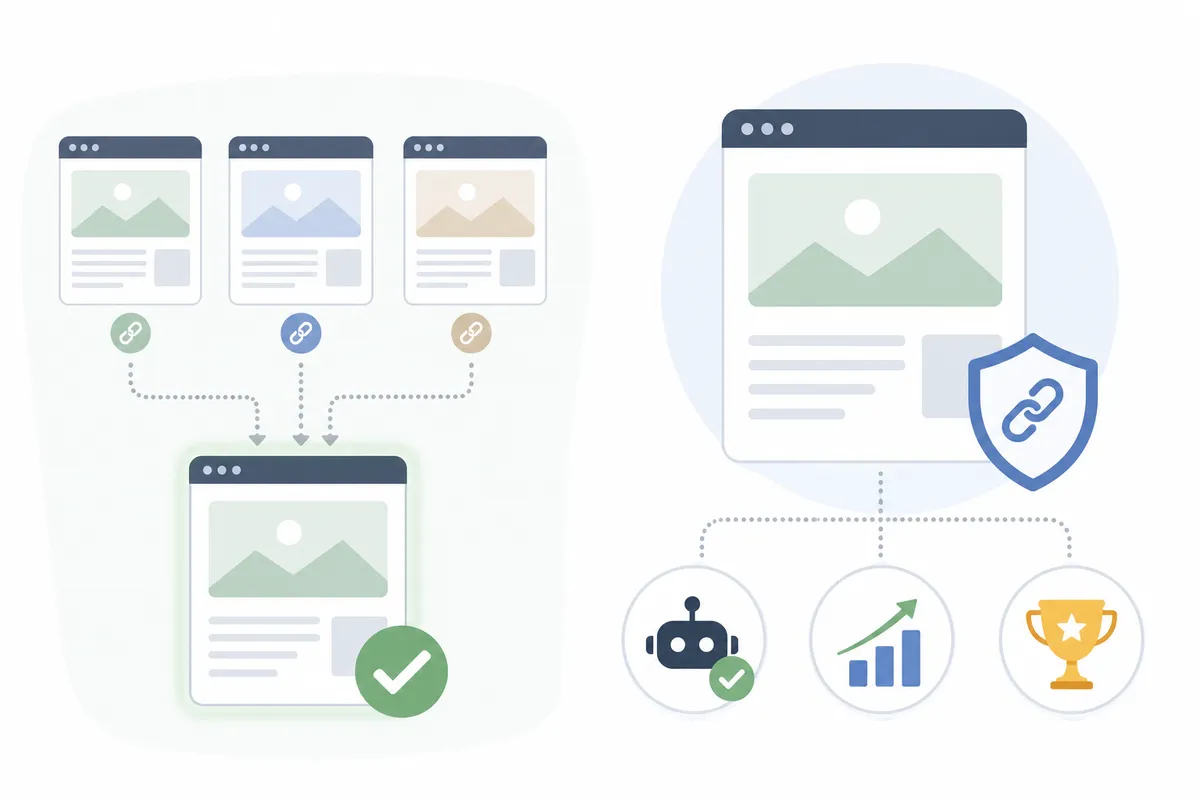
A canonical tag lives inside a page's <head> section. It looks like this:
<link rel="canonical" href="https://www.example.com/preferred-page/" />
That one line tells Google, Bing, and every other crawler to treat this URL as the definitive version. Any other page carrying the same or substantially similar content gets treated as a duplicate, and its ranking signals (links, mentions, historical traffic) count toward the canonical URL instead.
Search engines see URLs, not pages the way you do. example.com, www.example.com, and example.com/index.php can all serve the exact same homepage. To a crawler, those are three separate addresses. Add a size filter, a tracking parameter, or a session ID, and one piece of content can multiply into dozens of URLs. Without a canonical tag, your ranking power gets divided across all of them instead of concentrated on one.
Canonical tags also consolidate what SEOs call link equity, the ranking value passed by inbound links. If five URLs each earned a few backlinks, a canonical tag pools that value onto one URL instead of splitting it five ways.
Canonical tags are a signal, not a command
Here is the part that trips people up. Google's own search advocates have said plainly that a canonical tag is a signal Google weighs, not an instruction it must obey. If Google's systems find strong evidence that a different URL is the better match for users, based on internal linking, redirects, or content similarity, it can select a different canonical than the one you specified. According to Google's Search Central documentation, when no canonical preference is specified at all, Google identifies what it considers the best version on its own.
That does not make the tag optional in practice. It is still the strongest explicit signal you can send, ranked above sitemap inclusion and just below an outright redirect.
Why duplicate content costs you rankings
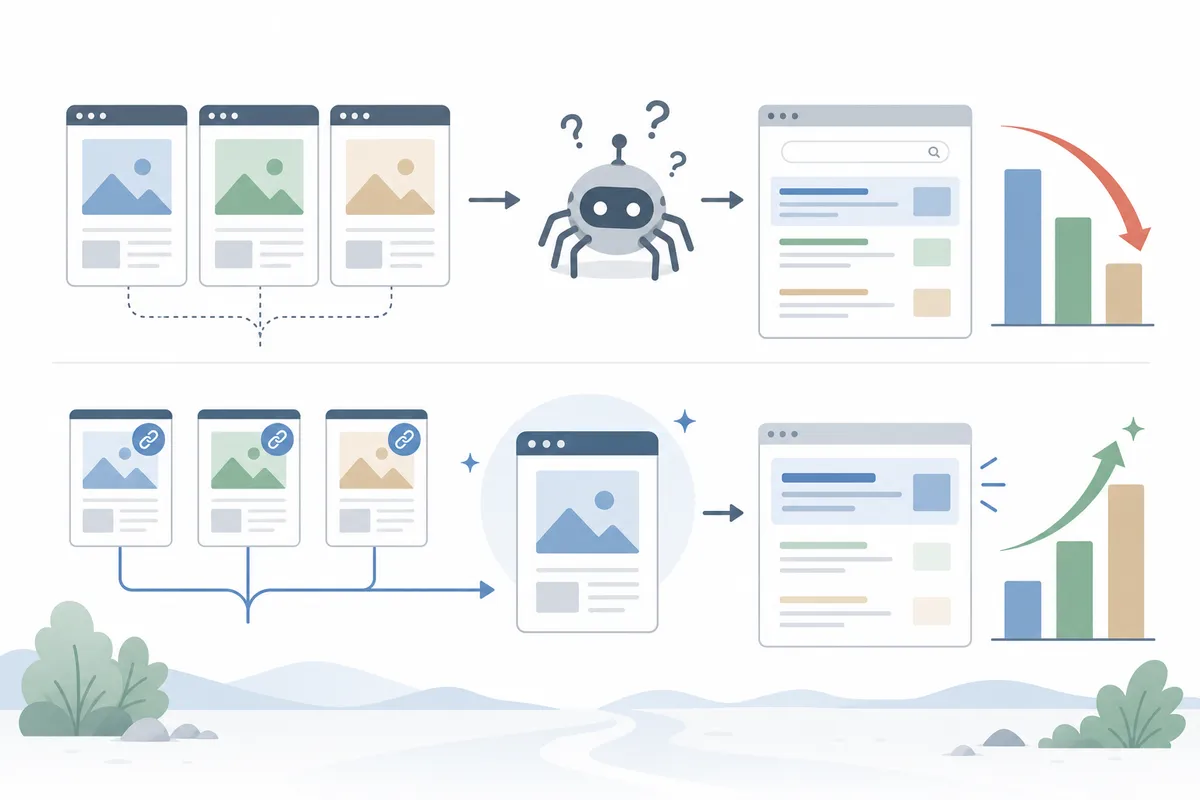
Duplicate URLs are more common than most site owners realize, and they rarely look like a mistake from the inside. The same page just happens to be reachable a few different ways, through a redirect that was never cleaned up, a marketing parameter, or a CMS that generates more than one path to the same content. None of it looks broken. It just quietly caps how far any single URL can rank, because the ranking signals never fully combine.
Where duplicate URLs typically come from
| Cause | Example | Fix |
|---|---|---|
| WWW vs. non-WWW | https://example.com and https://www.example.com | Redirect one to the other, then add a self-referencing canonical tag on the survivor |
| HTTP vs. HTTPS | http://example.com and https://example.com | Force HTTPS with a redirect. Google already prefers HTTPS as canonical when both exist |
| Tracking parameters | example.com/shoes and example.com/shoes?utm_source=newsletter | Canonical tag on the parameterized URL, pointing to the clean version |
| Faceted navigation | example.com/shirts?size=xl&color=red | Canonical tag pointing to the main category page, unless the filtered view has real search demand of its own |
| Print or AMP versions | example.com/article and example.com/article/print | Canonical tag on the alternate version, pointing back to the main article |
These issues sit inside the same territory we cover in our guide to why technical SEO matters for search rankings: small structural problems that never show up as an error message, but quietly cap how well a page can rank.
Why Google's crawl budget matters here
Google has said the canonical page gets crawled most regularly, while duplicates get crawled less often, specifically to reduce the crawling load a site places on its systems. On a large site, that is not a minor efficiency gain. It is the difference between Googlebot spending its visit on new or updated pages, or wading through hundreds of near-identical URLs it has already seen.
How to add a canonical tag: 3 implementation methods

Google's own documentation lists three ways to signal a canonical URL, plus redirects as a stronger, separate category for retiring a page entirely.
| Method | Best for | Signal strength | Works on non-HTML files |
|---|---|---|---|
| 301 redirect | Permanently retiring a duplicate URL | Strongest, treated closer to a directive | Yes |
| rel="canonical" link element | HTML pages you want to keep live but consolidate | Strong signal | No, HTML only |
| rel="canonical" HTTP header | PDFs, Word docs, and other non-HTML files | Strong signal | Yes |
| Sitemap inclusion | Large sites where per-page tags are hard to maintain | Weak signal on its own | Covers any URL listed in the sitemap |
1. The rel=canonical HTML link element
Add a link element with rel="canonical" to the <head> of every duplicate page, pointing to the preferred URL. Use an absolute URL (https://www.example.com/page/), never a relative one (/page/). Google explicitly recommends absolute URLs, since relative paths can cause problems if a staging or test version of your site ever gets crawled by mistake.
2. The rel=canonical HTTP header
For files that have no HTML head, like a PDF, you can send the same signal as part of the server response:
Link: <https://www.example.com/downloads/white-paper.pdf>; rel="canonical"
This is the only method that works for non-HTML content, and it does not add anything to the page's file size.
3. Sitemap inclusion (the weakest signal)
Every URL listed in your sitemap is a weak suggestion that it is the canonical version. It is simple to maintain on a large site, but Google still has to work out which duplicates belong to it. Use it alongside the link element or header, not instead of it.
If you would rather not hand-code any of this, SearchBlueprint's free meta tag generator produces the exact rel=canonical line you need, ready to paste into a page's head.
Setting up rel=canonical by platform: WordPress, Shopify, and Wix
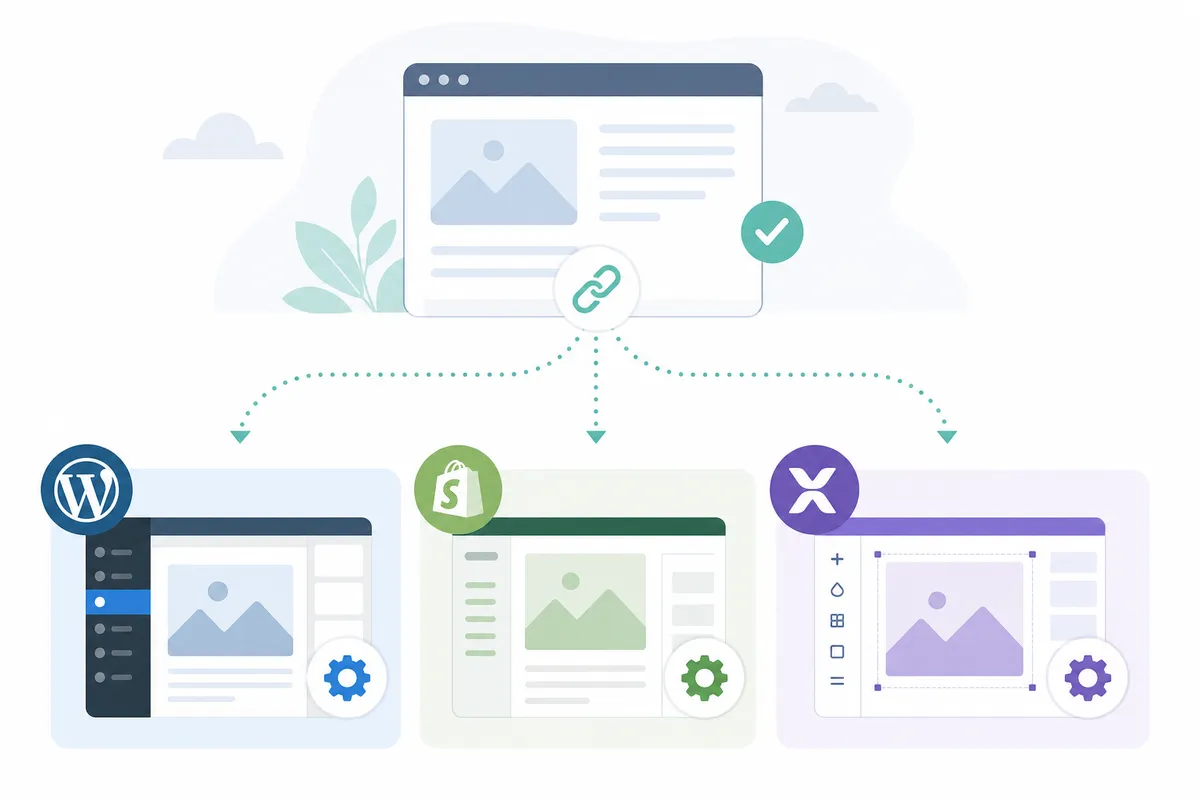
Most modern platforms handle canonical tags for you to some degree. The gap is usually in knowing what the default does, and when to override it.
| Platform | Default behavior | How to customize |
|---|---|---|
| WordPress | No canonical tag on a plain install | Yoast SEO or All in One SEO Pack add a canonical field to every post and page |
| Shopify | Adds canonical tags automatically to product and collection pages | A built-in canonicalization setting lets you adjust it per page |
| Wix | Adds a self-referencing canonical tag to every page automatically | Wix also lets you override the canonical URL manually, page by page |
Custom-built and headless sites carry more risk here, since nothing generates the tag automatically. A template change that drops the canonical link element, or a staging environment left crawlable, can undo weeks of otherwise solid SEO work without triggering any obvious error. Checking the rendered HTML after every major template update is worth the five minutes it takes.
Canonical tags are one line item among dozens worth checking before a page goes live. Our on-page SEO checklist covers the full pre-publish list, canonical tags included.
Canonical tag best practices
A handful of habits cover most of what actually matters, and none of them require a developer once you know what to check for:
- Use a self-referencing canonical tag on every indexable page, including the page you already consider canonical.
- Use absolute URLs, not relative paths.
- Canonicalize your homepage proactively. It is the page most likely to have several URL variants.
- Keep canonical signals consistent everywhere you set them. Do not point a page to one URL in its HTML tag and a different one in your sitemap.
- Match the canonicalized page's language to any hreflang annotations on the page, or the two signals can contradict each other.
- Prefer HTTPS over HTTP as the canonical version whenever both exist, matching Google's own stated preference.
- Revisit canonical tags after a site migration or URL structure change, since old canonical targets can silently point at URLs that no longer exist.
- Test the tag after publishing. A canonical tag that never renders because of a template bug protects nothing.
These habits sit alongside the broader fundamentals in our guide to practical on-page SEO tips that actually move rankings.
Mistakes that break your canonicalization
The most common canonical tag mistakes are quiet ones. Nothing throws an error. The signal just stops working.
- Canonical chains. Page A points to page B, and page B points to page C. Always point directly to the final destination instead.
- Circular canonicals. Page A points to page B, and page B points back to page A. This tells search engines nothing useful, and gets ignored.
- Canonical plus noindex. Pointing a canonical tag at a URL that is also blocked by robots.txt or set to noindex sends contradictory signals. Use the canonical link element instead of noindex when the goal is consolidating duplicates, not removing a page from the index.
- Multiple canonical tags on one page. Google has said that when it finds more than one canonical declaration on a page, it will likely disregard every one of them. That is worse than having none at all.
- Canonicalizing pages that are not actually duplicates. If the content is meaningfully different, forcing a canonical tag usually gets ignored anyway, since the signal contradicts what the page contains.
A canonical chain or a stray noindex-plus-canonical combination is exactly the kind of thing a focused technical pass catches early. Our guide to running a fast SEO audit in 60 minutes walks through the checks worth running first.
rel=canonical vs. redirect vs. noindex: which should you use?
Each of these tools solves a different problem, and using the wrong one is a common reason canonical tags seem to "not work."
| Situation | Use this | Why |
|---|---|---|
| Two live URLs both need to stay accessible, but only one should rank | Canonical tag | Consolidates ranking signals without removing either URL |
| One URL is retiring for good and traffic should move to the other | 301 redirect | Passes the strongest signal and sends users to a working page |
| A page should never appear in search results, like an internal search page or a thank-you page | Noindex | Removes the page from the index entirely, which a canonical tag alone will not do |
| A PDF or Word doc duplicates content already on an HTML page | rel="canonical" HTTP header | The only canonical method that works outside HTML |
If you are not sure which of these applies to a specific set of URLs, a full technical SEO audit maps every duplicate on a site and recommends the right fix for each one, rather than applying the same tag everywhere.
How to check and audit your rel=canonical setup
Auditing canonical tags comes down to three questions: does the page have one, does it point to the right URL, and is that URL itself crawlable and indexable.
Manual check: view the page source
Right-click any page and choose "View page source," or type view-source: before the URL in your address bar. Search the head section for rel="canonical". Confirm the href points where you expect, and that it is an absolute URL.
Automated check: bulk audit tools
Checking one page at a time does not scale past a handful of URLs. SearchBlueprint's free on-page meta checker reads the canonical tag straight off any URL you paste in, alongside your title and headings, so you can confirm it in seconds instead of digging through source code on every page.
FAQs
What is a canonical tag in SEO?
A canonical tag is an HTML element, rel="canonical", placed in a page's head that tells search engines which URL among duplicate or near-duplicate pages should be treated as the primary version for indexing and ranking. Search engines then apply signals such as backlinks and traffic to that preferred URL instead of splitting them across every duplicate.
Is a canonical tag the same as a 301 redirect?
No. A redirect sends users and search engines to a different URL and removes the original from circulation. A canonical tag keeps both URLs live and accessible, but asks search engines to rank only the one you specify.
Does Google always follow the canonical tag?
Not always. Google treats it as a strong signal rather than a directive. If its own systems find clear evidence that a different URL is the better match, it can choose that URL instead, though this is uncommon when the tag is implemented correctly.
Should every page have a self-referencing canonical tag?
Yes. A canonical tag that points to its own page removes any ambiguity about which version is preferred, even for pages that have no obvious duplicates today.
How do I check the canonical tag on a page?
View the page source and search for rel="canonical" in the head section. A free tool that reads meta tags directly from a URL shows you the same thing without opening any source code.
Find every canonical tag problem on your site
A missing or conflicting canonical tag rarely announces itself. It just quietly splits your ranking signals while the page you actually want to rank never quite gets there. Checking every URL by hand does not scale past a handful of pages, and platform defaults do not always get it right. Getting canonical tag SEO right catches these issues before they cost you rankings. Talk to the team and see exactly what a canonical tag audit turns up on a site like yours, starting with a real sample report.
Resources / References
Sources
- Explain canonical links to me like I am 5 : r/TechSEO
- How to specify a canonical URL with rel="canonical" and ...
- Canonical Tag: Definition, Examples & Best Practices
- SEO: What are Canonical Tags?
- What is a canonical tag and why is it important for SEO?
Disclaimer: This article is general information about rules and figures that applied when it was written, not personalised financial, tax or investment advice. It does not take account of your income, obligations, risk tolerance or goals, and rates and thresholds change. Verify the current position with the relevant authority, and speak to a licensed adviser or a qualified accountant before acting.
About the author
SearchBlueprint researched, wrote and scored this article with the content pipeline our customers run on their own sites. The score in the byline is what our content engine gave this page before it published. Nothing here is reviewed by hand, which is the point: it is the product's output, published where anyone can check it.