The 12 Essential Steps for Your On-Page SEO Checklist
SearchBlueprint · · 17 min read · scored 92/100

The essential steps for your on-page SEO checklist, in working order: confirm one primary keyword, match search intent, then optimize the title tag, meta description and URL. Structure the page around a single H1 and place keywords naturally in the body. From there, add internal links, optimize images, apply schema markup, then verify speed and mobile rendering before you publish.
That order matters more than most checklists admit. Fix the title tag on a page that targets the wrong keyword and you have polished a page nobody searches for. This guide walks through each step in sequence, with the character limits, examples, and pass criteria you need to check a page in under an hour. It applies to any CMS and any kind of page, from a blog post to a service page. The same twelve checks now decide something newer: whether AI assistants like ChatGPT, Perplexity, and Google's AI Overviews quote your page when they answer a question in your niche.
What on-page SEO covers, and why the order matters
On-page SEO is every optimization you make on the page itself: the title tag, meta description, URL, heading structure, body copy, internal links, images, structured data, and the speed and mobile behavior of the rendered page. Off-page SEO (backlinks, mentions) and technical SEO (sitewide crawling and indexing) sit outside it.
The reason on-page work rewards a checklist is control. You cannot force another site to link to you this afternoon. You can rewrite a title tag, restructure headings, and compress images this afternoon, and the change goes live the moment you publish.
The order of the steps is the part beginners skip. A page inherits its target from step one: if the keyword is wrong, every downstream optimization aims at the wrong query. That is why this list starts with research rather than tags, and why keyword research is what makes the rest of your SEO pay instead of just keeping you busy.
One more shift worth naming before the steps. AI search systems break a question into subtopics and pull sources that cover each one, a behavior often called query fan-out. Clear headings, front-loaded answers, and self-contained paragraphs are exactly what those systems extract and cite. Nothing on this checklist is "for AI" as a separate task; the same work serves both result types.

The essential steps for your on-page SEO checklist at a glance

Published checklists vary in length: WooRank maintains a 20-point list, Swydo's interactive version tracks 25 tasks, and our own 27-point pre-publish checklist adds the edge cases that matter when you publish at volume. The twelve below are the core that moves rankings on nearly every page.
| Step | What you check | What good looks like |
|---|---|---|
| 1. Primary keyword | The page targets exactly one search query | One keyword owns the page; related terms support it, no sibling page targets the same term |
| 2. Search intent | The page format matches what already ranks | A "how to" query gets a guide, a "best" query gets a comparison, a "buy" query gets a product or service page |
| 3. Title tag | Length, keyword position, and the promise it makes | Under 60 characters, keyword near the front, a specific reason to click |
| 4. Meta description | Whether the snippet earns the click | Keyword included naturally, a clear benefit, no truncation mid-sentence |
| 5. URL and canonical | Slug readability and duplicate signals | Short hyphenated words, no dates or junk parameters, one canonical URL per piece of content |
| 6. H1 and headings | Structure and hierarchy | Exactly one H1, descriptive H2s and H3s in logical order |
| 7. Body copy | Keyword placement and answer-first writing | The keyword appears in the opening, and each heading is answered in the sentence right below it |
| 8. Internal links | Connections to and from the page | Several contextual links with varied anchors, and links pointing back in from related pages |
| 9. Images | Alt text, file size, and format | Every image described in alt text, compressed to a modern format, sized for its container |
| 10. Schema markup | Structured data in the page source | Valid JSON-LD that matches the visible content, using recognized Schema.org types |
| 11. Speed | Load performance on real connections | Main content appears fast enough to pass Google's published Core Web Vitals thresholds |
| 12. Mobile rendering | The page at phone width | No horizontal overflow, readable text, tappable controls, and the same content as desktop |
The rest of this article takes each step in turn.
Steps 1 and 2: pick the keyword and match the intent
Get these two right and the remaining ten steps become mechanical. Get them wrong and no amount of tag polish rescues the page.
Step 1: pick one primary keyword per page
Pick one primary keyword per page, and check three things about it: how many people search it, how hard it is to rank for, and what they want when they type it.
Semrush's own on-page checklist walks through a useful example. The keyword "wedding flowers" gets 18,100 searches per month and has a keyword difficulty of 45%, which its authors call competitive territory. The results are dominated by national planning sites and delivery brands. For a single-location florist, a narrower term like "wedding florist" plus the city name is easier to rank for and far more likely to convert. The searcher wants exactly what that shop sells.
The one-page, one-keyword rule has a second half people miss: no other page on your site should target the same term. Two of your pages chasing one query compete with each other, and Google tends to rank neither well. If you find the overlap, merge the pages or re-target one. For the full workflow from picking terms to tracking them, follow the seven-step keyword optimization process from research through to rank.
Step 2: match the search intent
Search intent is what the person wants to accomplish, and matching it is a pass-fail check. Content in the wrong format does not rank for the query, however well optimized its tags are.
| Intent | Signals in the query | What ranks | Page to build |
|---|---|---|---|
| Informational | "how to", "what is", "why does" | Guides, tutorials, explainers | Blog post or documentation page |
| Navigational | A brand or product name, "login" | The brand's own pages | Homepage or a specific landing page |
| Commercial | "best", "vs", "review", "top" | Comparisons and roundups | Comparison page or detailed review |
| Transactional | "buy", "price", "near me", "hire" | Product, service, and local pages | Product, service, or location page |
The fastest intent check is to search the keyword and look at the top ten results before you write. If every result is a listicle and you planned a product page, the market has already voted on the format. Write what the SERP shows, then differentiate on depth and specificity.

Steps 3 and 4: get the search snippet right
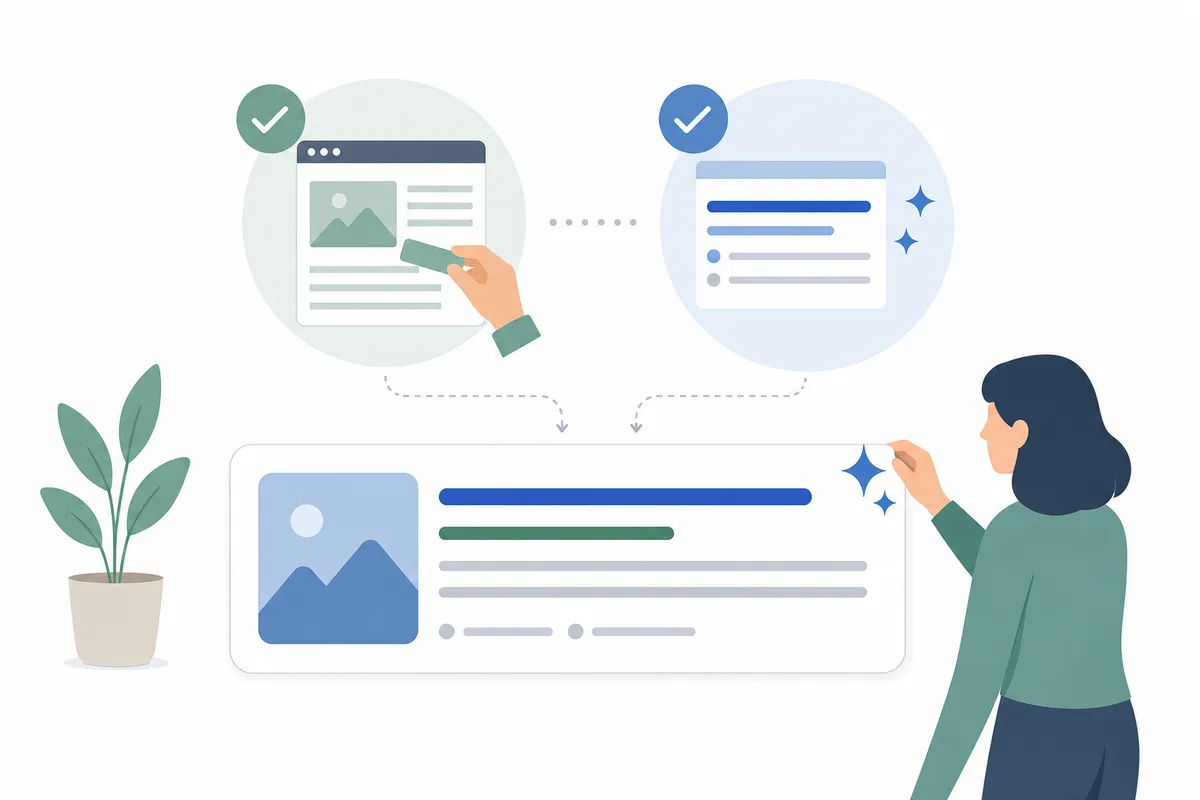
Your title tag, URL, and meta description form the snippet, which is the only part of your page most searchers ever see. Treat it as your ad. Here are the working limits before the details:
| Element | Safe length | Past the limit | Where to test |
|---|---|---|---|
| Title tag | Under 60 characters (older checklists allow up to 70) | Truncated with an ellipsis, or rewritten by Google | A SERP snippet preview |
| Meta description | Roughly 105 to 155 characters, depending on whose guidance you follow | Cut off mid-sentence, or replaced with page text Google selects | A SERP snippet preview |
| URL slug | Three to five hyphenated words | No hard cutoff, but long slugs read as clutter and get trimmed in display | The address bar and your crawl report |
| H1 | No display limit | Nothing breaks, but a rambling H1 weakens the page's one-line promise | The rendered page |
Step 3: optimize the title tag
Write the title so it names the keyword near the front and makes one specific promise, in under 60 characters. Semrush's guidance sets 60 as the truncation-safe bound. WooRank's older checklist allows 70, but the shorter figure is the safer target because Google also rewrites titles it considers unclear.
What separates a strong title from a weak one is specificity, not keywords. Swydo's teardown of title tags holds up "Best Budget Web Hosting: $3-$10/Month (Tested)" as a model at 48 characters. It matches intent, states a price range, and carries a proof signal. Compare that with a pipe-separated string of keywords, which the same teardown files under weak. A number, a cost, an outcome, or a mistake to avoid all work. A bare keyword does not.
Before you publish, look at the title as searchers will see it. A free SERP snippet preview renders your draft title and description at real pixel widths, which catches truncation that character counts alone miss.
Step 4: write a meta description that earns the click
The meta description is not a direct ranking factor, as Google's documentation at Google Search Central makes clear. It still influences the thing rankings exist to produce: the click. It can also surface as the summary text when AI tools cite your page, which gives it a second job it never used to have.
Length advice has drifted. Semrush's current guidance says stay under about 105 characters to avoid truncation. Long-standing checklists like WooRank's allow up to 150. In practice, put the substance in the first hundred characters and treat anything after as bonus space. Include the keyword naturally, since matching terms are often bolded in results. Then state what the reader gets and what makes the page different.
If you write descriptions in batches, a meta description generator drafts title and description pairs you can edit. That beats staring at a blank field for every page on the site.
One honesty note: Google frequently replaces descriptions with page text it judges more relevant to the query. A clear, intent-matched description reduces how often that happens. It does not eliminate it.
Step 5: clean the URL slug and set the canonical
Give the page a short, readable slug made of hyphenated words that describe the content. Google's URL guidance recommends simple, descriptive words. Semrush's checklist makes the point with a memorable pair: wedding-flowers is better than wf-arrangements-2026-page1. Skip filler words, skip underscores, and skip dates that will age the URL. A slug like flower-care-guide keeps working in three years, while flower-care-guide-2026 quietly asks for a redirect.
Two related checks belong here. First, if you ever change a slug, set a 301 redirect from the old URL, or you strand every link the page has earned. Second, confirm the page declares one canonical URL, so tracking parameters and near-duplicate paths consolidate their signals instead of splitting them. While you are in the head of the page, fill in the social and Open Graph tags too. A meta tag generator builds the full set from your title and description so shared links render properly on every platform.
Step 6: use one H1 and descriptive subheadings
Tags tell search engines what the page claims to be. The content structure proves it.
Every page needs exactly one H1 that states what the page is about, then H2s and H3s in a logical hierarchy beneath it. The H1 usually mirrors the title tag, but it can run longer, since nothing truncates it on the page. Microsoft's AI search guidance, cited in Semrush's checklist, notes that Bing's AI experiences read the H1 to interpret a page's purpose. This old-fashioned check now carries new weight.
Descriptive beats clever in subheadings. "Step 3: optimize the title tag" tells a scanner and a machine exactly what the section holds. "Making a great first impression" tells neither anything. Keep the hierarchy honest as well: H3s nest under H2s, and nothing skips a level for visual effect. Styling belongs in CSS, not in heading tags.
Heading problems hide at scale, because nobody rereads old pages. A free on-page meta checker reads any URL's title, description, and full heading structure in one pass. That is the quickest way to spot a missing H1 or a duplicated title on pages you published months ago.
Step 7: place keywords the way a reader would
Work the primary keyword into the opening paragraph, a couple of subheadings, and naturally through the body, then stop counting. Density formulas died years ago. What remains is placement. The strongest signal is the keyword appearing where a reader would expect the topic to be named: the intro, the headings that address it directly, and the conclusion.
The writing rule that serves both search engines and AI systems is answer-first: the sentence directly under a heading should do what the heading promises. If the H2 says "How to check your Core Web Vitals," the next sentence tells the reader how to check their Core Web Vitals, not what Core Web Vitals are. Front-loaded sections are what AI Overviews and assistants lift and cite, because each one stands alone as a complete answer.
On length: WooRank's checklist points to studies where the average top-ten result runs around 2,000 words. It is true that thorough pages tend to be long. But length is a byproduct of coverage, not a target. Cover the subtopics the query fans out into, at the depth each deserves, and the word count takes care of itself. Padding a thin page to hit a number adds nothing. Stuffing keywords into it violates the spam policies Google publishes in its Search Essentials documentation.
Step 8: add internal links in both directions
A page that nothing links to and that links to nothing is a leaflet, not part of a website. Steps 8 and 9 connect it.
Link out from the new page to several genuinely related pages on your site, and add links pointing back to it from existing pages. The second half is the one everyone skips. It is why sites accumulate orphan pages that Google crawls rarely and ranks reluctantly.
Three habits make internal linking work. Use descriptive anchor text that says where the link goes, never "click here." Vary the phrasing. Five pages all linking with the same exact-match anchor reads as manipulation, while natural pages describe the destination several different ways. And link from relevant context, mid-paragraph, where the link helps the reader who is right there. Dumping a related-posts list at the footer is not a strategy.
Internal links also move authority. When a page earns backlinks, the pages it links to internally inherit some of that strength. That is how a strong guide can lift the service page it points to.
Step 9: optimize every image on the page
Every image needs three things: alt text that describes what the image shows, a file size the page can afford, and dimensions that match its container. Alt text serves accessibility first, gives search engines the only description of the image they get, and increasingly feeds AI systems deciding whether your page demonstrates what it claims. Write it as a plain description of the image, with the keyword only when the image is genuinely about the keyword. The W3C's image accessibility tutorials show worked examples for every common image type.
Compression is the speed step in disguise. Oversized images are the most common reason pages fail performance checks, and converting to a modern format like WebP at the display size you actually need routinely cuts image weight dramatically without visible quality loss. Name files descriptively while you are at it; wedding-bouquet-peonies.webp tells a crawler something IMG_4032.jpg never will. For the full treatment, including how image choices affect AI citations, work through the guide to image SEO optimization after the basics pass.
Step 10: add schema markup that matches the page
The last three steps verify that machines can read, load, and render what you built. They are checks, not projects: each one either passes or hands you a specific fix.
Schema markup is structured data, usually JSON-LD in the page head, that tells search engines explicitly what the page contains using the shared vocabulary defined at Schema.org. An article declares itself an Article with an author and date. A product declares price and availability. A local business declares its address and hours. Marked-up pages become eligible for rich results, the enhanced listings with stars, FAQs, and other extras that raise click-through on the same ranking.
Two rules keep schema out of trouble. First, mark up only what is visible on the page. Structured data that claims things the content does not show violates Google's structured data guidelines. Second, keep identifiers consistent, so every page references the same organization entity rather than minting a new one per page. Validate the block before you ship it, because malformed JSON-LD is simply ignored. Broken markup fails silently while looking done.
Step 11: check speed and Core Web Vitals
Test the page on a real mobile connection and confirm the main content appears fast, the layout does not jump while loading, and the page responds promptly to taps. Google measures these as Core Web Vitals and publishes the thresholds in its Search Central documentation, along with field data for sites with enough traffic.
Most failures trace to a short list of causes: images served larger than their display size, third-party scripts loading before content, web fonts blocking text, and bloated themes shipping code the page never uses. Fix the top one or two offenders the test names rather than chasing a perfect score. Google's web.dev guidance walks through the fix for each metric. A page that loads fast for a person on a phone is the goal. The score is just its shadow.
Step 12: verify the page at phone width
Open the page at phone width and check four things: no horizontal scrolling, text readable without zooming, buttons and links large enough to tap, and the same content the desktop version shows. Google predominantly uses the mobile version of a page for indexing and ranking, as its mobile-first indexing documentation explains, so the phone rendering is not the secondary view. It is the page, as far as ranking goes.
One verification habit worth stealing: check the rendered result, not the theme's promises. Platforms like Wix and Squarespace inject the viewport tag and handle responsive layout automatically, so a checklist item like "add a viewport meta tag" is often already done. A custom template, meanwhile, can break at narrow widths in ways no tag audit reveals. Load the actual page at phone width and look. The full list of what Google checks for mobile-friendliness, and how to pass covers each check and its fix.
How to run your on-page SEO checklist in under an hour
Run the twelve steps as one time-boxed session per page, in this shape:
| Time block | Steps | What you are doing |
|---|---|---|
| Minutes 0-10 | Steps 1-2 | Confirm the keyword still deserves the page and the format matches the live SERP |
| Minutes 10-25 | Steps 3-5 | Rewrite the title, description, and slug against the length limits, and confirm the canonical |
| Minutes 25-45 | Steps 6-9 | Fix headings, front-load answers under each one, add internal links both directions, compress and describe images |
| Minutes 45-60 | Steps 10-12 | Validate schema, run the speed test, and load the page at phone width |
For a new page, run the list once before publishing and you ship clean. For an existing site, sequence matters: start with pages ranking in positions 11 through 20, a prioritization Swydo's agency checklist also recommends. Page-two pages often need only minor on-page work to reach page one, which makes them the highest-return hour you can spend.
Two tools shorten the loop. A free on-page SEO scorer grades any URL against checks like these in seconds. That turns "which of my pages need this?" from a guess into a ranked list. And when the problems look bigger than one page, a 60-minute SEO audit routine finds what is broken sitewide before you polish individual pages. No title tag fixes a page Google cannot crawl.
FAQs
How many items does an on-page SEO checklist need?
Twelve covers the checks that move rankings on nearly every page. Published lists range from WooRank's 20 points to Swydo's 25 tasks to 27-item pre-publish versions. The extra items handle edge cases like canonical conflicts and social tags that matter most when you publish at volume. Start with the essentials, add the long tail once they are habit.
How long should a title tag be?
Keep it under 60 characters with the primary keyword near the front. Some older checklists allow up to 70, but 60 is the safer bound against truncation. Google rewrites titles it finds unclear regardless of length, so clarity protects you more than character counting does.
Is the meta description a ranking factor?
No. Google's documentation is explicit that it does not use the meta description for ranking. It still matters because it influences click-through rate on the rankings you already hold, and because it can appear as the summary when AI tools cite your page.
Does on-page SEO still matter for AI search?
Yes, arguably more than before. AI systems split a question into subtopics and pull sources that answer each one cleanly. Descriptive headings, front-loaded answers, self-contained paragraphs, and schema markup are precisely the traits that get a page quoted in AI answers. The checklist you run for Google is the same one that earns citations.
Can I do on-page SEO myself, or do I need a professional?
You can do all twelve steps yourself. None requires code beyond pasting a schema block, and the free tools linked throughout handle the measuring. Professional help earns its fee in two situations: when the problems are sitewide and technical rather than page-level, and when you have hundreds of pages and the bottleneck is hours, not knowledge.
Run one page through the list this week
Pick the page that matters most to your business and work the essential steps for your on-page SEO checklist against it, top to bottom, this week. Most fixes take minutes once a check has named them. Then open the sample SEO report to see every one of these checks run and prioritized on a real site.
Resources / References
- Google Search Central
- Google's URL guidance
- spam policies Google publishes
- W3C's image accessibility tutorials
- schema.org
- Google's structured data guidelines
- Search Central documentation
- web.dev guidance
- mobile-first indexing documentation
Sources
About the author
SearchBlueprint researched, wrote and scored this article with the content pipeline our customers run on their own sites. The score in the byline is what our content engine gave this page before it published. Nothing here is reviewed by hand, which is the point: it is the product's output, published where anyone can check it.