How to Build a Reliable SEO Automation Workflow That Lasts
SearchBlueprint · · 11 min read · scored 94/100

You build a reliable SEO automation workflow by mapping the manual process first, automating one repeatable task at a time, putting a quality gate in front of anything that publishes, and running the automation beside your manual process until the two agree. Reliability comes from the checks around the tools, not the tools themselves.
This guide is for marketers, founders, and agency teams who already do SEO by hand and want the repetitive parts off their plate without shipping mistakes at scale. It covers what to automate, what to keep manual, the six build steps, and the failure modes that turn a helpful workflow into a liability.
What makes an SEO automation workflow reliable
An SEO automation workflow is a chain of scheduled tasks that collects data, makes or suggests changes, and reports results without someone pushing a button each time. A reliable one adds three things most setups skip: verification that each step produced what it claimed, alerts when something breaks, and a human checkpoint wherever judgment is involved.
That distinction matters because the common failure in SEO automation is not a crash. Crashes get noticed. The common failure is a job that runs green while quietly doing nothing useful. A rank tracker that keeps reporting last month's positions. A content pipeline that writes to the CMS while the public URL returns a 404. An audit that samples fewer pages each week because a crawl setting drifted. None of these throw errors. All of them corrupt the decisions you make on top of them.
So judge reliability by one question: if this step failed silently, would anything tell you? If the answer is no, you have automation, but not a workflow you can trust. The rest of this article is about engineering that answer to yes, and you can do most of it without a developer on staff.

What to automate first, and what to keep manual
Start with measurement, because it is repetitive, objective, and low-risk. End with judgment, which is none of those things.
Measurement tasks behave the same way every run. A machine checks rankings and crawls pages more consistently than you will on a busy Friday, and a wrong number is embarrassing rather than costly. Publishing sits at the other end. A bad page in front of customers, or a hundred of them, is a real cost, so publishing earns automation last and keeps a human gate longest.

| SEO task | Automate it? | Why | Watch out for |
|---|---|---|---|
| Rank tracking | Yes, fully | The same queries in the same markets on a fixed schedule is machine work, not judgment | Position swings caused by SERP layout changes rather than real movement |
| Technical crawls and audits | Yes, on a schedule | Broken links and index blocks appear between releases, not when you happen to look | Alert fatigue; surface what changed since last run, not the full report every time |
| Keyword research | Partially | Pulling volume and difficulty data is mechanical; choosing targets is judgment | Chasing high-volume terms with no buying intent behind them |
| Content drafting | Partially | A machine-written draft saves hours; a publish-ready page still needs review | Publishing unreviewed drafts at scale |
| Internal linking suggestions | Partially | Crawl data finds orphan pages and link opportunities faster than any person | Inserting the same exact-match anchor text everywhere |
| Strategy and prioritization | No | Deciding what matters requires business context no tool has | Letting a dashboard set your direction by default |
Two notes on the table. "Partially" means the mechanical half gets automated and the judgment half does not: pull keyword data automatically, choose targets yourself; generate the draft automatically, approve it yourself. And the "watch out for" column is not hypothetical. Each entry describes a way automated output looks correct while being wrong, which is the exact class of error this article keeps returning to.
How to build a reliable SEO automation workflow, step by step
The order below matters. Each step exists to catch a mistake the previous one makes possible.
1. Map the manual process before you touch a tool
Write down how the task works today: the inputs, the decisions, the outputs, and how you currently know the result is good. If you cannot describe the manual version precisely, you are not ready to automate it, because the automation will inherit every ambiguity. This is also where direction questions surface. Automation multiplies whatever you point it at, so if the direction is fuzzy, fix that first. A week spent building an SEO strategy from scratch pays back more than any tool subscription.
2. Choose data sources you can verify
Every workflow is downstream of its data. Prefer sources that tell you when each number was collected, because a rank position without a date is a rumor. Prefer fewer sources over more, since every additional API or export is one more thing that can change shape without warning. And record where each figure came from, so that when two numbers disagree later, you can tell which one to believe instead of averaging them.
3. Automate one stage at a time
Resist wiring the whole pipeline in one weekend. Automate data collection first and let it run for a while. Then automate reporting on top of it. Then suggestions. Only then, and only where the risk is low, automate changes. Small stages mean that when something breaks, you know which stage broke. For content specifically, this is the order behind an AI-powered content plan that actually works: the research and clustering automate cleanly long before the drafting does.
4. Put a quality gate in front of anything public
A quality gate is a written list of checks an output must pass before it ships. For a draft: one H1, internal links that resolve, no placeholder text, every section you asked for actually present. For a technical change: the page still renders, and the change is visible on the live URL. Make the checks mechanical enough that a checklist, a script, or a tool can run them the same way every time. "Looks fine to me" is a mood, not a gate.
5. Run parallel until the automation earns trust
Keep doing the task by hand while the workflow runs beside you, and compare the two outputs. Read every disagreement. Each one is either a bug in the automation or an inconsistency in your manual process, and both are worth finding before you depend on the result. Switch over when disagreements have become rare and explainable, not because a calendar date arrived.
6. Schedule it, log it, and make failures loud
Put the workflow on a fixed schedule and have every run write a log: when it ran, what it processed, and how many items it touched. Route failures to a person through a channel that person actually reads. A workflow that fails quietly for three weeks costs more than a task you never automated, because you spent the three weeks trusting it.
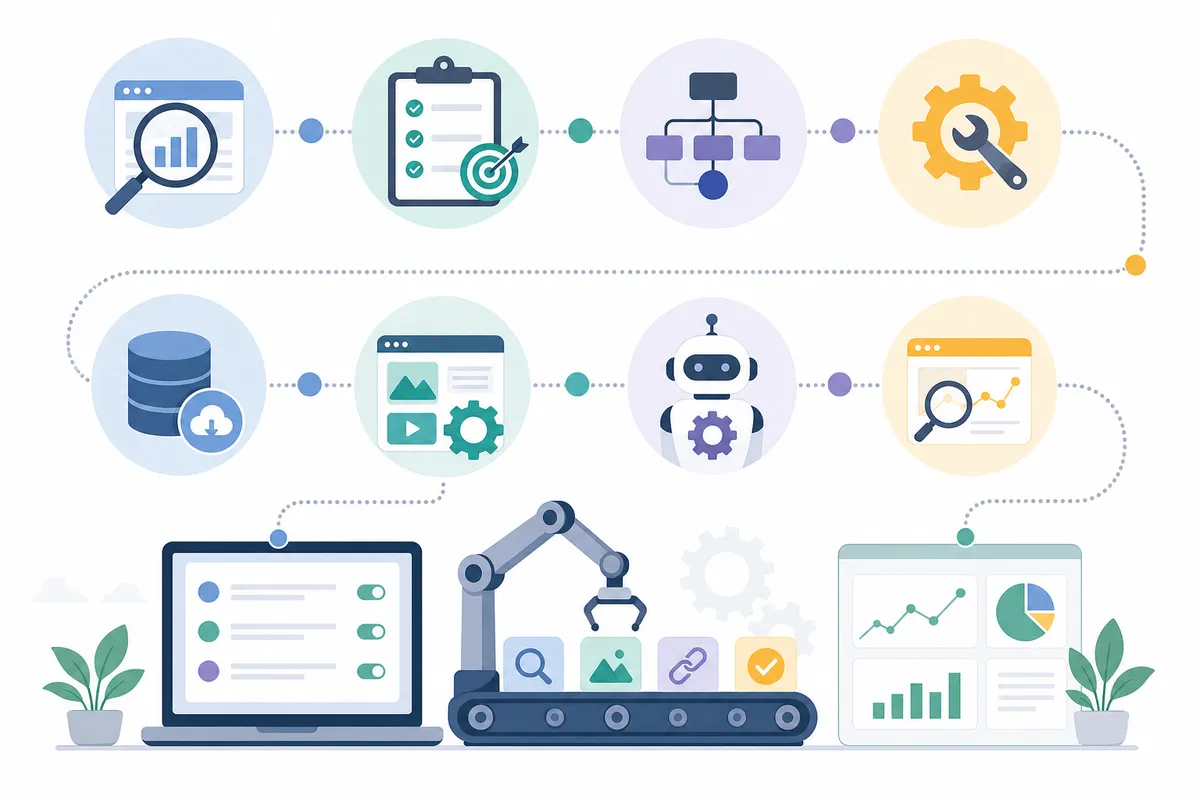
Quality control: the gates that keep automation honest
Google's own position is worth internalizing here: automation is not the problem, intent is. The spam policies in Google Search Essentials name scaled content abuse, meaning many pages produced primarily to manipulate rankings rather than help people, as grounds for action, and Google's published guidance on AI-generated content draws the same line. Quality and intent get judged, not the method of production. A workflow with real gates stays on the right side of that line by construction, because the gates enforce the qualities that make a page worth ranking.
The gates that earn their keep:
- Existence checks. After each step, confirm the output is actually there: the file was written, the rows arrived, the draft has a body.
- Freshness checks. Stamp every output with the date of its underlying data, and fail the run when that data is older than the schedule allows.
- Sanity ranges. If today's crawl found half the pages yesterday's did, that is an alert, not a report.
- Publish verification. After publishing, fetch the public URL and confirm it loads with the content you sent. A CMS accepting a post is not the same as a page being live.
- Review sampling. Even after full automation, a human reads a sample of outputs on a schedule. The sample size can shrink as trust grows; it should never reach zero.
The failure modes that kill SEO automation
Most automation advice stops at setup. Reliability lives in what happens afterward, so plan for these from day one.
| Failure mode | What you see | How to catch it | The fix |
|---|---|---|---|
| Silent failure | The job reports success but produced nothing | Verify the result, never the status message | Add existence checks after every step that writes something |
| Stale data | Reports look normal but describe last month | Stamp every output with its data collection date | Fail the run when source data is older than the schedule |
| Ghost publishing | The CMS accepted the post but the URL returns 404 | Fetch the public URL after every publish | Treat "published" as "reachable by a visitor", not "submitted" |
| Scope drift | The workflow quietly covers fewer pages each run | Log item counts per run and compare against the previous run | Alert on any meaningful drop in coverage between runs |
| Input shape changes | A source renames a field and half your data goes blank | Validate incoming data against the shape you expect | Refuse to run on unexpected input instead of filling gaps with zeros |
The pattern across all five rows is the same: the workflow looked healthy while being wrong. That is why every fix is a form of verification rather than a form of monitoring dashboards more often. You cannot stare a silent failure into visibility; you have to build the check that makes it loud.
Should you build it yourself or buy a platform?
An honest answer: building your own is fine at small scale, and many teams should start there. A spreadsheet, a scheduled crawl, and a written review checklist already form a workflow, and assembling it teaches you what you actually need. The cost is not the setup. The cost is maintenance: data sources change, scripts rot, and the person who built it leaves. Every hour spent repairing plumbing is an hour not spent on strategy.
Buying makes sense once any of these are true: more than one person depends on the output, the workflow touches publishing, or you are running it across multiple sites or clients. At that point the verification layer, the part this whole article is about, is exactly what platforms have already built and hardened. The evaluation criteria in how to choose all-in-one SEO automation software come down to the same test this article applies to your own scripts: does the tool verify its own output, and does it tell you when something failed?
How to know the workflow is actually working
Measure the workflow itself, not just the rankings underneath it. Four signals tell the story:
- Gate rejection rate, trending down. Early on, your review gate should catch real problems. If it never rejects anything, the gate is too loose; if rejections never decline, the automation is not improving.
- Coverage, holding steady. The number of pages, keywords, or markets processed per run should stay flat or grow deliberately. Quiet shrinkage is scope drift.
- A continuous measurement series. Weekly rank checks on a fixed keyword set, unbroken, so movement is visible against a real baseline rather than memory.
- Time reclaimed. The point of the workflow is hours back. If you spend as long babysitting it as you spent doing the task, something upstream needs fixing.
Then connect those signals to money. Traffic that never converts is a vanity metric, and an automated pipeline can produce vanity metrics faster than any human. The connection between workflow output and revenue is its own discipline, covered in an SEO marketing strategy that pays.
FAQs
What SEO tasks should you automate first?
Automate measurement first: rank tracking, scheduled site crawls, and technical audits. These tasks are repetitive, objective, and low-risk, so a mistake costs you a wrong number rather than a bad page in front of customers. Judgment-heavy work like strategy, prioritization, and final publishing approval should stay manual longest.
How often should an SEO automation workflow run?
Match the schedule to how fast the data changes. Rankings are worth checking weekly on a fixed keyword set, technical crawls are worth running on a regular cadence so problems surface between releases, and content pipelines run as often as your review capacity allows. A schedule you cannot review behind is too fast.
Can SEO be fully automated?
No, and the teams that try tend to produce exactly the scaled, low-value content Google's spam policies target. Data collection, monitoring, drafting, and reporting automate well. Strategy, prioritization, and final approval of anything public need human judgment. The realistic goal is automating the repetitive majority of the work, not the decisions.
How do you know if your SEO automation is working?
Watch the workflow's own health, not just rankings: the review gate's rejection rate should trend down, coverage per run should hold steady, and your measurement series should run unbroken. If those hold and your fixed keyword set trends up over months, the workflow is doing its job.
What is the biggest risk of automating SEO?
Silent failure. A job that reports success while producing stale, empty, or unreachable output corrupts every decision made on top of it, and it can run that way for weeks. The defense is verification at every step: confirm outputs exist, stamp data with dates, and fetch published URLs to prove they are live.
Talk it through with the team
A reliable SEO automation workflow starts smaller than most teams expect: one task, one gate, one log. Pick the check you repeat most often, automate it this week, and keep a human review behind it until the disagreements stop. If you want to see the standard your output should hit before you scale anything, talk to the team and walk through a sample SEO report produced by exactly this kind of pipeline.
Resources / References
About the author
SearchBlueprint researched, wrote and scored this article with the content pipeline our customers run on their own sites. The score in the byline is what our content engine gave this page before it published. Nothing here is reviewed by hand, which is the point: it is the product's output, published where anyone can check it.