How to Implement an Effective SEO Audit Workflow in 7 Steps
SearchBlueprint · · 13 min read · scored 95/100
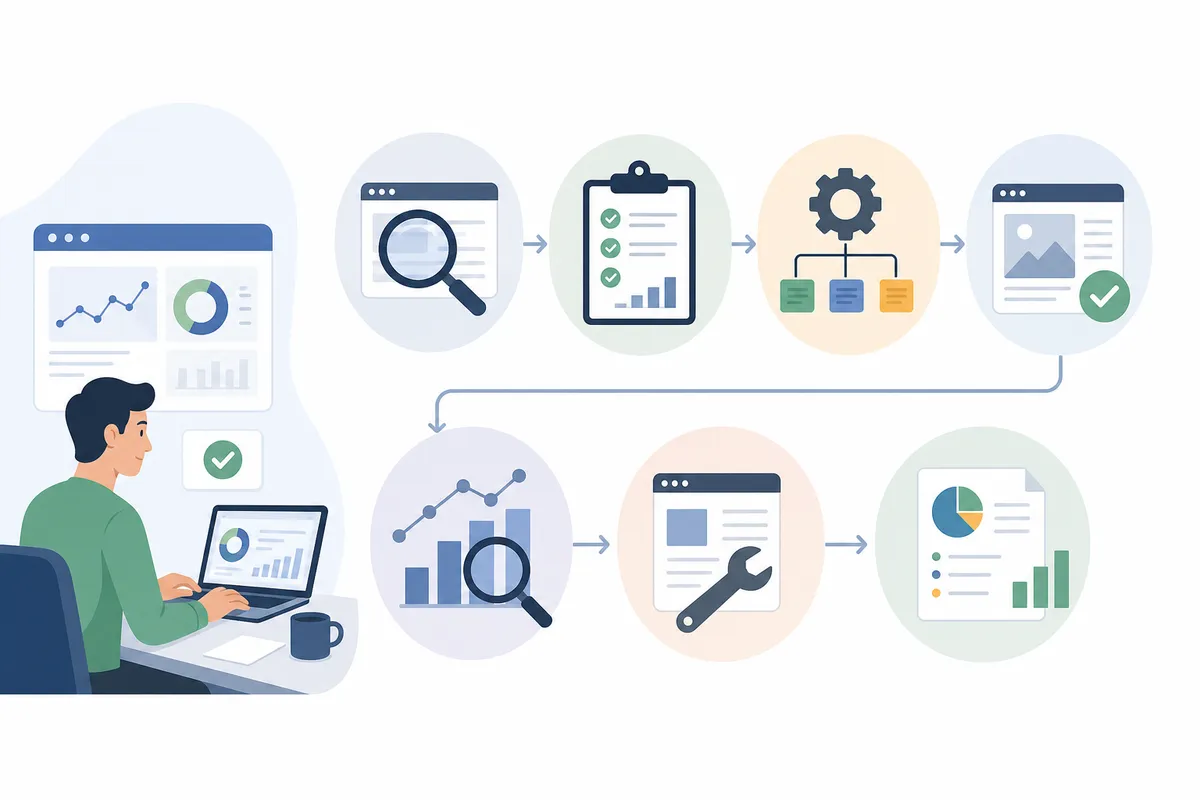
To implement an effective SEO audit workflow, run the same sequence on a schedule: record a baseline, crawl the site, verify every flagged issue at the live URL, prioritize by impact, fix in order, re-check each fix, then book the next pass. The sequence matters more than the tool that runs it.
This guide is for site owners, in-house marketers, and agency teams that audit client websites. It applies to any site earning organic traffic, on any platform, in any market. You will get the seven steps, the checks inside each one, a prioritization method, tool options with real free tiers, and the cadence that keeps results compounding.
What an SEO audit workflow is (and why one-off audits stall)
An SEO audit workflow is a repeatable sequence for finding, verifying, prioritizing, and fixing the issues that hold a website back in search, then confirming each fix on the live page. It differs from a one-off SEO audit in one word: repeatable. An audit is a snapshot. A workflow is the loop that turns snapshots into shipped changes.

Why the one-off audit fails
The pattern is familiar. A long report arrives, the top three fixes ship, and the rest waits for a quarter that never comes. Six months later someone commissions a new audit and pays to rediscover the same issues. Nothing about the findings was wrong. The missing piece was a process that assigns owners, verifies fixes, and comes back on a date.
The stakes are real. The Digital Bloom's audit guide reports some businesses seeing up to 14.6% annual revenue growth after fixing technical SEO issues identified in an audit. That figure is theirs, not a promise. But the direction holds: crawl problems and slow templates suppress every page at once, so fixing them lifts every page at once.
Where the workflow sits in your wider plan
An audit removes problems. It does not choose your markets, topics, or offers. Feed its findings into a broader SEO marketing strategy that pays for itself, and let strategy decide what gets built once the workflow decides what gets fixed.
Set the baseline before you crawl anything
Skip the baseline and you can never prove the audit worked. Before the first crawl, collect four things: access to Google Search Console, access to your analytics, a crawler, and edit access to the CMS. Then write down where the site stands today: how many pages are indexed, clicks and impressions over the recent period, which pages earn the most traffic, and the current state of Core Web Vitals on your key templates.

Next, set the scope. Crawl wide, audit narrow. Let the crawler discover everything, but run the detailed checks on representatives of each template plus every money page. One product page usually stands for thousands built from the same template, so auditing all of them repeats one answer at great expense. Published frameworks run from 13 steps in Swydo's agency guide to 18 in The Digital Bloom's checklist. Seven is enough when each step verifies as it goes.
If the site has never been audited, resist the urge to boil the ocean on day one. A 60-minute audit that finds what is visibly broken tells you whether you are facing a tune-up or a rescue, and that changes how you scope the full pass.
Implement your SEO audit workflow in seven steps
The steps are ordered so each one feeds the next. Indexing problems make speed scores meaningless, and content judgments make no sense on pages Google cannot see. Work top to bottom.

Step 1: Confirm the site can be crawled and indexed
Nothing else matters if Google cannot reach the pages. Open the Page indexing report in Search Console and account for every excluded page: noindex tags, robots.txt blocks, 404s, and redirect chains each need a reason or a fix. Check that the XML sitemap is current, submitted, and free of pages you do not want indexed. Then confirm one canonical version of the domain, with www and non-www, and http and https, all resolving to a single address. Google's Search Central documentation defines what each indexing state means. Work from those definitions, not a tool's paraphrase of them.
Step 2: Sweep the technical layer
Measure page speed and Core Web Vitals on each key template, on mobile first. Load the site at phone width and look for overflow, unreadable text, and tap targets too small to hit. Validate structured data and confirm HTTPS covers everything. Test templates rather than URLs: fixing one slow product template repairs every page built from it. A technical SEO audit that returns its fixes already in priority order removes the sorting step that usually stalls this stage.
Step 3: Check the on-page elements
Published checklists agree on the thresholds: a unique title under 60 characters, a meta description under 160, exactly one H1 per page, and short descriptive URLs. Treat these as proxies, not goals. A duplicated title across a whole category is worth a row on the fix list. A title three characters over the limit on a low-traffic page is not.
Step 4: Judge content quality and keyword targeting
Look for three failure modes. Cannibalization: two pages chasing the same primary keyword, splitting the vote so neither ranks. Decay: pages that once earned traffic, went years without an update, and slid. Intent mismatch: a page that answers a different question than the one searchers are asking. Some checklists still recommend holding keyword density between 1% and 2%. Treat that as a ceiling rather than a target, and write for the query. If your team is unsure what a page built for search should even look like, start with what an SEO article actually is and why it still matters.
Step 5: Map internal links and architecture
Find orphan pages that nothing links to, and important pages buried many clicks from the homepage. Check that anchor text describes the destination instead of repeating one phrase everywhere. The Digital Marketing Institute's checklist asks whether pages carry about five links each. The exact number matters less than the pattern: money pages should receive the most internal links, and in practice blog posts usually hoard them.
Step 6: Review backlinks and off-page signals
Compare referring domains against the competitors who outrank you. Look for unnatural anchor text concentration, sudden spikes or drops in new links, and links from irrelevant or spammy sites. Hunt for unlinked brand mentions, which are the cheapest link opportunities available. For local businesses, confirm the name, address, and phone number match across the website, the Google Business Profile, and directories.
Step 7: Close the competitive gap
The audit so far measured you against best practice. This step measures you against the sites actually winning. List the keywords competitors rank for that you do not, the content shapes they use that you lack, and the links they hold that you could earn. Done by hand this takes days. A five-step AI-assisted competitive analysis compresses it into hours without losing the judgment calls.
Turn findings into a fix list someone will own
Raw crawler output is not an audit. Before a finding earns a row on the fix list, confirm it at the live URL. A common example: a crawler flags a missing viewport tag on a platform that injects the tag at render time. The page displays perfectly on a phone. The recommended fix would address a problem that does not exist, and one fake finding makes a client doubt the nine real ones.

Be equally honest about what you could not check. When a page refuses the fetch with a 403 or times out, record it as not verified rather than a fail. Never let unverified checks into the score. A grade built on guesses erodes trust in the whole report.
| Priority | What qualifies | Typical examples | Target turnaround |
|---|---|---|---|
| Critical | Blocks crawling, indexing, or a revenue path sitewide | Accidental noindex, robots.txt blocking the site, broken checkout template | Same week |
| High | Suppresses an entire template or a money page | Slow product template, duplicated titles across a category, missing H1s after a redesign | Within the month |
| Medium | Costs traffic page by page | Thin posts, weak internal links to key pages, missing structured data | Next content cycle |
| Low | Marginal or cosmetic | Slightly long meta descriptions on low-traffic pages | When touching the page anyway |
Every row gets one owner and one date. Findings without owners are suggestions, and suggestions do not ship. If non-technical stakeholders will read the output, write it in their language, and share a guide on how to understand an SEO report without a technical background with whoever signs off on the work.
Pick tools that fit the workflow, not the other way around
Choose the process first, then the tool that serves it. A crawler that surfaces 4,000 unprioritized warnings does not shorten your week. The Digital Bloom's guide lists the current free tiers, which cover more ground than most people expect:
| Tool | Free tier (as listed) | Best for | Notes from the listing |
|---|---|---|---|
| Screaming Frog | Up to 500 URLs | Small businesses | Desktop crawler, prioritized issues, easy-to-export reports |
| Ahrefs | Up to 5,000 URLs | Large websites | Customizable site segments, prioritized issues, visual charts |
| Semrush | Up to 100 URLs | SEO agencies | Crawl comparison, recommendations, SEO health score |
| SEO.com | Up to 5 URLs | DIY beginners | Score tracking, rank tracking, competitor monitoring |
You can also stitch the checks together yourself. One YouTube walkthrough with more than 54,000 views demonstrates a free n8n workflow that pulls keyword and SERP data from DataForSEO, researches with Gemini and Perplexity, scores performance with Google Lighthouse, and delivers the finished audit report to Telegram. Builds like that prove the checks are automatable. The judgment layer, deciding what to fix first and confirming each fix landed, is the part that still needs a person or a purpose-built product. If you take the automated route, pair the crawler with keyword research tools designed for an automated SEO workflow so the data layer keeps pace with the checks.
Verify fixes, log the deltas, and book the next pass
A committed change is not a live change. Deploys fail, caches serve stale templates, and plugins quietly overwrite edits. Close every fix by fetching the public URL and confirming the change actually renders there. A fix marked done that never reached production is worse than an open one, because nobody looks at it again.
Then log what changed between passes. Sort every prior finding into one of three buckets: resolved, with the re-measurement that proves it; persisting, with the date it was first seen; or new since the last pass. Compare only the pages both passes actually read, or the deltas lie. This log is what turns a series of audits into a workflow, because the next pass starts from evidence instead of from zero.
| Cadence | What runs | Why this interval |
|---|---|---|
| Monthly | Automated crawl plus an index and Search Console check | The Digital Marketing Institute recommends a monthly check; it catches breakage while it is days old |
| Quarterly | Full seven-step pass on priority templates and money pages | Matches most content and development planning cycles |
| Annually | Expert review of the entire site and strategy | The same guidance calls for an annual expert review; it catches slow drift no scan flags |
The Digital Marketing Institute's audit guide frames the monthly and annual layers as the floor, and that is the right way to hold it. Set expectations to match: fixes ship in days, but rankings respond on their own clock, and an honest timeline for SEO results will help you hold your nerve between passes instead of abandoning the workflow at week six.
Seven mistakes that break an SEO audit workflow
| Mistake | Why it hurts | Do this instead |
|---|---|---|
| Shipping the crawler export as the audit | Hundreds of raw flags with no verification or order, so nobody acts | Verify findings, prioritize them, and write them in plain language |
| Auditing every URL every time | Burns days repeating one answer per template | Crawl wide for discovery, audit template representatives plus every money page |
| Scoring checks you could not verify | A blocked fetch graded as a fail fabricates the score | List unverified checks separately, outside every score |
| Leaving fixes without owners or dates | Unowned findings sit in the report forever | One name and one date per row |
| Chasing a single health score | The score hides which pages earn money | Track fixes shipped and the metric each fix was meant to move |
| Closing fixes without re-checking | Deploys fail silently while the report says done | Confirm every fix at the public URL before closing it |
| Treating the audit as the strategy | An audit removes problems; it cannot choose topics or markets | Feed findings into a plan that decides what to build next |
Agencies feel every one of these at multiplied scale, because a sloppy process costs an hour per client per week across the whole book. Standardizing this workflow is one of the proven ways to scale an SEO agency without hiring more staff: the checks become repeatable, and senior time goes only where judgment is needed.
Run it yourself or bring in help?
You can honestly run the monthly layer yourself. The free tiers above cover most small business sites, and Screaming Frog's 500-URL allowance alone handles the typical local site several times over. The seven steps require care more than they require expertise, and the first full pass teaches you most of what the second one needs.
Bring in a professional for the annual deep review, and immediately after high-risk events: a site migration, a redesign, a sudden traffic drop, or a manual action. On cost, the Digital Marketing Institute's guidance is blunt: prices vary by agency and by the size of your site, so collect a few quotes and compare their scope line by line rather than their totals. If you are starting from zero, with no program in place at all, begin with a guide to building an SEO strategy from scratch and let your first audit pass set its opening priorities.
FAQs
How often should you run an SEO audit workflow?
Run an automated crawl and index check monthly, a full seven-step pass quarterly on your priority templates and money pages, and an expert review annually. Add an unscheduled pass after any migration, redesign, or sudden traffic change, because those events create most of the emergencies.
How long does one pass of the workflow take?
A focused triage takes about an hour and finds what is visibly broken. A full seven-step pass on a small site typically takes a few working days spread across a week or two, most of it in verification and write-up rather than crawling. Large sites stay manageable only through template sampling.
What does an SEO audit cost?
Self-serve can cost nothing at small scale: current listings put Screaming Frog's free crawler at up to 500 URLs and Ahrefs' free audit at up to 5,000. Professional audits vary widely by agency and site size, so collect several quotes and compare what each one actually verifies before comparing prices.
What is the difference between an SEO audit and an SEO audit workflow?
An audit is a one-time snapshot of a site's search health. A workflow wraps that snapshot in a repeatable loop: verification before recommendations, owners and deadlines on every fix, re-checks at the live URL, and a scheduled next pass that measures what changed.
Can AI automate the whole SEO audit workflow?
AI and automation handle the gathering well: crawling, scoring, flagging, and drafting the report. The judgment layer still needs a person, because findings must be verified against the live page, priorities depend on your business, and an AI claim is only trustworthy when it cites evidence you can check yourself.
Run your first pass this week
Pick one website, block a morning, and implement an effective SEO audit workflow at small scale: record the baseline, crawl, verify the top ten flags, and ship five fixes with owners and dates. Before you start, skim a finished sample SEO report to see what verified findings and a prioritized fix list look like on the page. If you would rather have the whole workflow run for you, talk to the team from that same page.
Resources / References
Sources
- How to Perform an SEO Audit
- Free SEO audit tool: build an AI website audit workflow in n8n
- How to Do an SEO Audit
- The Ultimate SEO Audit Guide for Agencies
- The Complete SEO Audit Guide 2025: Boost Website ...
Disclaimer: This article is general legal information, not legal advice, and does not create a solicitor-client relationship. The law changes and its application depends on your particular facts. Speak to a qualified lawyer in the relevant jurisdiction before acting — some rights and claims are subject to strict time limits.
About the author
SearchBlueprint researched, wrote and scored this article with the content pipeline our customers run on their own sites. The score in the byline is what our content engine gave this page before it published. Nothing here is reviewed by hand, which is the point: it is the product's output, published where anyone can check it.