Pagination SEO Mistakes That Quietly Sink Your Rankings
By Toy Wen Da, Co-Founder · Updated · 33 min read · scored 89/100
Pagination SEO mistakes rarely show up as a sudden crash. They show up as a slow leak: fewer pages get indexed each month, category rankings go flat, and crawl reports fill with URLs that nobody reads closely. The cause is usually the way a site implements pagination rather than pagination itself.

This guide walks through where pagination goes wrong and why it hurts rankings. It then shows how to rebuild it so search engines can crawl, index and rank every page in the sequence, including the ones past page one.
What is pagination in SEO?
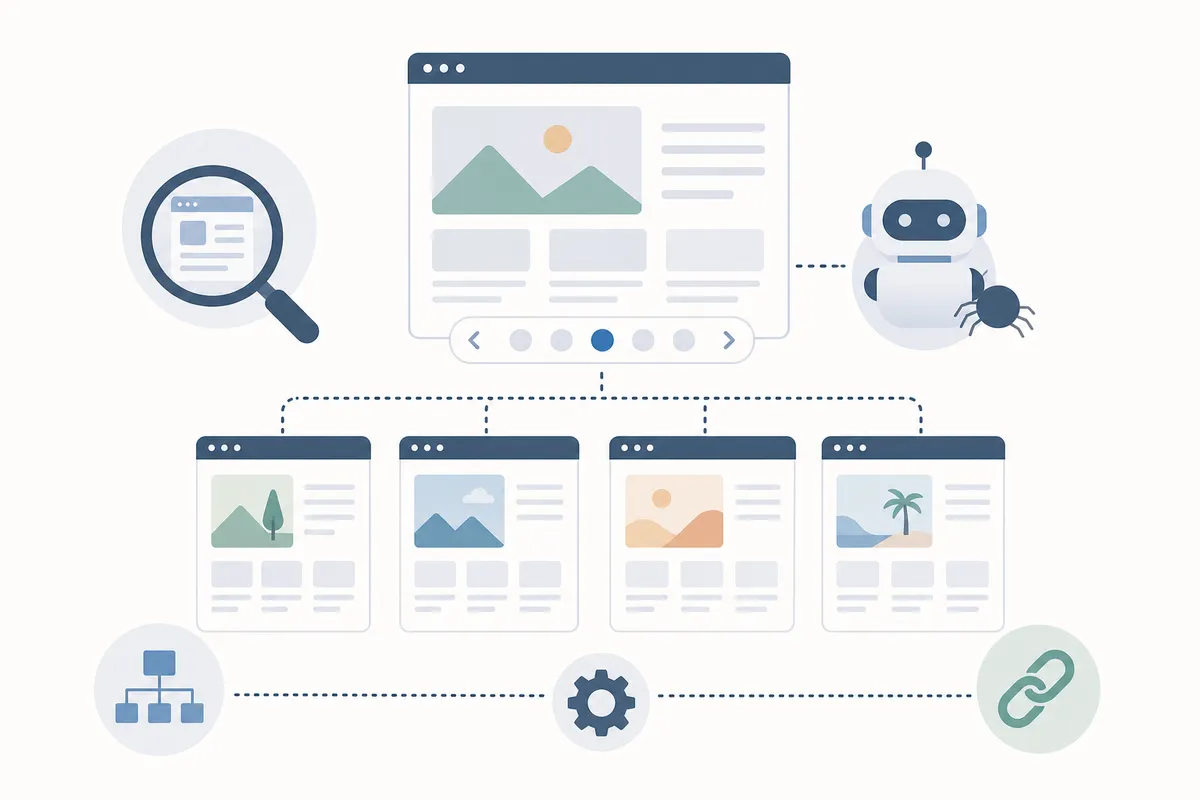
Pagination in SEO is the practice of splitting a large set of content across multiple URLs instead of cramming it onto one page. Product listings, articles, forum threads and search results all work this way. Each page in the series gets its own address, usually something like /category/widgets?page=2, and search engines crawl and index it as a standalone page.
The idea is old, and the word itself predates computers by centuries. Book pagination only became standard practice around 1550, when it replaced the older system of numbering just the front side of each leaf. On the web it does the same basic job of giving a long sequence of content a followable order, with the extra requirement that a crawler has to be able to follow it too.
Why it exists
Without pagination, a site with 10,000 products would need to render all 10,000 on one page or hide most of them behind JavaScript. Both options are bad for performance and for crawlability. Google's own Search Central documentation on pagination and incremental page loading points out that splitting large result sets into pages improves initial load speed and cuts network traffic, which matters most on mobile connections. It also reduces backend load and avoids the browser and server resource limits that come with rendering extremely long lists in one go.
How search engines treat paginated pages
This is the part that trips people up. For years, SEOs treated a paginated series as one connected unit, largely because Google introduced rel="next" and rel="prev" in 2011 to help it understand the relationship between pages in a sequence. On March 21, 2019, Google confirmed it had dropped support for those tags and had been ignoring them for some time already.
Its current stance is that paginated pages are standard pages. Indexing depends on ordinary signals such as internal linking, canonical tags and content quality, with no special pagination directive involved. Other search engines may still read rel="next"/"prev", but Google does not.
That single change is the reason so many setups built around rel=next/prev in the 2012–2018 era are now quietly broken. If your canonical strategy, your linking and your indexing rules were designed around those tags, they deserve a second look. A technical SEO audit is the fastest way to find out whether your paginated pages still send the signals you think they do.
What are examples of pagination in SEO?
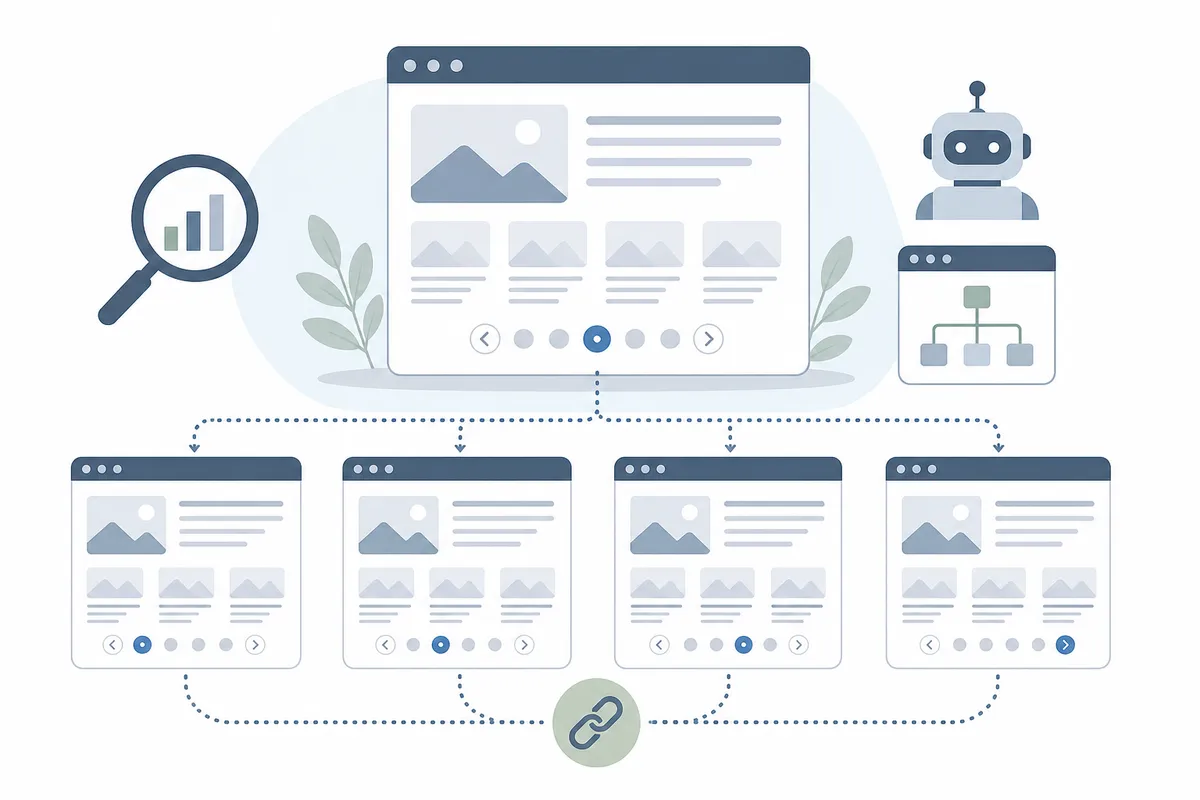
Pagination shows up anywhere a site has more content than fits comfortably on one screen. The details differ by use case, but the goal is always to keep each segment crawlable and indexable.
| Use case | Typical URL pattern | What pagination protects |
|---|---|---|
| E-commerce category pages | /shoes?page=3 |
Product visibility across a large catalog |
| Blog or news archives | /blog/page/4 |
Older articles staying discoverable |
| Forum threads | /thread/128?p=5 |
Long conversations staying readable and indexable |
| Image galleries | /gallery/42?page=2 |
Load time on photo-heavy pages |
| Search results pages | /search?q=widgets&page=2 |
Deep results remaining reachable |
| Multi-page long-form articles | /guide/part-3 |
Scroll length and reader focus on very long guides |
Each of these carries a different level of risk. A forum thread split across 40 pages is low-risk if the linking is solid, while a product catalog split across 200 pages with bad canonicals can quietly erase most of your inventory from search results. The catalog case deserves the most scrutiny, and it's the one this guide focuses on.
How does pagination affect SEO?
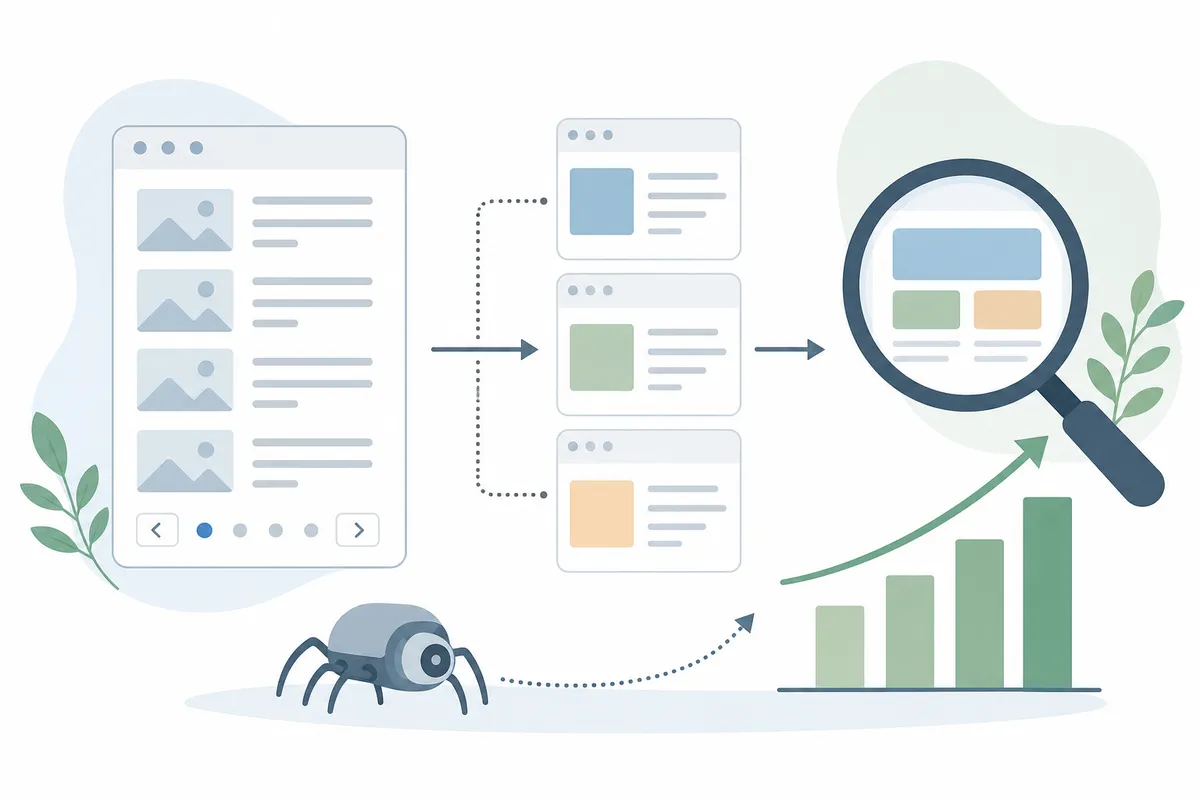
Pagination affects crawlability, indexing, page speed and how link equity moves through your site. Done well, it helps all four; done poorly, it can suppress pages you actually want ranking.
The upside
Pagination improves page speed by limiting how much content loads per request, and page speed is a confirmed ranking factor. It also creates a trail of crawlable internal links that Google can follow to reach content buried deep in a catalog or archive. Without that trail, pages beyond the first screen can become effectively orphaned: technically live, but never discovered because nothing links to them. Our guide on internal linking covers orphan-page detection in more depth if you suspect this is already happening on your site.
The downside
The same mechanism creates risk. Each paginated URL is a near-duplicate of its neighbors, with the same template and sidebar and the same structure around a different ten or twenty items. Search engines need a way to tell these pages apart without treating them as duplicate content, which is where canonical tags, unique URLs and consistent linking come in. Get any of those wrong and you create the confusion search engines are trying to avoid.
There's a second risk on the technical side. Google crawls URLs it finds in the href attribute of anchor tags, and nothing else. It doesn't execute "Load More" click handlers, and it generally won't trigger JavaScript functions that update content without a real URL change. If your pagination relies entirely on JavaScript interaction with no crawlable href, the content past page 1 may never get indexed. Our piece on why single-page apps vanish from Google covers this in more depth, since JavaScript-dependent navigation is one of the biggest risks that SPA sites and heavily paginated catalogs share.
The numbers behind pagination's ranking impact

Most pagination advice stays abstract, with lines like "it affects crawlability" and "it affects page speed." The actual numbers are more concrete, and they come from Google itself.
Start with speed. Google's Core Web Vitals program sets three specific thresholds for a good page experience. Largest Contentful Paint, the time until the main content renders, should stay under 2.5 seconds. Interaction to Next Paint should stay under 200 milliseconds, and Cumulative Layout Shift should stay under 0.1. These numbers come directly from Google's own web.dev documentation, from the same team that maintains Core Web Vitals as a ranking input.
A paginated category page showing 24 products has an obvious head start on all three metrics compared with the same catalog rendered as one unbroken page of 400 products. There's less HTML to parse, fewer images competing for bandwidth on first load and less layout to shift as content arrives. Search Console reports Core Web Vitals performance grouped by similar URL patterns, so a site can watch a paginated series move from "needs improvement" to "good" as fixes land, in the same report used to diagnose indexing issues.
Crawl budget is the other number worth knowing, and Google is unusually direct about who should care. Its crawl budget documentation states plainly that most sites don't need to think about it at all, and that it's a concern for very large sites with URLs that change frequently. A blog with a few hundred posts or a shop with a few thousand SKUs doesn't fit that description. The rule of thumb most SEOs draw from how Google frames the guide puts the threshold somewhere in the tens of thousands of URLs and up. Below it, a slow server response or a broken link is far more likely to be the real bottleneck. Above it, pagination sprawl becomes one of the first places worth auditing, especially where filter and sort parameters multiply a few thousand base URLs into hundreds of thousands of crawlable combinations.
The two numbers connect. A series that loads fast keeps Core Web Vitals in range on every page, and a series kept lean, with no runaway filter combinations and no endless duplicate variants, keeps crawl budget pointed at pages that can actually rank. Get both right and pagination stops being a tax on performance and indexing and starts protecting both.
Mobile pagination: tap targets and thumb reach
Google's mobile usability guidance recommends tap targets of at least 48x48 CSS pixels with roughly 8px of spacing between them, figures that come from Google's own accessibility and mobile UX documentation. Pagination controls bunched into a tiny row of page numbers often fail this test, especially past page 10, when a two-digit number has to squeeze into a box sized for one digit. The fix is to keep "Previous" and "Next" controls large and well spaced, and to collapse the numbered middle into something like 1, 2, 3 … 9, 10, 11 instead of printing every page number edge to edge.
A pagination bar that's hard to tap accurately on a phone frustrates users and makes crawlability moot if nobody can reach page 4 without three mis-taps. Because most commercial traffic is mobile first, test it on an actual phone rather than a resized desktop browser window before assuming a paginated series works the way the design mockup suggested.

Pagination vs. infinite scroll vs. load more
Pagination, infinite scroll and "load more" buttons all solve the same UX problem of too much content for one screen, but they carry different SEO consequences.
Pagination splits content across separate, addressable URLs. Infinite scroll loads more content automatically as the user scrolls down a single URL, and a load-more button sits in between as a manual click that expands the current page without necessarily changing the URL. The difference decides whether a crawler can reach your content at all.
Comparing the three patterns
| Pattern | SEO crawlability | User experience | Best suited for |
|---|---|---|---|
| Pagination | Strong, each page has a unique, crawlable URL | Clear sense of progress and total size; easy to resume at a specific page | Product catalogs, archives, anything users need to compare or revisit |
| Infinite scroll | Weak unless paired with crawlable URLs behind the scenes | Feels continuous and immersive; can cause "scroll fatigue" on huge lists | Social feeds, image discovery, engagement-first browsing |
| Load more | Weak, content usually loads into the same URL via JavaScript | Gives users a sense of control without a full page reload | Moderate-length lists where full infinite scroll feels excessive |
Google's own documentation is blunt about the tradeoff. Pagination lets users see the total length of a list and know where they are in it, at the cost of an extra click between pages, while infinite scroll feels effortless but hides the total size of the list and can make older content difficult to relocate.
Making infinite scroll work for search
Infinite scroll doesn't have to be an SEO dead end, but it needs help. The fix is to pair the scrolling behavior with real paginated URLs underneath, so that a crawler hitting /products?page=2 directly gets the same content a scrolling user would eventually see. history.pushState() should also update the address bar as users scroll, so each segment stays linkable and shareable. Without that layer, infinite scroll becomes a single URL with content a crawler never reaches. Accessibility suffers too, because infinite scroll can disorient screen-reader users and bury the page footer in a way traditional pagination doesn't.
Accessibility standards and infinite scroll
The accessibility concern has a formal basis. The Web Content Accessibility Guidelines, maintained by the W3C Web Accessibility Initiative, set two relevant requirements: users must be able to perceive where they are in a set of content, and they must be able to move through it with a keyboard alone, without a mouse. Infinite scroll can fail both. Screen-reader users who tab through a page rely on reaching the footer to know a page has ended, and if new content keeps loading underneath them the footer never arrives. Keyboard-only users face a related problem, because focus can jump unpredictably as new sections mount and land them somewhere on the page they didn't choose.
The practical fixes are well documented. Pair the scroll with a visible "load more" control that keyboard and screen-reader users can trigger deliberately instead of depending on scroll position. Use an ARIA live region set to "polite" to announce new content as it loads, so screen-reader users know something changed without losing their place in the document. Keep a real, reachable footer link or a "back to top" control so the page has a clear end. This is the same bar WCAG sets for any dynamically updating page, and infinite scroll misses it more often than most patterns because content that never stops arriving is the whole point of it.

When pagination isn't the right fix

Pagination earns its place when a list is genuinely long, but plenty of lists aren't. A category with 18 products doesn't need five pages of four items each, because a single page loads just as fast and gives Google one strong page to rank instead of five thin ones. The threshold most sites land on is 40 to 60 items on page one before splitting, which keeps a single page within Core Web Vitals thresholds while avoiding pointless duplication.
The same logic applies to long-form content. Splitting a 1,200-word article into three thin "parts" to inflate pageviews tends to hurt it, since each part becomes too short to rank well on its own and the split adds friction for readers. A single comprehensive page with clear headings is also easier for an AI system to summarize or cite than a sequence of short fragments. Before adding pagination to anything, ask whether the list is actually too long to render well on one page or whether it was split just to look busier.
The pagination mistakes that quietly sink your rankings
Here's where most of the damage happens. None of these mistakes look dramatic in a browser, since the pages still load and the "next" button still works. The damage shows up in Google Search Console and in crawl logs, weeks after the fact.
Mistake 1: Canonicalizing every page back to page 1
This is the single most common pagination error. A well-meaning developer sets the canonical tag on every paginated URL to point back to page 1, believing it will "consolidate" ranking signals. What it actually tells Google is that pages 2 through 50 aren't meant to be indexed on their own because they're duplicates of page 1, and Google often honors that instruction and drops those pages from the index. If your catalog has unique products living only on page 4 or page 12, those products effectively disappear from search.
Each page in a paginated series should carry a self-referencing canonical, a tag pointing to itself. If you're not sure your canonical tags are doing what you think, read our breakdown of canonical tag mistakes that cause duplicate content, since this exact error shows up constantly outside of pagination too.
Mistake 2: Noindexing paginated pages "to clean up the index"
Some teams go the opposite direction and add noindex to every page beyond page 1, assuming it will tidy up search results and funnel authority to the main category page. It usually backfires. Noindex tells Google to drop the page from the index entirely, so if that page is the only place a particular product, article or forum post lives, the content stops showing up in search.
Combining a noindex tag with a canonical tag on the same page makes it worse. One says "don't index me" and the other says "I'm the authoritative version of this URL," and Google has to guess which to trust, which doesn't always go your way.
Mistake 3: JavaScript-only navigation controls
If your "next page" control is a <button> with an onclick handler and no real href, you're betting your deep pages on Googlebot executing your JavaScript perfectly every time, on every crawl. It's a bad bet. Google crawls the URLs it finds inside href attributes on anchor tags, doesn't click buttons, and generally doesn't trigger the user-interaction-dependent scripts many front-end frameworks use to swap in new content. Every "next" and "previous" control should be a real anchor tag pointing to a real, crawlable URL. JavaScript can still improve the click experience as long as the underlying link exists in the markup.
Mistake 4: Letting filter and sort parameters multiply your URLs
A paginated category page is already one URL multiplied by dozens of pages. Add filters such as size, color, price and brand, plus sort options such as price ascending or newest first, and a single category can generate thousands of near-identical URL combinations. Search engines don't want all of them indexed, because most add no unique value and only dilute crawl attention across near-duplicate content.
The fix is either a noindex meta tag on filtered and sorted URL variants or a disallow rule in robots.txt for the specific parameter patterns. Either way, crawlers stop spending limited attention on combinations that will never rank. The robots.txt disallow syntax is now a formal IETF standard, RFC 9309, which is worth knowing if a developer ever questions whether major crawlers will respect a disallow rule.
Mistake 5: Using URL fragments instead of real paths
Some pagination implementations use a fragment identifier, the part of a URL after a #, to represent the page number, as in /products#page2. Google ignores everything after a # when evaluating a URL, so if the only difference between two URLs is the text after it, Googlebot may treat them as the same page it already fetched and not bother crawling what it thinks is a duplicate. Page numbers belong in the path or in a real query parameter.
Mistake 6: Over-optimizing every page in the series
It's tempting to write a unique, keyword-heavy title and meta description for every paginated page, the way you would for genuinely distinct pages. Page 2 of a "running shoes" category then competes against page 1 of the same category for the same keyword, which is keyword cannibalization against yourself. The standard fix is to de-optimize paginated pages past page 1. Google has confirmed that similar or identical titles and descriptions across a paginated sequence are fine, since it recognizes the relationship and indexes accordingly. Concentrate your primary keyword targeting, internal links and on-page optimization on the root category page.
Mistake 7: Breaking the link chain
Pagination depends on crawlable connections between pages. If page 3 links to page 4 but nothing links back to page 1, or the sequence breaks somewhere in the middle, Google has a harder time understanding the series and a harder time reaching the pages furthest from the start. Best practice is to link each page to the next one in sequence and to link every page back to page 1, which signals that page 1 is the natural entry point.
This is a specific case of a broader issue, pages that exist but aren't well connected to the rest of the site. Our deeper dive on site structure mistakes that cost rankings covers the same failure pattern outside of pagination.
Mistake 8: Treating infinite scroll as a crawlability shortcut
Infinite scroll feels modern and genuinely improves engagement metrics on content feeds. But swapping paged navigation for infinite scroll without adding crawlable URLs underneath is one of the most common "we redesigned the site and traffic dropped" stories in SEO. If a crawler only sees the first batch of items at the base URL and everything else loads on scroll with no corresponding link structure, everything past that first batch is invisible to search engines even though users can see all of it.
Mistake 9: Ignoring crawl budget on very large catalogs
For a site with a few hundred pages, crawl budget barely matters. For a site with tens of thousands of paginated product or archive pages it matters a lot, because every thin, near-duplicate paginated URL Google crawls is attention it isn't spending on your higher-value pages. Poorly pruned page sprawl, especially when combined with uncontrolled filter and sort parameters, can measurably slow how quickly new or updated content gets picked up elsewhere on the site. If pages sit unindexed for weeks, pagination sprawl is a common root cause, and our guide to why pages get skipped during indexing walks through how to diagnose it.
Google's own crawl budget documentation is direct about who this applies to: sites without a large number of frequently changing URLs generally don't need to worry about it at all. A small blog rarely needs this guide, while a 200,000-SKU catalog does.

How to structure pagination so it actually helps rankings
Fixing pagination isn't complicated once you know the checklist. Most of it comes down to undoing one of the nine mistakes above, consistently, across the whole series.
1. Self-canonicalize every page
Each paginated URL should carry a canonical tag pointing to itself: page 2's canonical points to page 2, page 3's to page 3, and so on. This single change resolves the most damaging mistake on the list.
2. Use clear, descriptive, crawlable URLs
Give every page in the series its own real URL, reachable through a standard href link, such as /category?page=2 or /category/page/2. A JavaScript-triggered content swap on a single address doesn't count. Consistent URL patterns also make it far easier to audit a paginated series at scale later.
3. Skip fragment identifiers for page numbers
Keep the page number in the path or as a real query parameter. Google ignores the portion of a URL after a # entirely, so a fragment can't tell one page from another.
4. De-optimize pages beyond page 1
Let the root page carry your primary keyword targeting, your strongest internal links and your best on-page copy. Pages 2 and beyond can share similar titles and meta descriptions, which is expected behavior for a paginated series and no sign of a duplicate-content penalty.
5. Keep paginated pages indexable
Resist the urge to noindex pages past page 1 "just in case." Unless a specific page is genuinely low-value, such as a filtered or sorted variant, let it stay indexable so any unique content on it can still be found.
6. Link pages in sequence, and back to page 1
Every page should link forward to the next page and back to page 1. This gives Google a clean, consistent path through the series and reinforces which page deserves the most authority.
7. Control filter and sort parameter sprawl
Decide upfront which parameter combinations deserve to be indexed (usually none of them) and block the rest with noindex or robots.txt rules. That keeps crawl budget focused on pages that can actually rank.
8. Help crawlers and users with preload and prefetch
Google's documentation specifically recommends preloading, preconnecting or prefetching the next page in a sequence. It speeds up the experience for users moving through the series and supports the page-speed signal that pagination is partly designed to protect.
9. Verify the whole chain with a technical audit
Pagination touches canonical tags, internal linking, indexing directives and crawl paths all at once, so it's easy to get one piece right and another wrong without noticing. A full technical SEO audit checks all four together, and it's worth running one before and after any large pagination change.
Hreflang and pagination on multilingual sites
Sites that run multiple language versions of the same paginated catalog add a layer most pagination advice skips. Every paginated URL needs its own hreflang set, which means page 3 of the English catalog should point to page 3 of the French and German versions rather than to their page 1s. The common mistake is treating hreflang as a page-1-only setting and letting it silently drop off every page after that, which leaves Google guessing at the right language match for pages 2 through 40 in every market.
Dropped hreflang on deep pages does as much damage as a missing canonical, because it tells search engines the relationship between language versions ends after the first page even though the catalog obviously continues. Check this specifically during an audit instead of assuming the CMS carried it through, since many templates handle hreflang and pagination as two unrelated settings that were never tested together.
A worked example: rebuilding pagination for a 40-page category
Abstract advice is easy to agree with and hard to apply. Here is what fixing a paginated category looks like step by step, using a hypothetical shop with a "Running Shoes" category spread across 40 pages of 20 products each, 800 products in total.
Step 1: Find out what's actually broken
Before touching any code, pull the canonical tag, the meta robots tag and the href of the "next" link from a sample of five pages: page 1, page 2, page 10, page 25 and page 40. In this example, pages 2 through 40 all carry:
<link rel="canonical" href="https://example.com/running-shoes" />
This is the most common mistake on the list. Every page past page 1 points its canonical back to the root category, which tells Google that pages 2 through 40 don't exist as their own entities.
Step 2: Fix the canonical direction
The fix is a one-line template change applied site-wide rather than page by page. Page 2's canonical should read:
<link rel="canonical" href="https://example.com/running-shoes?page=2" />
The same pattern runs through page 40, each page pointing at itself. On most CMS platforms this is a single conditional in the category template rather than forty manual edits. It also explains why the mistake is so common: whoever wrote the template got the logic backward once, and it silently applied to every page in every category from then on.
Step 3: Check the link chain
With canonicals fixed, confirm that page 2 links to page 3, page 3 to page 4, and so on through page 40, and that every page also links back to page 1. A crawl with a tool like Screaming Frog, filtered to this URL pattern, should show a continuous chain with no gaps. In this example the chain breaks at page 23, where a paging component bug drops the "next" link once the page number hits double digits past 20. It's worth catching before declaring the fix finished, because a corrected canonical is useless if the crawler can never reach the page whose canonical you just fixed.
Step 4: De-optimize everything past page 1
Page 1's title, "Running Shoes | 800+ Styles, Free Shipping | Example Shop," stays untouched because it carries the primary keyword target. Pages 2 through 40 get a near-identical title with the page number appended, such as "Running Shoes | Page 3 | Example Shop." This beats forty uniquely written titles competing with page 1 for the same search terms. Google has confirmed that this duplication across a paginated series is expected and fine; forty unique titles chasing one keyword is what causes self-competition.
Step 5: Re-crawl and re-submit
Once the template changes ship, submit the updated category URL through Search Console's URL Inspection tool to prompt a faster recrawl of page 1, and let the rest of the series pick up through normal crawling via the now-fixed internal links. Don't submit all 40 URLs manually, since the link chain from Step 3 exists to handle them.
Step 6: Watch the indexing report for confirmation
Give it two to four weeks, then return to Search Console's Page Indexing report and filter for the category's URL pattern. Pages previously labeled "Duplicate without user-selected canonical" should begin shifting to "Indexed." The shift happens one batch at a time, since Google recrawls pages at different rates depending on how often each has historically changed. A page buried at position 35, crawled rarely because nothing on it changes often, may take noticeably longer to flip than page 2, which is expected and no sign the fix failed.
What changed
Three template-level fixes (canonical direction, a broken link in the chain and title duplication) replace what would otherwise be forty separate manual corrections. That ratio is the real argument for fixing pagination at the template level: one logic error created the problem across an entire catalog, and one corrected template removes it the same way.
Pagination isn't just a front-end choice: API-style pagination
Most SEO conversations about pagination focus on the page you see in a browser. If your site runs on a headless CMS, a custom storefront or anything pulling product and content data from an API, though, the pagination method your backend uses can shape what the front end is even capable of exposing to crawlers.
As developer Phil Sturgeon put it in a widely-read piece on API pagination, "pagination is basically breaking down a large dataset into smaller chunks, which can be fetched incrementally by a client." The three common approaches each come with real tradeoffs.
| Method | How it works | Strongest for | Weak point |
|---|---|---|---|
| Page-based | Client requests page=2&size=10; server returns that page plus a total page count |
Simple UIs that show numbered page links | Counting the full dataset gets slower as it grows |
| Offset-based | Client requests offset=10&limit=10; server skips ahead and returns the next chunk |
Straightforward backends, SQL LIMIT/OFFSET queries |
Performance degrades sharply at high offsets on large tables |
| Cursor-based | Client sends an opaque cursor (often an encoded record ID) showing where the last page ended | Very large, frequently-changing datasets | Harder to build a "page 1, 2, 3… 10" style UI from it directly |
The practical takeaway for SEO is that if your backend uses cursor-based pagination for performance reasons, the front end still has to generate stable, crawlable, bookmarkable URLs for each page. An opaque API cursor that changes every time the dataset updates won't do, because inconsistent URLs across crawls make it much harder for Google to recognize "page 2 today" as the page it indexed last week.
This matters more than it used to, since pages are increasingly read by AI systems that summarize or cite content as well as by browsers and crawlers. A paginated series with unstable URLs confuses those systems as much as it confuses Googlebot. If that's a priority for your catalog or content archive, our page on generative engine optimization covers how structural consistency feeds into AI-driven discovery more broadly.
Should paginated series carry structured data?
Structured data doesn't fix a broken canonical or a missing link, but it answers a question the rest of this guide leaves open: should a paginated series tell search engines explicitly what the whole collection looks like, beyond what's on the current page?
Schema.org, the structured-data vocabulary maintained jointly by Google, Microsoft, Yahoo and Yandex, defines an ItemList type for exactly this situation, a set of items with a defined order. It describes a paginated series as a single logical list rather than forty unrelated pages. A minimal implementation on page 3 of a 40-page category might look like:
{
  "@context": "https://schema.org",
  "@type": "ItemList",
  "itemListElement": [
    { "@type": "ListItem", "position": 41, "url": "https://example.com/products/trail-runner-x1" },
    { "@type": "ListItem", "position": 42, "url": "https://example.com/products/trail-runner-x2" }
  ]
}
The position values carry across the whole series rather than resetting on each page. Items 41 and 42, for instance, live on page 3 of a series showing 20 per page, which lets anything reading the markup see where a given page sits inside the full collection.
Google doesn't require ItemList markup to understand or index a paginated series correctly, because the canonical tags and internal links covered earlier do that job on their own. What ItemList adds is a cleaner, machine-readable description of the collection for any system parsing structured data, including the answer engines that increasingly read a page's markup instead of only its rendered text. A product catalog that adds ItemList to its paginated series gives those systems an explicit, ordered view ("here are items 41 through 60 of a list of 800") instead of forcing them to infer the structure from forty separate HTML documents. For sites investing in visibility beyond traditional search results, it's a reasonable low-cost addition once the canonical and linking fundamentals are solid.
The order of operations matters. Fixing a backward canonical on a 40-page series is worth doing this week, while adding ItemList markup to the same series can wait until the fundamentals hold.
Tools for auditing pagination at scale
Checking pagination by hand works for a five-page forum thread and falls apart on a 40,000-SKU catalog. Screaming Frog is the most common starting point: its free tier crawls up to 500 URLs, and a paid license removes that cap and adds the custom extraction needed to pull canonical tags and href values from every paginated page in one pass. Sitebulb builds on the same idea with a visual crawl map that makes a broken link chain easier to spot than scrolling a spreadsheet.
JetOctopus and ContentKing both monitor crawl behavior continuously rather than in a single snapshot. That matters here because a template bug can silently reintroduce a broken canonical months after the original fix shipped. None of these tools replace Google Search Console's Page Indexing report, the only place that shows how Google itself is treating each paginated URL right now. A crawler supplies the "why" behind what Search Console reports as a symptom, so running a crawl and Search Console together catches issues that neither surfaces cleanly alone.
Auditing and fixing pagination problems
Finding a pagination problem usually takes less effort than people expect, because the signals are consistent once you know what to check.
What to check first
Start with Google Search Console's Page Indexing report and look for paginated URLs labeled "Duplicate without user-selected canonical" or "Alternate page with proper canonical tag." Both are strong hints that your canonical strategy points the wrong way. Then crawl the site directly with a tool like Screaming Frog, filtered to paginated URL patterns, and compare what each page's canonical tag and meta robots tag say with what you expect them to say.
| Check | Where to look | What a problem looks like |
|---|---|---|
| Canonical direction | Page source, <link rel="canonical"> |
Pages 2+ canonicalize to page 1 instead of themselves |
| Indexing status | Google Search Console → Page Indexing | Paginated URLs labeled duplicate or excluded |
| Link reachability | Site crawl (Screaming Frog, JetOctopus, etc.) | "Next" links missing an href, or only present in JS |
| Parameter sprawl | Crawl report, URL parameter count | Hundreds of filter/sort combinations being crawled |
| Fragment usage | URL structure review | Page numbers appearing after a # |
Fixing what you find
Once you've identified which mistake is in play, the fix is almost always one of the nine corrections above: swap the canonical direction, remove an unnecessary noindex, replace a JS-only control with a real link, or tighten robots rules on parameter variations. The harder part is prioritization. On a catalog with thousands of paginated URLs, fixing the canonical direction site-wide tends to produce the biggest and fastest recovery, since it affects every page in every series at once. If pagination turns out to be one symptom of a larger crawl-budget or indexing issue, our broader technical SEO fix guide is a good next read.
How long recovery takes after a pagination fix
This is the question most guides skip, and it's the one people actually want answered: after fixing a broken canonical or a noindex tag, how long until the pages come back?
There's no fixed number, and Google's own crawling and indexing documentation doesn't pretend otherwise. It describes recrawl timing as driven by crawl demand, meaning how important Google judges a URL to be and how often it has historically changed, rather than a guaranteed schedule. A rough pattern still holds across most sites doing a sitewide pagination fix.
Page 1 and high-traffic category pages typically recrawl within days, since Google already visits them frequently, and submitting the URL through Search Console's URL Inspection tool can shrink that to a day or two.
Mid-series pages (roughly pages 2 through 10) usually follow within one to three weeks, picked up through the normal crawl of the corrected internal link chain rather than manual submission.
Deep-series pages (page 20 and beyond) can take a month or more, particularly on sites Google crawls less often. These pages carried the least crawl priority before the fix, and a corrected canonical doesn't automatically raise it; it only removes the active barrier that was keeping them out.
Full ranking recovery, as opposed to simple re-indexing, usually lags re-indexing by a further few weeks. A page can return to the index and still take time to regain the rankings it previously held, because Google is re-evaluating how that page fits into the current version of the site instead of restoring a cached ranking from before the mistake.
A clean, unbroken internal link chain, a sitemap that lists the corrected URLs and strong site authority all speed this up. A well-established site with frequent Googlebot visits will always recover faster than a smaller one Google crawls weekly. A large catalog where the broken pattern touched tens of thousands of URLs, or a site whose crawl budget was already constrained before the fix, will recover more slowly.
If four to six weeks pass with no movement at all on page 1 and the highest-traffic category pages, the fix likely didn't fully take. That situation differs from slow recovery, and it's worth re-auditing instead of waiting longer.
Pagination on different platforms
Pagination defaults vary a lot by platform, and a setting that's fine on one CMS can be a liability on another.
E-commerce platforms are the highest-stakes case, since category pages often paginate hundreds of products and directly drive revenue. If your catalog runs through e-commerce SEO best practices, pagination canonicalization and parameter control belong near the top of the checklist and shouldn't be handled once a year as an afterthought.
Beyond e-commerce, CMS platforms differ in how much pagination control they expose out of the box. Some auto-generate self-canonicalizing paginated archive pages by default, while others require manual template edits to get the canonical and linking structure right. If you're working within a specific platform's constraints, our CMS-specific SEO guides walk through the settings that matter for your stack, including where pagination defaults tend to need adjusting.
A few concrete examples show how much the defaults differ. WordPress's native pagination (/blog/page/2/, generated by its built-in paginate_links() function) is self-canonicalizing by default: each paged archive gets its own canonical pointing at itself, and popular SEO plugins generally preserve that behavior. The common WordPress mistake comes from a theme or page-builder plugin layered on top that silently rewrites the canonical back to page 1.
Shopify's collection pages paginate automatically past a set number of products, commonly 36 or 50 depending on the theme. Shopify generates canonical tags pointing each paginated collection page at itself, which is a correct default. Stores tend to run into trouble with filter and sort parameters layered on top of collections through apps or custom filtering widgets, which can generate large volumes of crawlable parameter combinations outside the platform's own defaults.
WooCommerce runs on top of WordPress and inherits its pagination mechanics for shop and category archives, so the same self-canonicalizing default generally applies. WooCommerce stores often add third-party filter plugins for price range, attribute or brand, and those introduce the same parameter-sprawl problem Shopify stores face through a different set of plugins.
Headless and custom-built storefronts have no default at all: whatever the front-end team implements is the behavior you get. That is also why headless sites are disproportionately represented in canonical-direction mistakes, since no platform convention quietly protects them the way it does on WordPress or Shopify.
Across all of these, the base platform is rarely where pagination breaks. A theme, plugin, app or custom template layered on top usually overrides a correct default with an incorrect one, so check those layers first on any platform before blaming the CMS itself.
Common pagination myths worth retiring
A few beliefs about pagination keep circulating long after they stopped being true. The first is that rel="next"/"prev" still helps Google understand a series, when Google has ignored both tags since before its 2019 announcement. The second is that more paginated pages always means more crawl budget spent, when a lean, well-linked series of self-canonicalized pages is cheap for Google to crawl and the real waste comes from parameter sprawl and broken canonicals. The third is that infinite scroll is automatically worse for SEO than numbered pagination, when the real determinant is whether crawlable URLs exist underneath the scroll. The fourth is that noindexing deep pages is a safe, conservative default, when it usually quietly removes content Google would otherwise have indexed just fine. Each myth comes from the same root cause, which is treating pagination as a problem solved in 2015 instead of checking what happens on today's crawl.
How to decide if pagination needs fixing now
Not every pagination issue is urgent. A forum with clean next/prev links and correct canonicals doesn't need attention just because this guide exists. Pagination deserves immediate review when any of the following is true:
- A large share of your catalog or archive sits two or more pages deep.
- Your canonical tags were set up before 2019 and haven't been revisited since the rel=next/prev deprecation.
- Your site recently added infinite scroll or a "load more" button without anyone checking what happened to the underlying URLs.
- Search Console shows a growing number of "duplicate" or "excluded" paginated URLs.
If any of those match your situation, treat pagination as a priority fix. The earlier a broken canonical chain gets corrected, the faster deep pages come back into the index.
A quick pre-launch pagination checklist
Before shipping any change to a paginated template, run through a short pass/fail list instead of relying on memory. Does every page carry a self-referencing canonical, confirmed by viewing source on three pages and not only page 1? Does the "next" control have a real href, visible in page source with JavaScript disabled? Does page 2 link back to page 1, and does the chain hold all the way to the last page? Are filtered and sorted URL variants blocked from indexing instead of left open by default? Is the page number in the path or a query parameter, never after a #? A yes to all five catches the overwhelming majority of pagination mistakes before they ship, which beats finding them three weeks later in a Search Console report after the damage is done.
FAQs
Does Google still use rel="next" and rel="prev" for pagination?
No. Google confirmed on March 21, 2019 that it had stopped using these tags and had already been ignoring them for a while before that announcement. It now treats each paginated page as a standard page and relies on internal linking and canonical tags instead. Some other search engines may still read the tags, but they're no longer required for Google.
Should paginated pages be noindexed?
Generally, no. Noindexing a paginated page removes it from the index entirely, which can hide unique content such as products, articles or posts that only exists on that specific page. Keep paginated pages indexable with self-referencing canonical tags, and reserve noindex for genuinely low-value variants like filtered or sorted URLs.
Is infinite scroll bad for SEO?
Infinite scroll isn't inherently bad for SEO, but it's risky without extra work. If content loads dynamically on a single URL with no crawlable links underneath, search engines may never discover most of it. Pairing infinite scroll with real, addressable URLs for each segment, and updating the address bar as the user scrolls, closes that gap.
What's the difference between pagination and a "view all" page?
Pagination splits content across several URLs, while a "view all" page puts everything on one URL, often with the paginated pages canonicalizing to it. View-all pages can consolidate ranking signals but need strong performance optimization, because a slow-loading page with hundreds of items can hurt the user experience and page-speed signals more than pagination would have.
How many paginated pages are too many for SEO?
There's no fixed limit, but very deep pagination (hundreds of pages in one series) increases the crawl budget spent on near-duplicate content. Techniques like midpoint pagination show page links like 1, 2, 3 … 9, 10, 11 instead of every single number. That reduces crawl depth to distant pages and keeps the link structure manageable without sacrificing reachability.
Fixing pagination starts with seeing the whole chain
Pagination problems rarely announce themselves. They show up as pages that stopped getting indexed, categories that stopped ranking and crawl reports nobody got around to reading closely. The fix is rarely a rebuild; more often it's a canonical tag pointed the wrong way, a noindex tag that shouldn't be there or a "next page" button with no real link behind it.
If you want to see exactly which of these pagination mistakes your own site is making, talk to the team and get a sample SEO report built around your actual site.
Resources / References
- Google's own web.dev documentation
- W3C Web Accessibility Initiative
- RFC 9309
- crawl budget documentation
ItemList
Related reading: Canonical Pagination: The Right Tag for Every Paged URL.
Sources
- Pagination Best Practices for Google | Google Search Central
- Pagination
- API Design Basics: Pagination
- Pagination.com - The fastest path from data to documents
Disclaimer: This article is general information about rules and figures that applied when it was written, not personalised financial, tax or investment advice. It does not take account of your income, obligations, risk tolerance or goals, and rates and thresholds change. Verify the current position with the relevant authority, and speak to a licensed adviser or a qualified accountant before acting.
About the author
SearchBlueprint researched, wrote and scored this article with the content pipeline our customers run on their own sites. The score in the byline is what our content engine gave this page before it published. Nothing here is reviewed by hand, which is the point: it is the product's output, published where anyone can check it.