Semrush vs Google Analytics: What Each Tool Actually Measures
By Toy Wen Da, Co-Founder · Updated · 12 min read · scored 98/100
Semrush vs Google Analytics is a comparison between two different jobs. Google Analytics measures the visitors who land on your own website, for free. Semrush estimates search data, rankings and competitor traffic for any website, for a paid subscription. Each answers questions the other can't.

What Google Analytics actually measures: best for your own visitors and conversions

Google Analytics 4 is a tracking tag on your own pages, and it isn't built to research anyone else's site.
Where GA4's data comes from
A small snippet of code on every page sends events to Google, such as a page view, a scroll, a form fill or a purchase. GA4 reports only on the people who trigger that code: where they came from, which pages they read, how long they stayed and whether they converted. Many teams pair GA4 with a single feed of Google Analytics, Search Console and AI referral data so the numbers sit in one dashboard instead of three logins.
What GA4 can't see
A visitor who blocks cookies or runs an ad blocker never fires the tag, and a page where someone forgot the tracking code shows zero traffic even when real visitors land on it. GA4 also has no native view of your backlinks; what Google Analytics misses on backlinks covers the specific gaps. AI chatbots don't tag their referrals the way Google Ads does, which is one reason it takes five separate methods to track AI referral traffic inside GA4.
Pick GA4 if you need to know what visitors do on your site after they arrive. Skip it as your only tool if you want to research competitors or find keywords you don't rank for yet.
What Semrush actually measures: best for competitor and keyword research
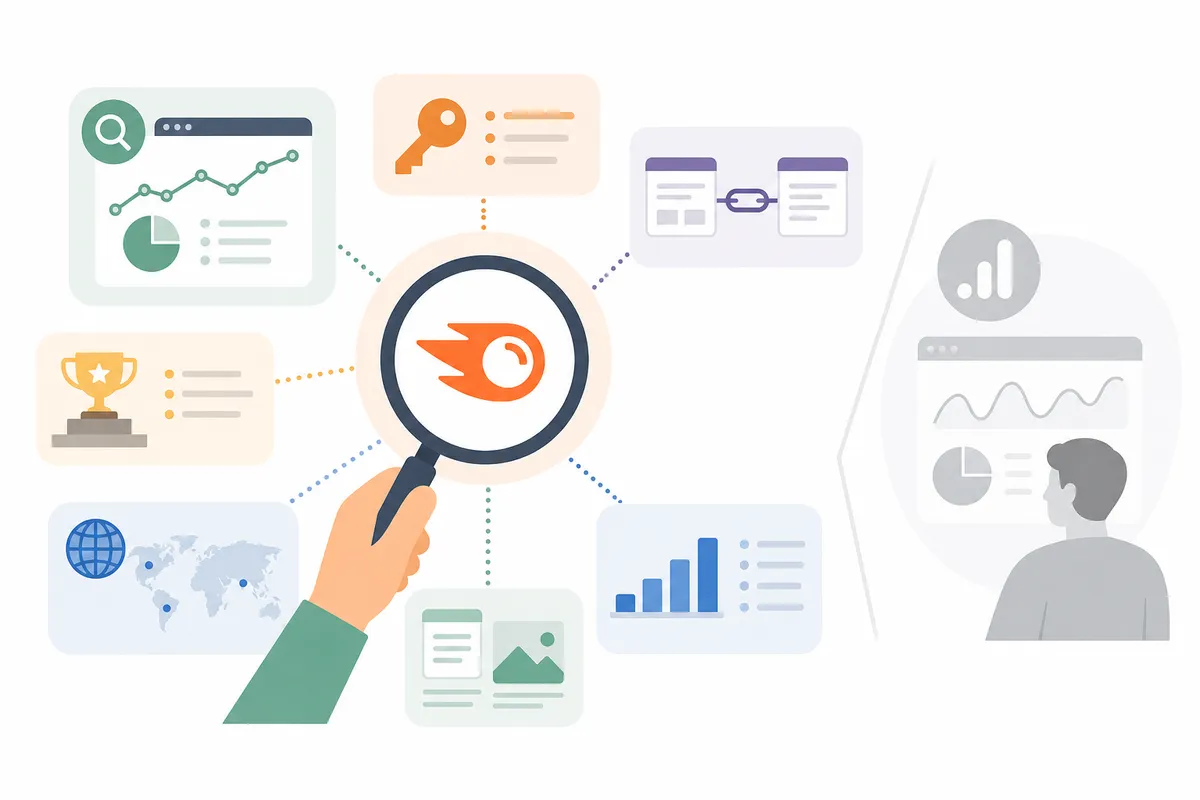
Semrush doesn't sit on your site as a tag. It builds a picture of any domain from its own databases.
How Semrush builds its estimates
Semrush crawls the web for links and tracks search results across millions of keywords. It also layers in clickstream data, which is anonymized browsing behavior gathered from panels and apps covering more than 200 million real internet users, by Semrush's own account. From that mix it models organic traffic, keyword rankings, search volume, keyword difficulty and backlink counts for any domain you type in, yours included.
What Semrush can see that GA4 can't
Because Semrush isn't tied to one site's tracking tag, it can estimate a competitor's monthly traffic, surface keywords they rank for that you don't, show who links to them and pull up what their Google Ads look like. GA4 can't answer any of those questions, since it only ever sees your own visitors.
Pick Semrush if competitor research and keyword discovery drive your decisions and a paid plan fits your budget. Skip it if all you need is an exact count of your own traffic.
Semrush vs Google Analytics: the core difference
GA4 measures and Semrush estimates. GA4's numbers are exact but limited to your own site, while Semrush's cover any site on the internet but are modeled rather than counted.
This explains most of the frustration people have with either tool. Semrush "feels inaccurate" because it guesses at traffic it never directly observed, and GA4 "feels incomplete" because it only reports what happened inside your website. According to Google Search Central, Search Console and Analytics numbers are expected to differ, because the two systems count sessions, clicks and users differently by design. Google Search Console sits between the two: it's Google's own free record of your search performance, limited to sites you've verified, the same restriction GA4 carries.
| Factor | Google Analytics 4 | Google Search Console | Semrush |
|---|---|---|---|
| Price | Free (GA4 360 is paid) | Free | Free plan capped at 10 reports a day; paid plans from about $140/month |
| Data covers | Your own site only | Your verified sites only | Any domain |
| Data type | Measured from your tracking tag | Google's own search data | Modeled estimates from Semrush's databases |
| Visitor behavior and conversions | Yes | No | No |
| Keyword ideas you don't rank for yet | No | No | Yes |
| Competitor traffic and keywords | No | No | Yes (estimated) |
| Backlinks | Only links that send clicks | A sample Google found | A full index for any domain |
How we compared
We compared each vendor's public pricing and feature pages and the review sites listed in Sources. We did not open paid accounts or run the tools ourselves, so every claim here comes from those published pages and from the agency test described below.
Which tool answers which question

Most of the confusion disappears once you match the question to the right tool.
| Your question | Open this | Where |
|---|---|---|
| How many visitors did my site get last week? | Google Analytics | Reports > Engagement > Pages and screens |
| Which Google searches show my pages, and at what position? | Search Console | Performance > Search results |
| What keywords could I target that I don't rank for yet? | Semrush | Keyword Magic Tool |
| What does a competitor rank for that I don't? | Semrush | Keyword Gap |
| Who links to a competitor's site? | Semrush | Backlink Analytics |
| Did an algorithm update hit my niche this week? | Semrush Sensor, then Search Console | Sensor score, then your own clicks |
If you only have time for one tool today, start with the row that matches the decision in front of you.
How accurate is Semrush compared with Google Analytics?

Semrush is accurate enough to compare two sites against each other, but it can't give you an exact count.
The Varn test: 32 sites, one clear pattern
A 2025 test by UK agency Varn compared Semrush's organic traffic estimates against real Google Search Console data across 32 client sites. Only two landed close to the real figure, and the rest missed in both directions.
| Outcome | Sites (of 32) | Average gap from the real figure |
|---|---|---|
| Within 10% of Search Console | 2 | Close match |
| Overestimated | 15 | About 152% above the real figure |
| Underestimated | 15 | About half the real figure |
What this means for how you use Semrush
Treat Semrush's traffic figure as a direction. It suits questions like whether competitor A is bigger than competitor B, or whether their traffic is trending up, but it can't tell you how many visitors they got in March. GA4 isn't flawless either, since cookie refusals and ad blockers hide a slice of your own visitors. Even so, it reports what it directly measured, which puts it far closer to reality than any third-party model of a site it never touched.
Google Search Console vs Semrush: best for your own search performance

This is the comparison most people mean when they type "semrush vs google analytics" into Google, because Search Console sits right between the two.
Search Console is Google's own report on how your site performs in search results: clicks, impressions, click-through rate and average position, per query and per page, for up to 16 months of history. It's free, and it's the closest thing to ground truth for organic search that exists.
Semrush covers what Search Console structurally can't:
- Any domain, where Search Console only shows sites you've verified.
- Keywords you don't rank for yet, since Search Console only reports queries where you already appear somewhere in results.
- A full backlink index for any site, rather than the sample of links Google happened to find.
- Daily rank tracking for a chosen list of keywords, by location and device, instead of one blended average position.
Indexing adds another wrinkle. Now that Google's cache viewer is gone, Search Console's URL Inspection tool is one of the few ways left to confirm exactly how Google sees a given page. Rendering problems compound this: if your site is built as a single-page app, pages can vanish from Google's results entirely when Google can't crawl and render them properly, and both GA4 and Search Console will under-report those pages for the same reason.
In practice, Search Console measures your own search performance and Semrush researches everyone else's. Pick Search Console if you own the site and want Google's own data on it; it is the one free tool nobody with a site should skip. Add Semrush only when you need data about domains you can't verify.
Can you connect Google Analytics to Semrush?
Yes, and it's worth doing once you know what it changes.
Inside a Semrush project, you connect your Google account and choose your GA4 and Search Console properties. Semrush then combines three sources on one dashboard: GA4 supplies engaged sessions and conversions, Search Console supplies impressions and position data, and Semrush adds keyword ideas from its own database for those same landing pages. On a plan without the SEO Toolkit this covers 10 pages, and Semrush's Business tier raises the limit to 50.
The connection adds your first-party data next to Semrush's modeled data for your own site alone. Semrush's traffic model for a competitor's domain stays as estimated as it was before you connected anything.
You can build something similar for free in Looker Studio, Google's own reporting tool, which has native GA4 and Search Console connectors. Pulling Semrush's own data into Looker Studio (Domain Analytics, Position Tracking, Site Audit) needs a Guru or Business tier of Semrush's SEO Toolkit.
How Semrush and Google Ads differ
The same inward-versus-outward split shows up in paid search.
Semrush's Advertising Research tool shows which keywords a competitor bids on, where their ads appear, their actual ad copy and, in some cases, an ad history going back to 2012. That helps you plan a campaign before you spend a dollar of your own budget.
Google Analytics, linked to your own Google Ads account, shows the other half: what happens after someone clicks your ad, with engagement, conversions and revenue broken down by campaign. This is what tells you where your next advertising dollar should go. Semrush looks outward at what competitors are running, while GA4 looks inward at what your own spend produced.
Semrush Sensor: is Google moving today?
Semrush Sensor tracks day-to-day volatility in Google's search results and scores it from 0 to 10.
| Sensor score | What it signals |
|---|---|
| 0-2 | Low volatility, a normal day |
| 2-5 | Typical day-to-day movement |
| 5-8 | High volatility, likely a visible update |
| 8-10 | Very high volatility, a major shake-up |
A spike tells you something changed across Google's results broadly, but not whether your own site was affected. Check your Search Console clicks and average position for the same dates before assuming anything shifted for you. The same caution applies locally: a swing in your local pack position often traces back to the three factors that decide your Google Business ranking rather than a broad algorithm update.
What about Moz: best if you want its Domain Authority score
Moz Pro sits in the same category as Semrush: a paid suite of third-party estimates, including its own Domain Authority score, a link index and keyword research, for any domain you point it at. Moz vs Google Analytics follows the same logic as Semrush vs Google Analytics, because one tool measures your own site for free and the other estimates any site for a subscription.
Semrush isn't the only option in that second category. If your work leans more on content scoring than competitive research, see how Surfer SEO's approach compares with Semrush's. If keyword research pricing is the deciding factor, Long Tail Pro is a cheaper way into keyword data worth weighing against Semrush before you commit to either subscription.
Pick Moz Pro if its Domain Authority score is the metric your clients or team already use. Look elsewhere if you want a tool that reports your own visitors, since Moz estimates like Semrush does.
Cost: free vs paid (as of October 2026)
| Tool | Price | Notes |
|---|---|---|
| Google Analytics 4 | $0 | The enterprise edition, GA4 360, starts around $50,000 a year |
| Google Search Console | $0 | Free for any verified site |
| Semrush | Free plan capped at 10 reports a day; paid plans listed from around $140/month | Pricing as of October 2026 |
GA4 and Search Console together cost nothing and give you your own ground truth. Semrush's free plan is enough to test the Keyword Magic Tool or run a one-off competitor check, but ongoing research needs a paid plan.
The complete Google Analytics cost rundown goes through GA4 360's pricing in more detail. The same free-versus-paid tradeoff shows up outside analytics too; it's the math behind what WordPress actually costs against Squarespace once you add up the paid extras either platform eventually needs.
A simple workflow that uses all three
A weekly rotation lets each tool do what it does best.
- Open Search Console first to confirm what's driving clicks to your site right now and which pages Google already trusts.
- Open GA4 next to see what those visitors did once they landed: did they convert, bounce or read a second page?
- Open Semrush last to research keywords you don't rank for yet, check what a competitor changed recently and track your positions daily against theirs.
Working through all three weekly, rather than diving into one tool once a month, is how most working SEO programs run. Teams tired of stitching three logins together often move to a single dashboard that already merges Google Analytics, Search Console and AI visibility in one view, so the weekly check takes minutes instead of an hour.
Can Semrush replace Google Analytics?
No. Semrush was never installed on your site as a tracking tag, so it can't see your real visitors, conversions or revenue. It estimates and GA4 counts.
If you dropped GA4 and kept only Semrush, you'd lose every number that shows whether your site is working, such as session length, cart abandonment and which landing page converts best. Semrush fills a different gap: finding keywords and watching competitors.
Does Semrush use Google Analytics data?
Not by default. Semrush's baseline numbers for any domain, yours included, come entirely from its own crawl, keyword and clickstream databases, and it never reads your GA4 account unless you explicitly connect it.
Once you connect GA4 through Organic Traffic Insights, your real numbers sit alongside Semrush's estimates for your own site, inside your own project. The connection doesn't reach into a competitor's account or change how Semrush estimates anyone else's traffic, and the two data sets never merge.
Is Google Analytics or Semrush better for SEO?
Neither wins outright, because SEO work needs both kinds of information.
GA4 tells you what happened after someone found you: which organic landing pages convert, which ones people abandon and where your SEO traffic goes once it arrives. Semrush tells you what's possible, from keywords you haven't targeted to gaps competitors are exploiting and backlinks worth chasing.
A site that only watches GA4 optimizes pages nobody new will find, because it never looks beyond its existing traffic. A site that only watches Semrush chases keyword opportunities without confirming that the resulting pages convert. Use Search Console and GA4 for what happened and Semrush for what's possible, and together they cover the full loop.
FAQs
Is Semrush more accurate than Google Analytics?
The two aren't directly comparable. GA4 counts your own real visitors, while Semrush estimates traffic for any domain using modeled data. In a 2025 test of 32 sites, Semrush's organic traffic estimate matched Search Console within 10% on only two of them, with 15 sites overestimated and the other 15 underestimated.
Can Semrush replace Google Analytics completely?
No. Semrush has no way to see your actual visitors, conversions or revenue, because it isn't installed as a tracking tag on your site. It is built for keyword research and competitive analysis.
Does Semrush read my Google Analytics data?
Only if you connect it yourself through Semrush's Organic Traffic Insights feature. Even then, your GA4 data sits alongside Semrush's own estimates for your site and doesn't change how Semrush estimates traffic for any other domain.
Which is better for SEO, Semrush or Google Analytics?
Neither alone. GA4 and Search Console show what already happened on your site, and Semrush shows what's possible, including keywords you haven't targeted yet and where competitors are doing something different. A complete SEO workflow uses both.
Do I need Google Search Console if I already pay for Semrush?
Yes. Search Console is Google's own record of your search performance, and it's free. Semrush complements it with competitor data and keyword research but can't replace Google's verified data about your site.
See what your own site's numbers actually say
Install Google Analytics and Search Console first, because they're free and they're the only true record of your own site. Add Semrush when you need to find keywords you're missing or see what a competitor is doing that you aren't. Talk to the team and see a sample report that puts your measured traffic and your search opportunity side by side.
Resources / References
Related reading: 9 Best Google Analytics Alternative Tools in 2026 (Free and Paid).
Sources
About the author
SearchBlueprint researched, wrote and scored this article with the content pipeline our customers run on their own sites. The score in the byline is what our content engine gave this page before it published. Nothing here is reviewed by hand, which is the point: it is the product's output, published where anyone can check it.