E-commerce SEO in 2026: what actually moves rankings
SearchBlueprint · · 10 min read · scored 92/100

E-commerce SEO is the practice of optimizing your store's product pages, category structure, content, and technical setup. The payoff is ranking higher in search results and earning free, qualified traffic. Done well, it brings you shoppers who are already looking to buy, not just browsers.
What e-commerce SEO covers and why it differs from general SEO
E-commerce SEO applies the same fundamentals you'd use on any site. But your store runs into problems a blog or a services site never sees. Those problems include thousands of near-identical product pages and filtered category URLs that multiply into the tens of thousands. Stock is seasonal. It comes and goes, and product descriptions are often copied straight from a manufacturer's spec sheet onto hundreds of competing stores.
The work also splits by audience. A B2C store writes for one shopper making a fast decision. Its content leans toward triggering a purchase: price, availability, reviews, shipping time. A B2B store sells to a buying committee with a longer cycle. Its e-commerce SEO content leans educational: specifications, comparison guides, and case studies that circulate before anyone signs off on an order. The goal, more organic traffic that converts, is the same either way. The path to it isn't.

Why e-commerce SEO matters for revenue, not just traffic
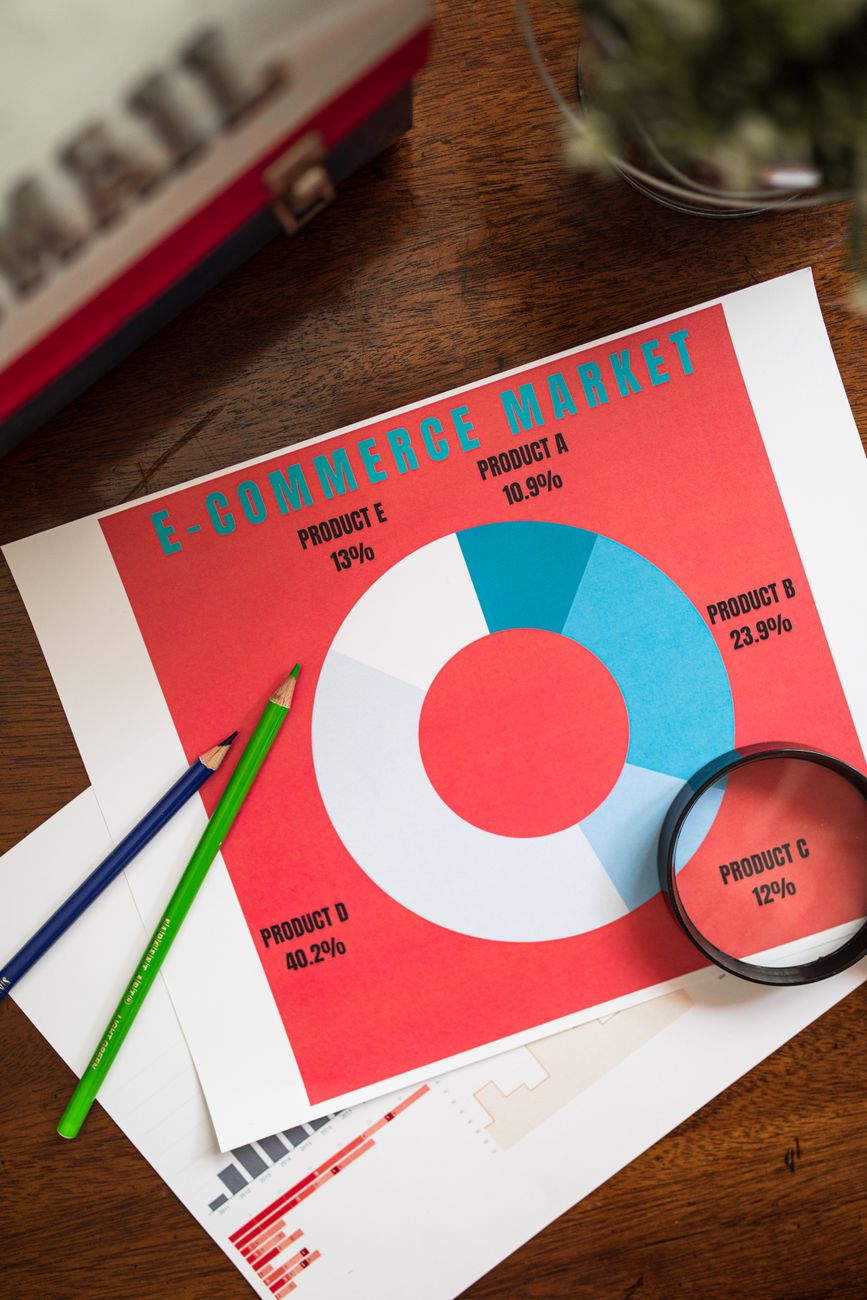
Search is still where most product research starts. Most searchers never make it past the first page of results. A store that ranks on page two is effectively invisible for that term. That's the practical case for why SEO matters for ecommerce growth. It's one of the few channels where the traffic keeps arriving after you stop paying for it.
Paid ads stop the moment the budget runs out. A product page that ranks organically for "waterproof hiking boots women's" keeps pulling in shoppers every week, at no cost per click. That's also why e-commerce SEO compounds: a page you optimize once keeps working long after a display ad has been forgotten.
Keyword research for online stores

Keyword research for a store isn't about finding the highest-volume term and writing toward it. It's about matching what a page offers to what a searcher actually wants, at the exact point they're ready to act.
Finding buyer-intent keywords, not just traffic
Most product searches fall into a handful of intent types, and each one wants a different kind of page. Sending a "how to clean suede boots" searcher straight to a product listing loses the sale. Sending a "buy suede boots" searcher to a blog post does the same thing in reverse.
| Search intent | Example query | Best page type | What to optimize for |
|---|---|---|---|
| Informational | how to choose running shoes | Blog post or guide | Depth, clarity, links to the relevant category |
| Commercial | best running shoes for flat feet | Comparison or buying guide | Trust signals, comparisons, a clear next step |
| Transactional | buy running shoes size 9 | Product or category page | Price, stock, shipping, reviews, fast checkout |
| Navigational | [brand name] running shoes | Brand or homepage | Fast load, clear navigation to categories |
A structured approach to keyword discovery pulls these variations from real sources. It looks at autocomplete suggestions, competitor rankings, and the language shoppers use in reviews and forums. It skips the trap of ranking terms by search volume alone.
Prioritizing keywords you can actually win
A new or mid-sized store chasing "shoes" will lose to retailers with a decade of backlinks and a nine-figure budget. Picking keywords you can realistically rank for means weighing search volume against how contested a term is. It often means targeting several specific, lower-competition phrases instead of one broad one.
Avoid keyword cannibalization
When two pages on the same store target the same keyword, they split ranking signals instead of adding them together. Google often ranks neither well. Say a category page and a blog post are both chasing "leather wallets men's." Merge them, or repoint one at a clearly different term. One page should own one keyword.
Site structure that search engines and shoppers can both navigate
Search engines find and rank pages by following links. Products can sit five or six clicks deep, buried under nested subcategories. That makes it harder for both Googlebot and a shopper to ever reach them.
Keep every product within a few clicks of the homepage
A flat structure, homepage to category to product, gives search engines a direct path to crawl. It also gives shoppers a fast way to buy. Nested category trees that bury products six or seven levels down slow discovery for both.
Category and filter pages create hidden duplicate content
Faceted navigation, letting shoppers filter by size, color, or price, can generate thousands of near-duplicate URLs from a single category. Google's own ecommerce SEO guidance addresses this directly. It recommends canonical tags and controlled crawling. That way, filtered variations don't compete with, or dilute, the main category page (Google Search Central, best practices for ecommerce sites). Left unmanaged, this is one of the fastest ways a large catalog wastes its crawl budget. That budget then goes to pages nobody should ever land on from search.

On-page and product page optimization
This is where most of the day-to-day e-commerce SEO work happens. It's the layer a store controls completely and can change without waiting on a developer.
Title tags and headers that match what shoppers type
A title tag under roughly 60 characters gets a fair shot at showing in full in search results. Build it around the exact product and its defining attribute, like size, material, or model. A vague title like "Home" or a generic "Product 4521" wastes the one line Google uses most to judge relevance.
Write product descriptions worth reading
Pasting the manufacturer's spec sheet onto a product page is the single most common reason product content underperforms. Dozens of other stores carry the identical paragraph. Google has no reason to prefer any one of them. A description answers the questions a real buyer asks: fit, care instructions, what it's actually like to use. That gives the page something none of the competing listings have.
Structured data tells Google exactly what you're selling
Product schema (price, availability, rating, brand) lets search engines display rich results like star ratings and stock status directly in the listing. The vocabulary itself is defined at Schema.org, and Google's ecommerce documentation covers how to submit it correctly. Stores on Shopify or BigCommerce that want this handled without hand-coding JSON-LD on every template can lean on purpose-built e-commerce SEO tooling. That beats maintaining it manually across thousands of SKUs.
Technical SEO fundamentals for online stores
None of the content work above matters if the store is slow or broken on mobile. It matters just as little if it's accidentally blocking search engines from indexing it.
Page speed and Core Web Vitals
Google measures real-world loading and interaction speed through Core Web Vitals: Largest Contentful Paint, Interaction to Next Paint, and Cumulative Layout Shift. Google's web.dev documentation lays out the "good" thresholds sites are measured against. A product page loaded down with unoptimized images and third-party scripts is one of the most common ways a store misses them.
Mobile usability
Most product searches happen on a phone, and Google indexes the mobile version of your page first. A layout that requires pinching to zoom, or a checkout button under a sticky banner, costs you both rankings and sales.
Indexation control keeps the wrong pages out of search
| Issue | Why it hurts | The fix |
|---|---|---|
| Thousands of filtered URLs indexed | Splits ranking signal, wastes crawl budget | Canonical tags to the main category page |
| Out-of-stock pages deleted outright | Loses existing rankings and backlinks | Keep the page live, mark it out of stock, suggest alternatives |
| Internal search results pages indexed | Thin, near-duplicate content at scale | Noindex internal search URLs |
| Paginated category pages competing with page 1 | Confuses which page should rank | Self-referencing canonicals, clear pagination |
Content and internal linking connect the store to the blog
Product and category pages close sales, but they rarely rank for the informational searches shoppers run before they're ready to buy. A blog post targeting longer, more specific search terms can capture that earlier-stage traffic. From there, a normal, contextual link routes it to the relevant category page.
That routing only works if every keyword a store wants to rank for is actually assigned to a page. Mapping keywords to pages systematically prevents a common failure mode. Three different blog posts and a category page all vaguely target the same term, and none of them ranks well for it.
Measuring e-commerce SEO performance
Rankings are a leading indicator, not the outcome anyone is actually paid on. The metrics worth watching are the ones tied to revenue.
Track revenue and assisted conversions, not just position
Organic traffic, organic revenue, and conversion rate by landing page tell you whether the work is paying off. Keyword rankings tell you whether the mechanism behind that revenue is still healthy. You need both, but revenue is the one that answers "is this worth continuing."
Be skeptical of any single number thrown around as a typical outcome. Case study videos promise tens of thousands of dollars a month in new revenue from SEO alone, and plenty of them exist. But they usually describe a specific store with an unusual amount of existing authority, inventory, and traffic already in place. Treat a number like that as a ceiling for what's possible under ideal conditions. It's not a baseline for what your store should expect in the first few months.
DIY vs. hiring help: how to know which you need
A single-product store or a small catalog with fewer than a few hundred SKUs can often handle e-commerce SEO in-house. Writing original descriptions, fixing obvious technical issues, and building out a handful of buying guides doesn't require specialist tooling. The work is straightforward; it just takes consistent time.
A catalog running into the thousands, spread across multiple categories and facets, is a different problem. Duplicate content, crawl budget, and internal linking at that scale are hard to manage by hand. Mistakes compound across every product they touch. That's usually the point where bringing in a specialist, or software built for the scale, pays for itself. It's often faster than learning it by trial and error.
FAQs
What's the difference between e-commerce SEO and regular SEO?
The fundamentals, keywords, content, technical health, and links, are the same. E-commerce SEO adds the challenges of a large, changing catalog: duplicate product content, faceted navigation, out-of-stock pages, and product schema. A typical blog or services site never has to deal with any of that.
How long does e-commerce SEO take to show results?
Technical fixes like resolving crawl errors or fixing duplicate content can shift rankings within a few weeks. Competitive product and category keywords usually take several months of consistent work before they climb meaningfully. Google needs time to re-crawl, re-index, and build confidence in the changes.
Do I need a separate page for every product variant?
Only when the variant is something a shopper would search for on its own. That means a distinct size or color with meaningful search volume. Variants with no independent search demand are usually better handled as options on one canonical product page. That avoids spreading thin content across near-identical URLs.
Should I write my own product descriptions or use the manufacturer's copy?
Write your own. Manufacturer copy is duplicated across every store that carries the same product. That gives search engines no reason to prefer your page over a competitor's. A description built around real use cases, fit, and the questions buyers actually ask is the more defensible long-term asset.
Is e-commerce SEO worth it for a small store?
Usually, yes, because it's one of the few channels that keeps producing traffic without an ongoing cost per click. A small store won't outrank an established retailer on broad terms right away. But specific, lower-competition keywords are often within reach from the start, and they can bring in genuinely qualified buyers.
See where your store's SEO actually stands
The fastest way to know which of these fixes matters most for your store is to look at a real audit. Don't just guess. Review a sample SEO report to see exactly what a full e-commerce SEO review covers. Then get in touch to walk through what it would find on your site.
Resources / References
Related reading: The Importance of Landing Pages for E-commerce SEO Success.
Sources
About the author
SearchBlueprint researched, wrote and scored this article with the content pipeline our customers run on their own sites. The score in the byline is what our content engine gave this page before it published. Nothing here is reviewed by hand, which is the point: it is the product's output, published where anyone can check it.